32
4.5.6 Display
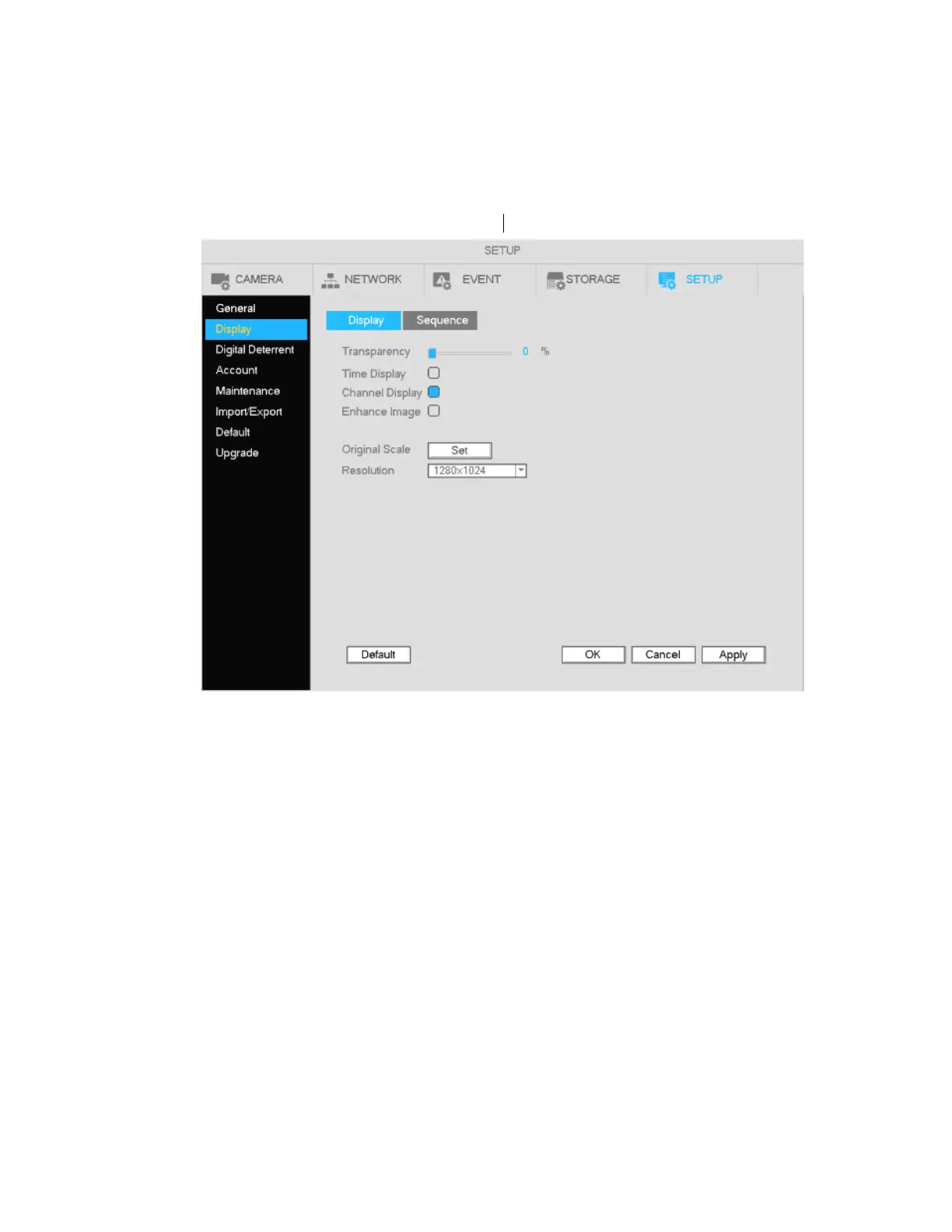
Go to Main Menu->Setup->System->Display. See Figure 4-16.
These options do not affect recording and playback.
Figure 4-16
Resolution: Choose the appropriate resolution for the monitor: 1280×1024 (Default), 1280×720,
1920×1080, and 3840x2160 (4K). Note that if the resolution is set to 4K and the unit is connected to a
non-4K monitor later on, there will be no image shown on the monitor. Lower the resolution before
changing the monitor.
Transparency: Higher value provides more transparency of the Setup interface.
Time display: Enable this to display the time and date of the NVR.
Channel display: Enable this to display the local channel names and the local IP addresses of the
cameras.
Enhance Image: Enable this to sharpen the image on live view. This option does not affect the camera
itself.
Original scale: For selected channels, this displays the camera resolutions in their original aspect ratio.
Resolutions in 4:3 format will have black bars on the sides when this option is enabled.
Click Apply to save the setup.



 To Next Page