89
4.12.2 Date and Time
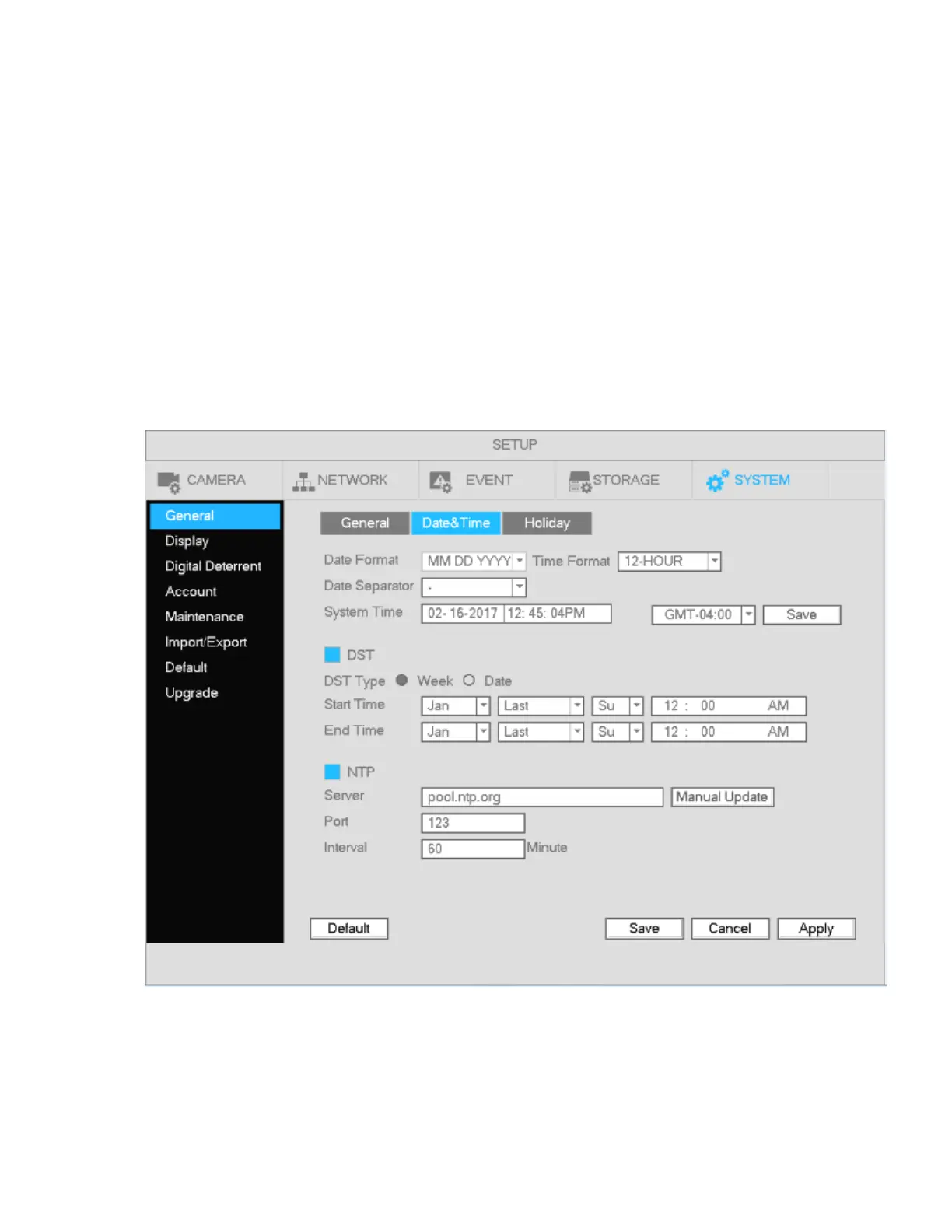
Go to Main menu->Setup->System->General, shown in Figure 4-87
System Time: Set the time of the system
Date format: There are three types: YYYY-MM-DD, MM-DD-YYYY, or DD-MM-YYYY.
Date separator: There are three types.
DST: Set the start and end dates for Daylight Saving Time. DST must be enabled to use this function.
Time format: Choose between 24-hour mode or 12-hour mode.
NTP: Specify an NTP server to synchronize the time.
Note:
Do not modify the system time unless it is important.
Before modification, please stop recording.
Figure 4-87



 To Next Page