40
4.6.1.2 Snapshot
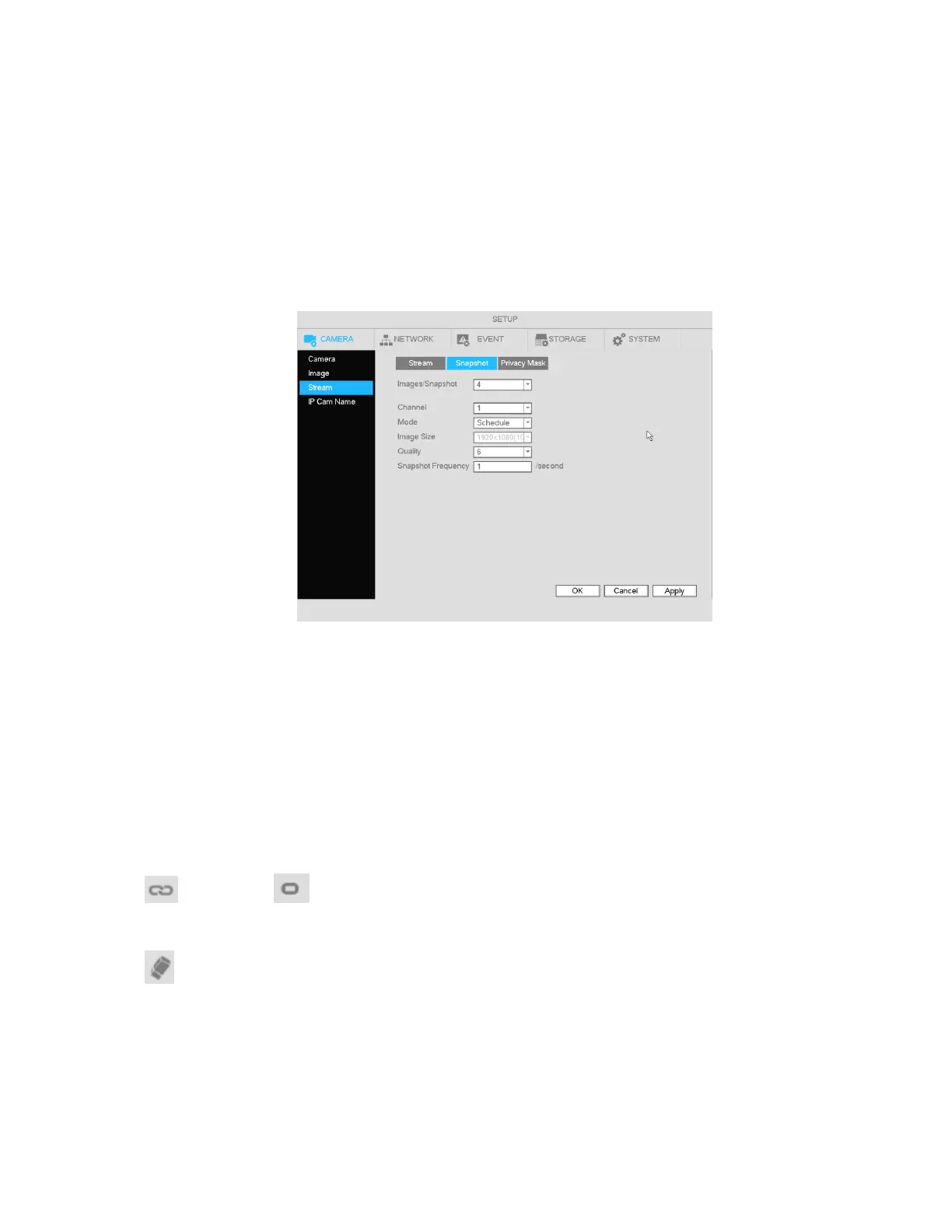
For supported camera models, the snapshot mode, picture size, quality and frequency can be set. See
Figure 4-25.
Channel: Select applicable channel
Mode: There are two modes: schedule and event. If you select schedule mode, you need to set the
snapshot frequency. If you select event mode, you need to set an event trigger (Under Setup -> Event).
Image size: Set the snapshot picture size.
Quality: Set the snapshot quality. The value ranges from 1 to 6 with 6 being the highest
Snapshot Frequency: Used to set snapshot interval for schedule mode.
Figure 4-25
4.6.2 Schedule
4.6.2.1 Schedule Recording
To set up schedule recording, go to Main Menu->Setup->Storage->Schedule. See Figure 4-29.
Channel: Select the desired channel number first. You can select “all” if you want to set the schedule for
all of the channels.
: Select icon of multiple days to link them together. This will allow the linked days to be edited
simultaneously.
: Click to delete the schedule for the selected recording type from one period.
Recording Type: Check the box of the desired recording type. There are three modes for recording:
Continuous / Motion detection / Sensor.
Week day: There are eight options: ranges from Saturday to Sunday and all.
Holiday: Special schedules can be set for holidays if needed. Holidays must be added manually. To add
a holiday, go to Main Menu->Setup->System->General->Holiday. This option will not be shown if no
holidays have been added.



 To Next Page