60
Note
During the backup process, click on ESC to exit the current interface. However, the system will
not terminate the backup process.
The file name format is: Channel number+Record type+Time. In the file name, the date format is
Y+M+D+H+M+S. File extension is .dav.
4.8.2 Import/Export
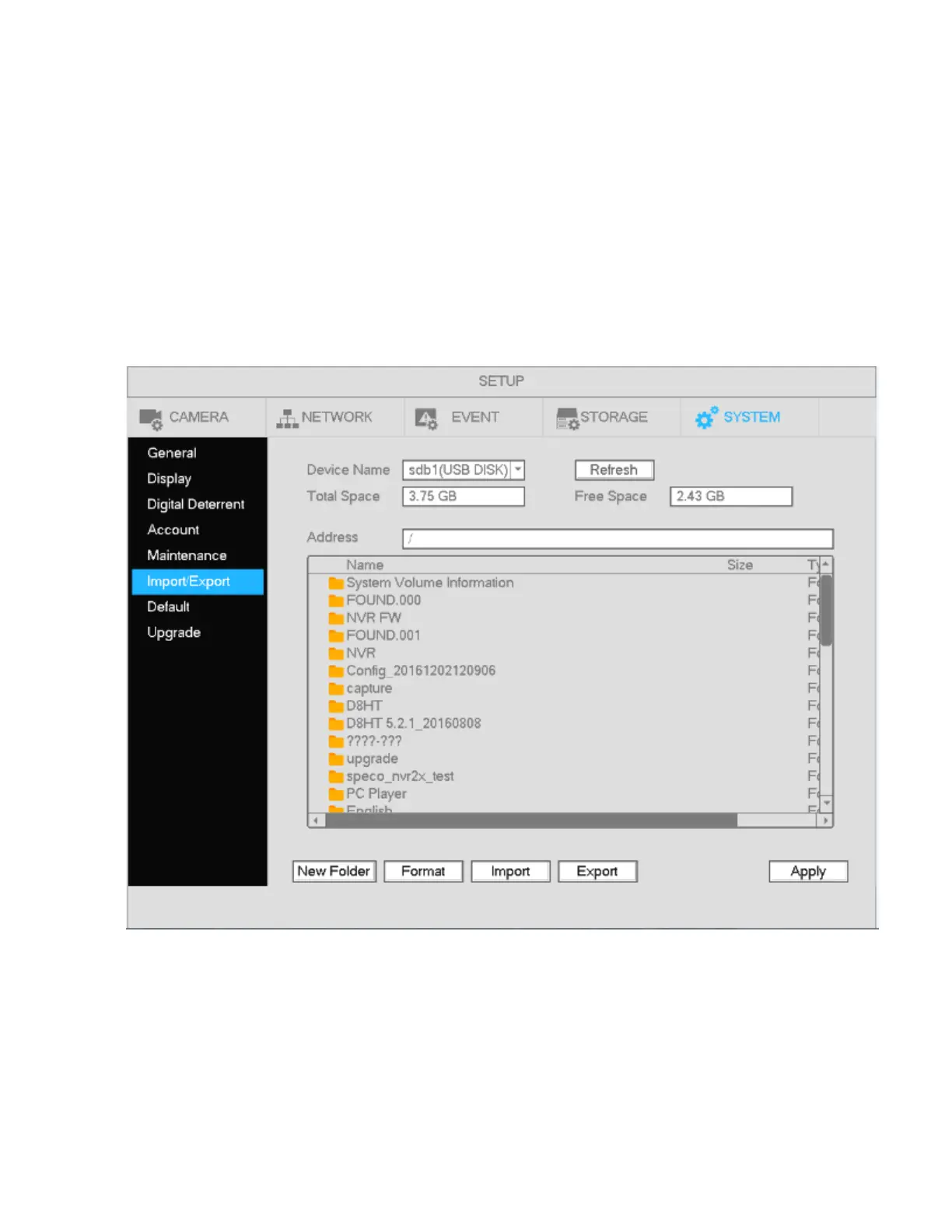
This function allows you to copy the current system configuration to other units. It also supports import,
create new folder, and delete folder.
In Main menu->Setting->System->Import/Export, the configuration file backup interface is shown as below.
See Figure 4-51.
Figure 4-51
Export: Please connect the USB backup device first and then go to the interface. Click Export and then
there will be a corresponding “Config_Time” folder. Double click the folder to view the backup
configuration files.
Import: Use this function to import the configuration files from a USB device to the unit. You need to
select a folder first. The system will pop up a prompt if there is no configuration file under the selected
folder. After a successful import, the system will reboot to activate the new setup.



 To Next Page