82
4.11.2 HDD Information
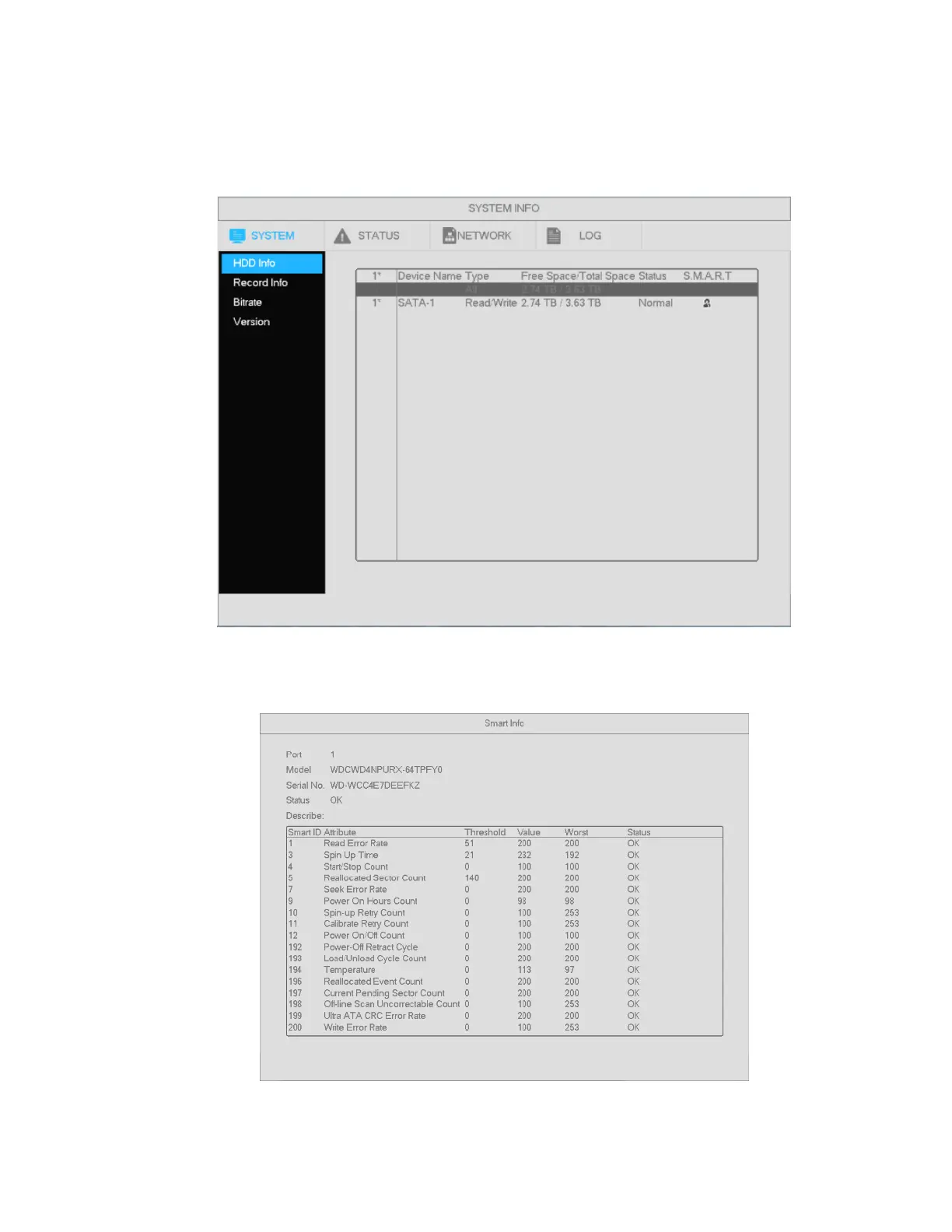
Shows hard drive type, total space, free space, and status. See Figure 4-77.
Go to Main menu->System Info->System->HDD Info
If the drive is damaged, the system will show “?”.
Figure 4-77
Click the icon under the S.M.A.R.T column to bring up the interface is shown in Figure 4-78.
Figure 4-78



 To Next Page