28
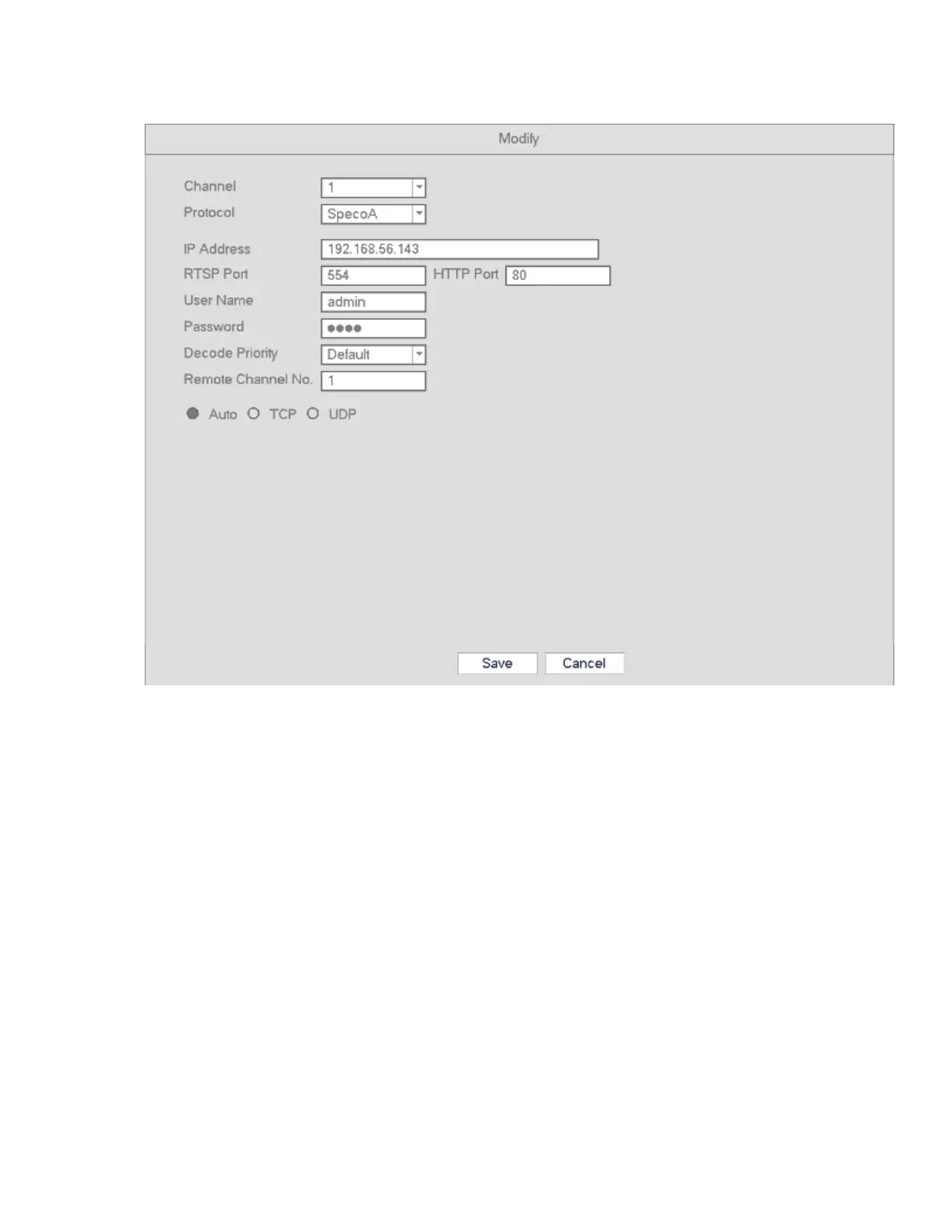
Modify: Click Modify to edit a camera’s information. See below.
Channel: Change assigned channel.
Protocol: Select protocol from the dropdown list.
IP Address: Enter IP address.
RTSP/HTTP port: Enter the correct port values for the camera. If you have not changed the ports, the
default values are 554 and 80 respectively for almost all camera models.
User name/Password: Enter user name and password of the camera. The default user name is admin
and the default password is 1234.
Decode Priority: There are three options: realtime/fluent/default. Please select from the dropdown list.
Realtime puts a priority on keeping the video as close to realtime as possible in case of a network not
performing optimally. Fluent puts a priority on video streaming quality.
Remote Channel: Channel number for remote access.



 To Next Page