63
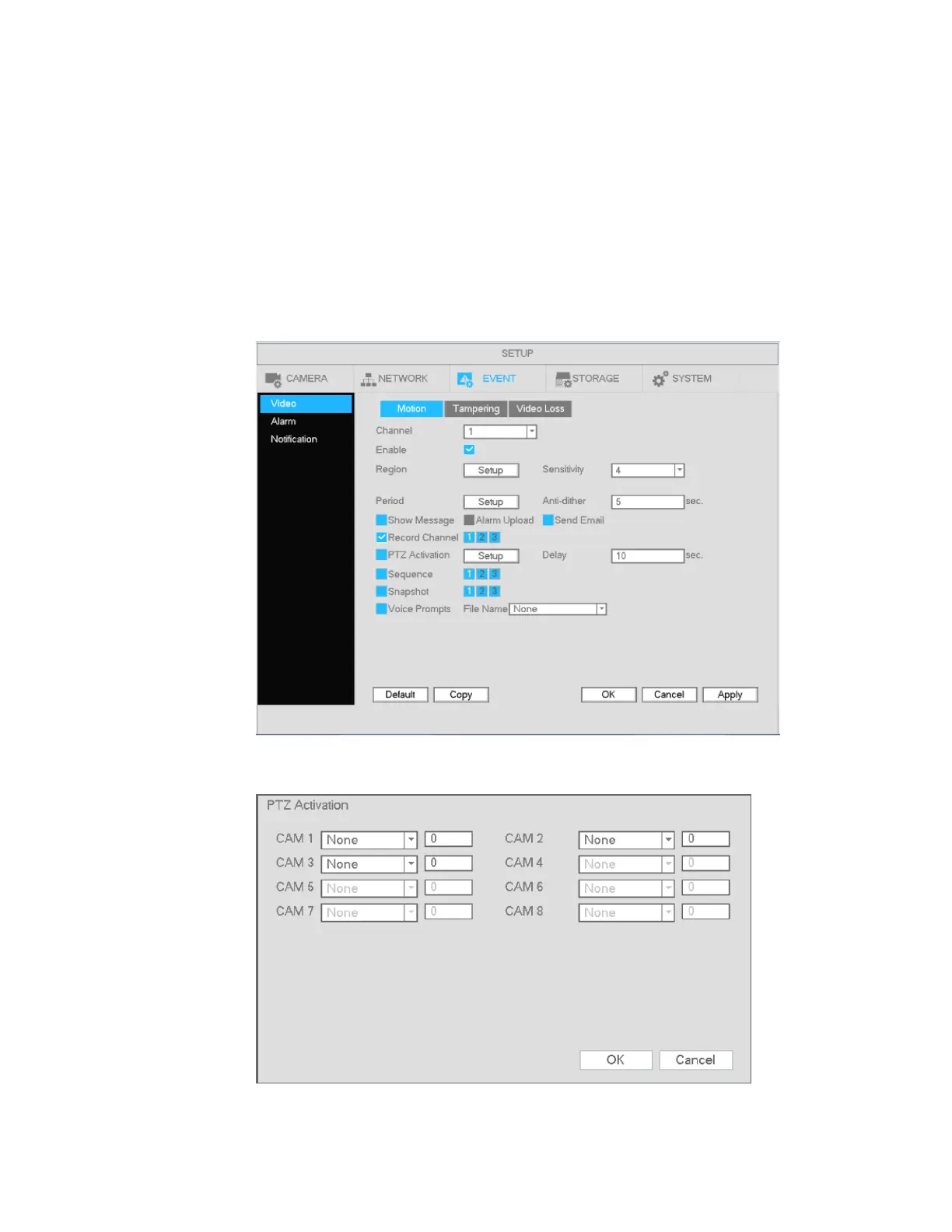
Send email: System can send out a notification email when a motion event occurs.
Record channel: Select the channel to record to once a motion event occurs.
PTZ activation: PTZ cameras that are on the unit can be set to go to a specific preset when a motion
event occurs.
Delay: This is the post record time. The system can continue to record for the duration of the time that’s
specified after the motion alarm has ended. The value ranges from 10s to 300s.
Sequence: Choose which channels that the unit will sequence through when a motion event occurs.
Snapshot: Take a snapshot of the chosen channels when a motion event occurs.
Voice Prompts: Select an audio file to play when a motion event occurs. Files must be added first
through System->Digital Deterrent.
Figure 4-54
Figure 4-55



 To Next Page