5 — Component Identification
30
Operator Manual
V-PRO
®
maX 2
10085896_H
NOTE: For Control Display touch panel screen touch pad definitions, refer to Symbols.
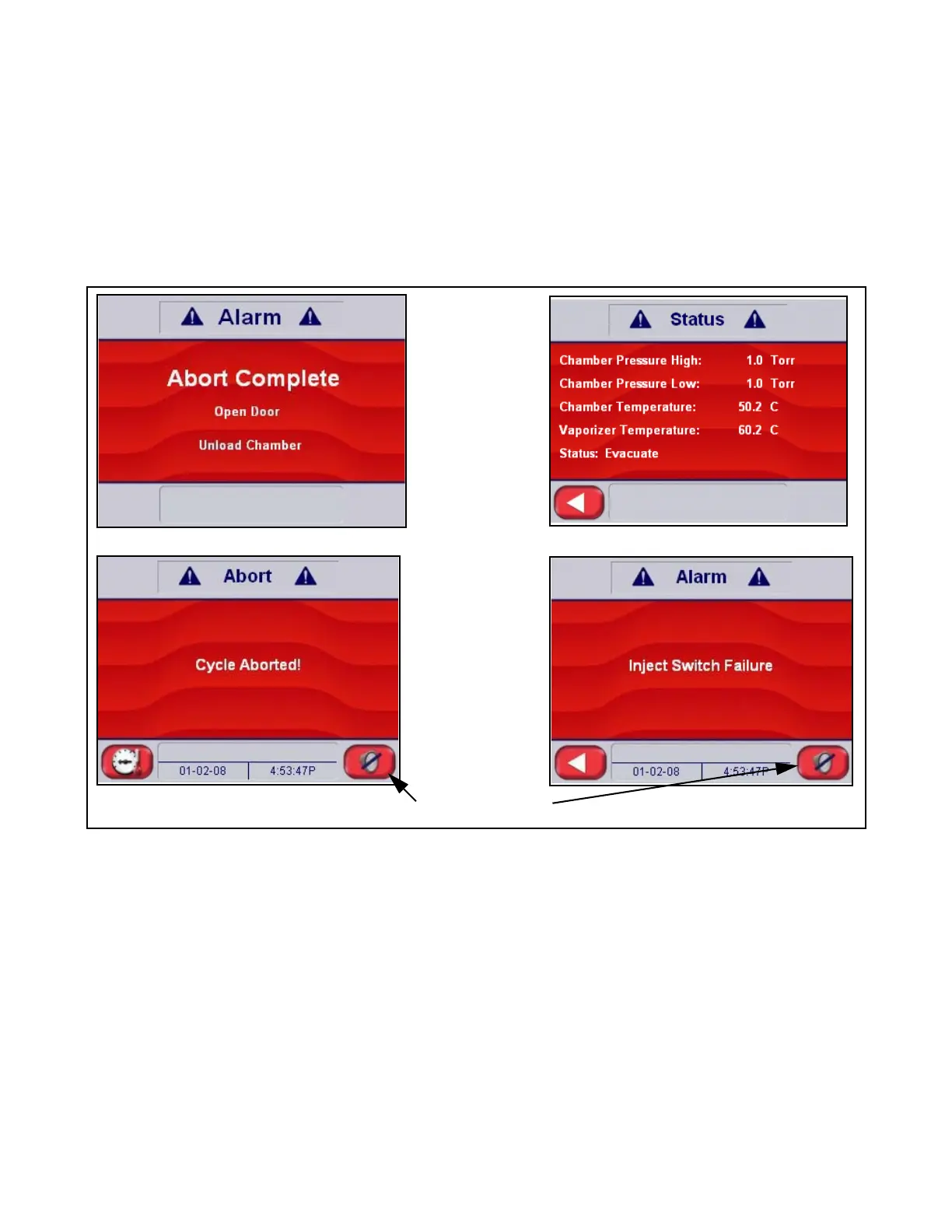
When an alarm occurs during cycle operation, a red screen appears on the display, accompanied by an audible tone.
This screen indicates the problem as determined by control sensors. The operator should follow the instructions on the
screen, if possible. If these instructions fail to clear the alarm, consult your departmental supervisor or a trained service
technician before using the Sterilization Unit further.
The cycle abort touch pad is displayed graphically on the display screens as an upside down red triangle (see Figure 5-6).
Simply touch this symbol to Abort the cycle.
NOTE: To silence alarm, press touch pad in lower right corner of screen (if displayed).
Alarm Complete
Abort Status
Cycle Aborting
Cycle Halted
Silence Alarm Touch Pad
Figure 5-5. Typical Alarm Screens












 To Next Page