5 — Component Identification
28
Operator Manual
V-PRO
®
maX 2
10085896_H
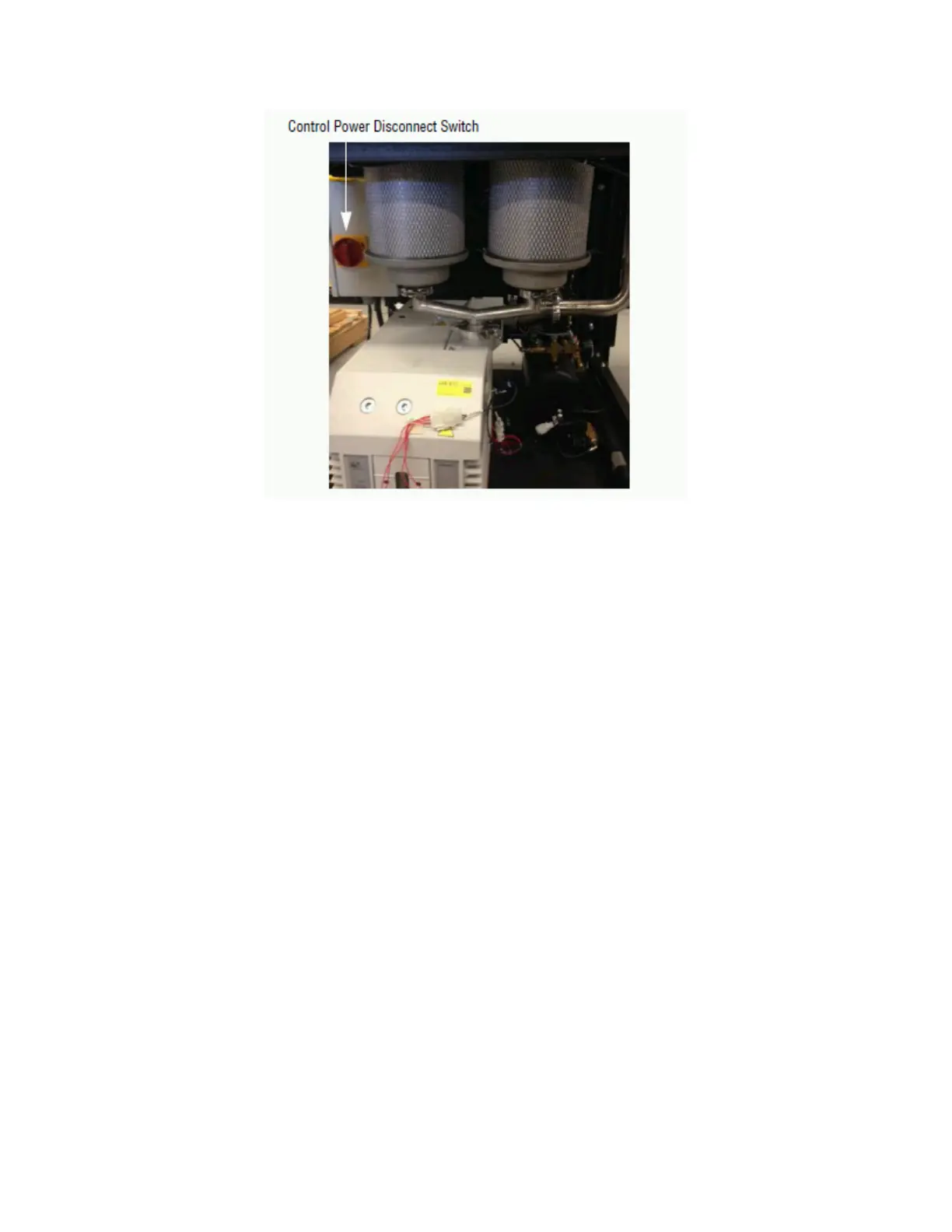
Figure 5-2. Control Power Disconnect Switch
5.3 Control Displays (Touch Screens)
NOTE: This Low Temperature Sterilization System permits no manual control of the Sterilization
Cycle.
The Control Display touch panel directs all Sterilization Unit functions. From this touch panel, the operator may control
cycle operation (e.g., start, abort, print options), select Sterilization Cycle (Lumen, Non Lumen, Flexible, or Fast Non
Lumen) and monitor cycle performance.
Use of this touch panel is normally self-explanatory. Control displays (touch screens) can be divided into two categories,
those occurring when the Sterilization Unit is “out-of-cycle” and those occurring when the Sterilization Unit is “in-
cycle.” The screens are also color coded for operator convenience as follows:
• Control Screens – Color varies depending on Cycle phase (e.g., OPERATING and CYCLES):
– Condition Phase: Green
– Sterilize Phase: Blue
– Aeration Phase: Violet
• Service Screens – Light Blue; require access code (e.g., INPUT/OUTPUT STATUS and CALIBRATION MENU). These
screens are for qualified STERIS-trained service personnel and are not discussed in this manual.
• Option Screens – Purple (e.g., PRINT OPTIONS and CHANGE DATE/TIME).
• Alarm Screens – Red (e.g., ALARM and ABORT). See Alarm Screens for more information.
NOTE: For Control Display touch panel screen touch pad definitions, refer to Symbols.
Typical out-of-cycle and in-cycle displays (examples shown in Figure 5-3 and Figure 5-4) are described as follows:
• Out-of-cycle displays are used to start cycles (Ready or SELECT CYCLE screen), check Sterilization Unit status
(STATUS screen) or Sterilant Cup status (CUP EMPTY, CUP EXPIRED and CUP INVALID screens). With the
exception of the cycle starting screen, most out-of-cycle displays are only used occasionally. Detailed instructions
for Option screens are located in Control Options.












 To Next Page