5 — Component Identification
29
10085896_H
V-PRO
®
maX 2
Operator Manual
NOTE: Control Display alerts the user to replace an invalid, expired or spent Sterilant Cup prior to starting a cycle.
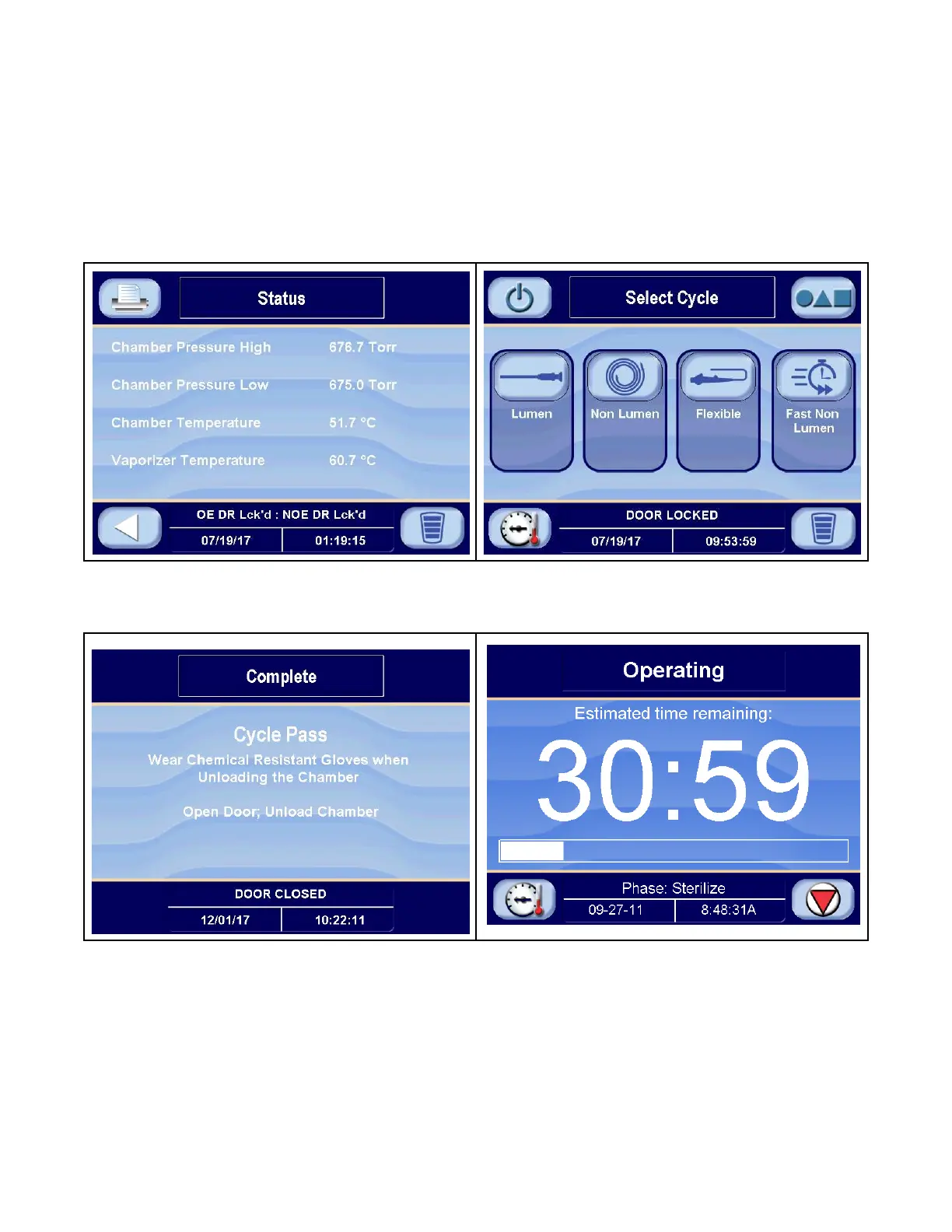
• Generally, when the Sterilization Unit is in-cycle, displays appear automatically and, unless an abnormal condition
occurs, require no special operator attention or instructions. In-cycle displays tell the operator at what
temperature and pressure the Sterilization Unit chamber is operating (STATUS screen), show the current cycle
phase with projected cycle completion time in numeric and bar form (OPERATING screen) and indicate when the
processing cycle is complete (COMPLETE screen). For more details about operating cycles, refer to VHP
Sterilization Cycle Operation.
Figure 5-3. Examples of Out-Of-Cycle Screens
Figure 5-4. Examples of In-Cycle Screens
5.4 Alarm Screens
Alarm screens inform operators and service technicians when the Sterilization Unit is experiencing an abnormal
condition. Alarm conditions can be caused by failure of utility supplies or Low Temperature Sterilization Unit
components. Troubleshooting details the steps an operator can take to solve most alarm conditions. Typical alarm
displays are shown in Figure 5-5.












 To Next Page