7 — Troubleshooting
50
Operator Manual
V-PRO
®
maX 2
10085896_H
7.2 Typical Alarm Screen
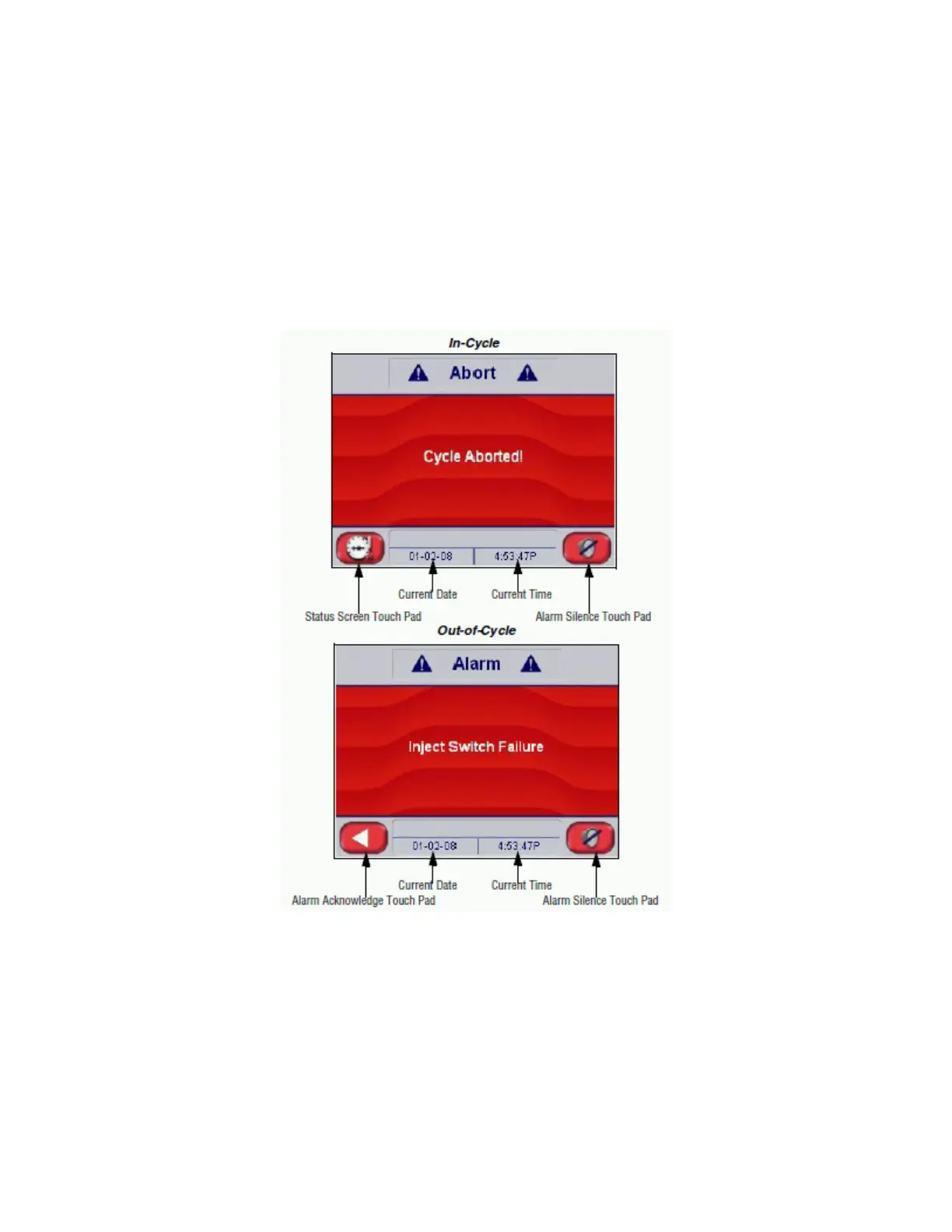
When an alarm condition occurs, the alarm tone sounds and the touch screen automatically displays the corresponding
ALARM screen (see Figure 7-1). See the troubleshooting alarms in this section for a description of the displayed alarm.
Screen Touch Pads, located along bottom of ALARM screen, are used to perform the following functions:
• Status — Pressing this touch pad displays STATUS screen (see Figure 7-2). Since this alarm appeared In-Cycle,
control automatically aborts cycle (see Aborts).
• Back Arrow — Pressing this touch pad orders control to reset alarm. Since this alarm appeared Out-of-Cycle,
control attempts to reset alarm. If alarm is reset or cleared, CYCLE screen appears on display. If alarm is not reset
or cleared, ALARM screen reappears and STERIS must be called to correct the situation.
• Alarm Silence — Pressing this touch pad orders control to silence audible alarm.
Figure 7-1. Typical Alarm Screen












 To Next Page