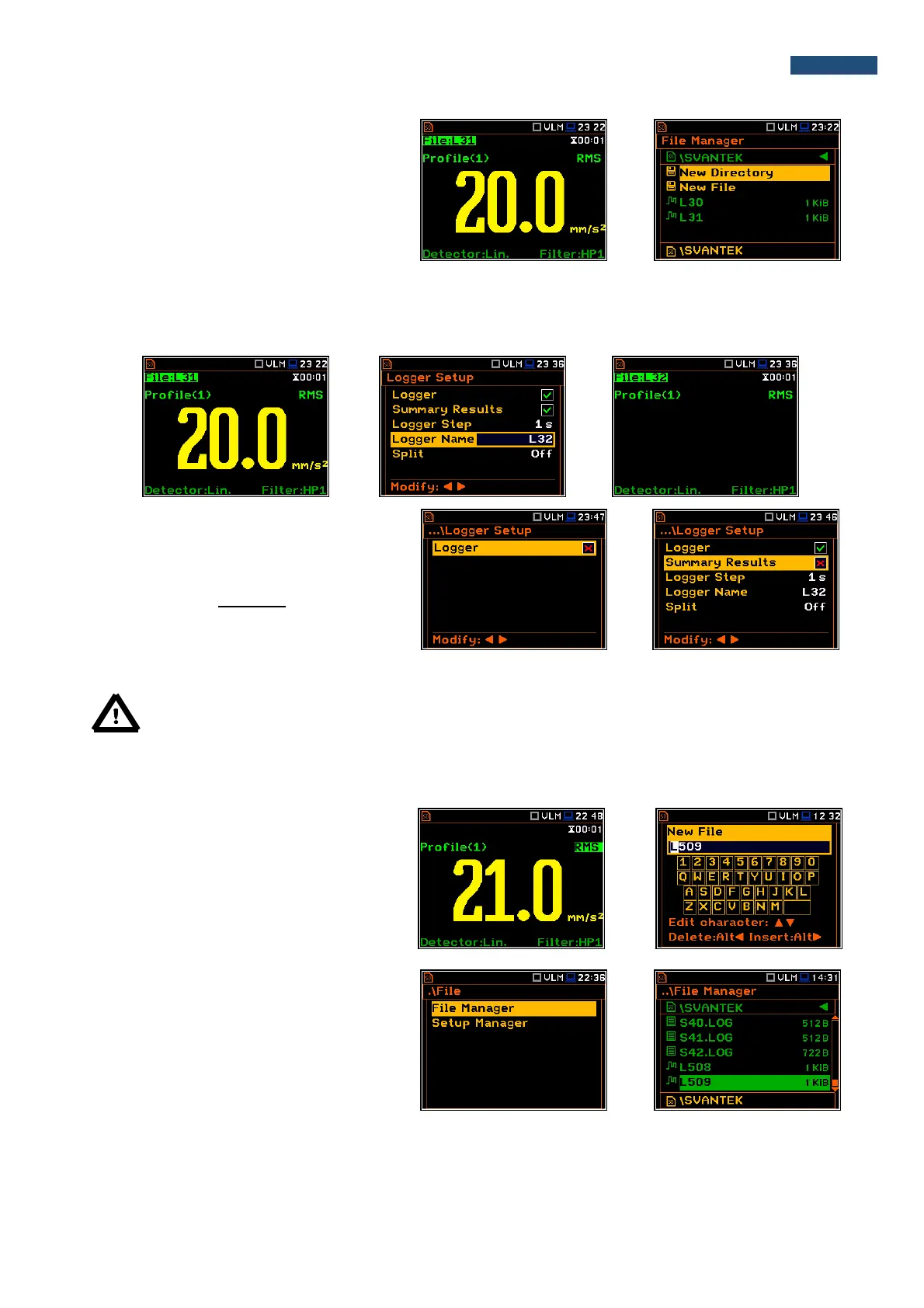
The user can quickly jump to the directory
where files were saved. To do this the user
should make the field with file name active by
means of ▲ or ▼ push-buttons and press
<Enter>.
If the user presses <Save> (<Alt>+<ENTER>) after the measurement the instrument opens the Logger Setup
window (path: <Menu> / Measurement / Logging / Logger Setup) with the selected Logger Name position and
the file name with the increased number. Pressing <Enter> will return the instrument to the measurement screen
with no results of the previous measurement and new file name in the file field.
Manual saving of Summary Results
If Logger or the Summary Results option is
switched off in the Logger Setup list (path:
<Menu> / Measurement / Logging /
Logger Setup) the automatic saving of result
data (so called Summary Results) is
switched off too. In such a case
Summary Results can be saved only
manually.
Note: If Logger is Off, the field with file name is empty!
There are two options for saving manually Summary Results data. One option is to press <Save> push-button
(<Alt>+<ENTER>) right after the measurement finishes. Another option is to create <New File> in the
File Manager.
After pressing the <Save> push-button the
New File window appears with the
predefined name which has number
increased by one to the latest saved. In the
New File window the user can enter a new
name for the file.
After edition of the automatically proposed
name, the user should press <ENTER>.
File with the proposed or created by the user
name will be saved in the working directory
on the SD card.



 To Next Page