when the RMS Integration is exponential (path:
<Menu> / Measurement / General Settings)
6. Units of the measured value
7. Function name: RMS, Ovl, Peak, P–P, MTVV
8. Elapsed time shows the current second of the measurement. The value presented there belongs to the range
[1, Integration Period]
Notice: There is no displayed indication of the detector in case of Peak, P-P and Ovl results.
Changing the field content
The content of some fields can be changed
after pressing the ◄ and ► push-buttons
together with <Alt>.
Changing the active fields
The change of the active field is made by
pressing the ◄ or ► push-buttons.
Changing the view mode
The view mode is changed after pressing the ▲ or ▼ push-buttons together with <Alt>.
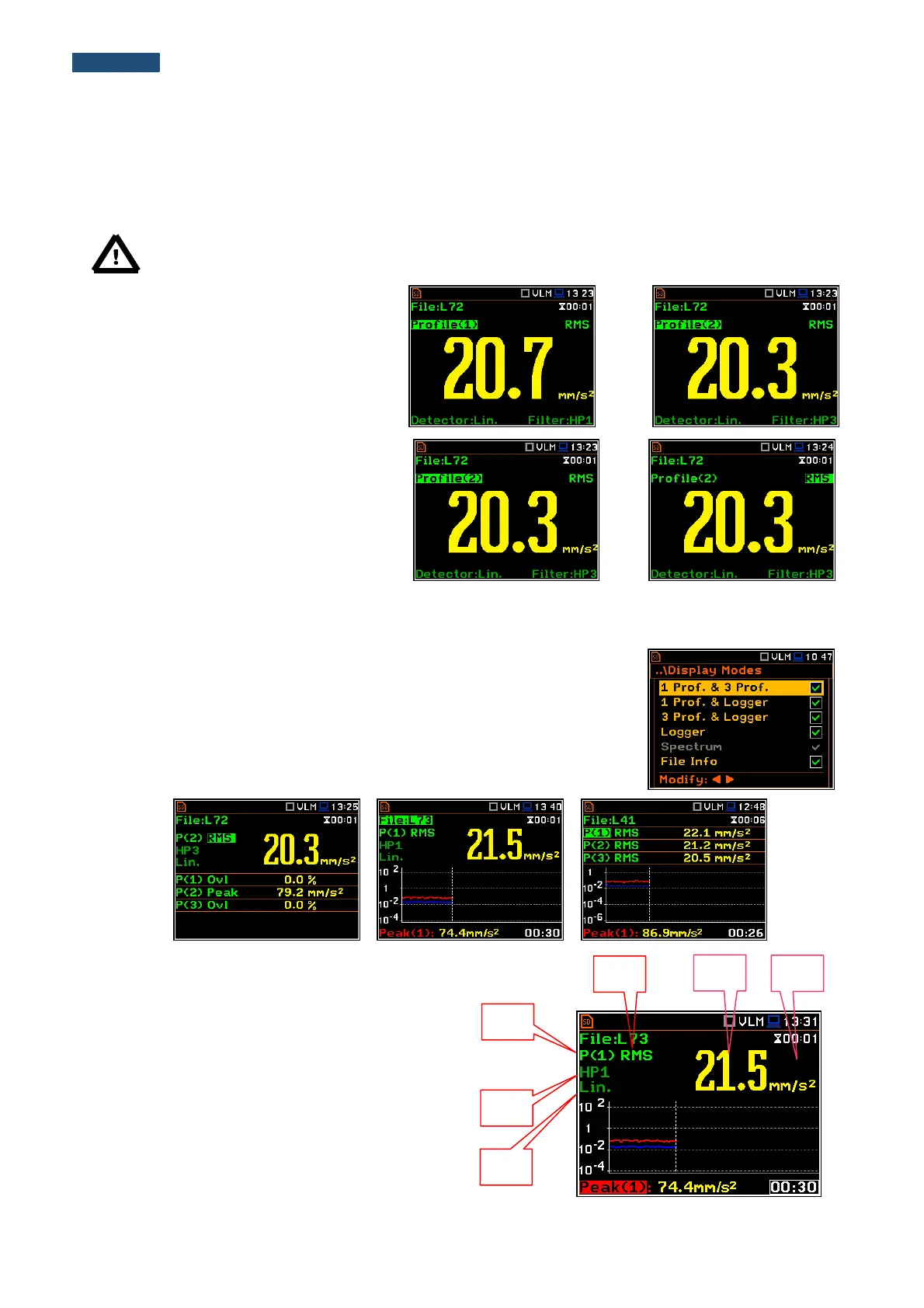
Combined views
There are three display modes, that combine two views and can be activated
or not: 1 Prof. & 3 Prof., 1 Prof. & Logger, 3 Prof. & Logger. These
combined views allow the user to compare results for profiles and to follow the
history of measured results, saved in the logger file.
Fields description of the One Result view
1. Profile number.
2. Function name: RMS, Ovl, Peak, P–P, MTVV.
3. The name of the implemented filter: HP, HP1, HP3,
HP10, Vel1, Vel3, Vel10, VelMF, Dil1, Dil3, Dil10,
Wh in case of Vibration measurements.
4. Detector type: Lin when RMS Integration is Lin
(path: <Menu> / Measurement / General Settings)
or: 100 ms, 125 ms, .. 10.0 s, when
RMS Integration is Log.
5. The value of the measured function.



 To Next Page