3 - Preparation
Adjusting the display
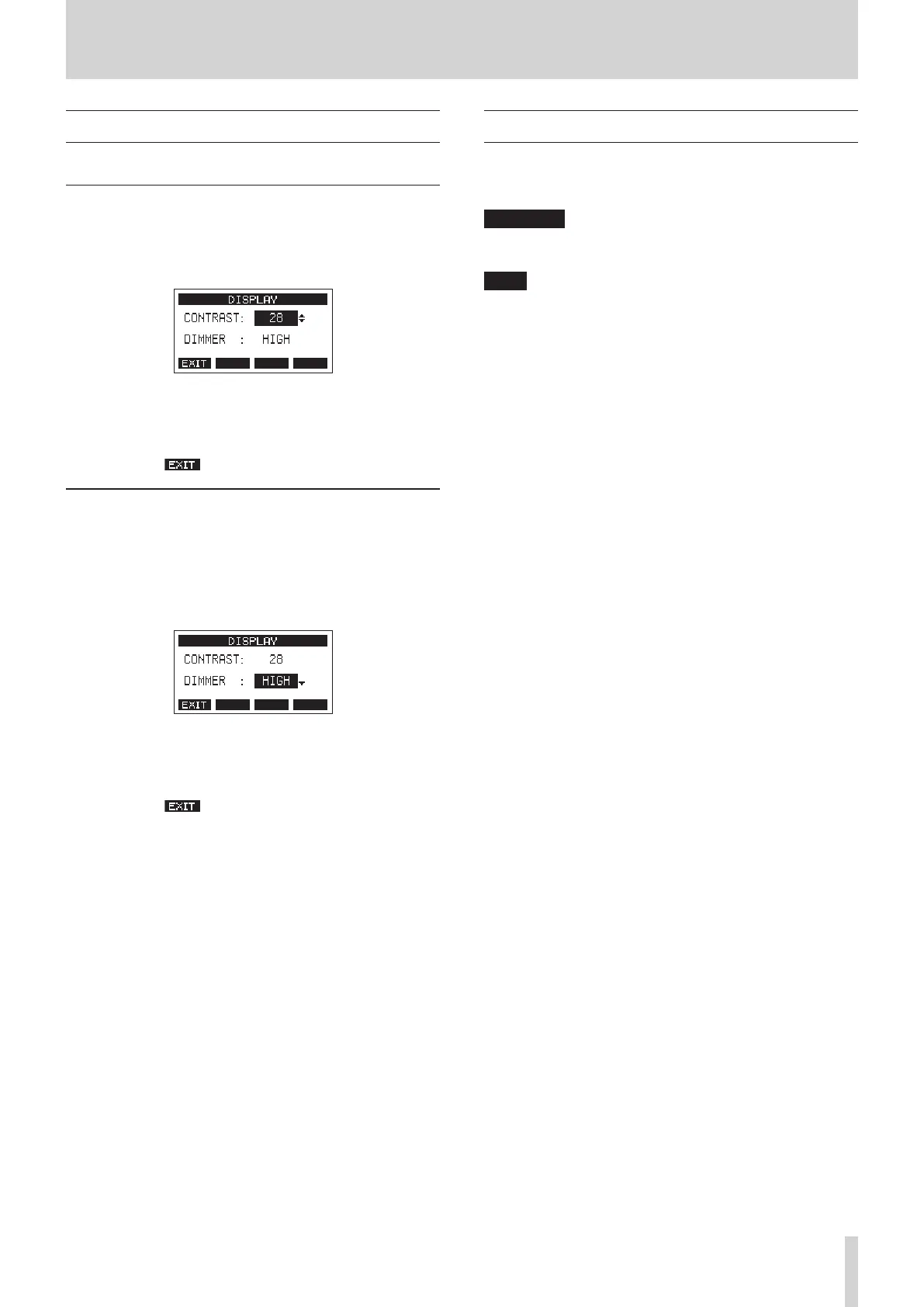
The display contrast and brightness can be adjusted.
Adjusting the display contrast
1. When the recorder is stopped, select DISPLAY on the
SYSTEM Screen, and open the DISPLAY Screen. (see "Menu
operation procedures" on page 18.)
2. Adjust the display contrast.
Options: 22 – 45 (default: 32)
3. Press the MULTI JOG dial to conrm the setting.
4. Press the F1 button to return to the SYSTEM Screen.
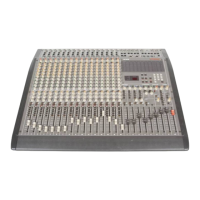
Adjusting the display brightness
1. When the recorder is stopped, select DISPLAY on the
SYSTEM Screen, and open the DISPLAY Screen. (see "Menu
operation procedures" on page 18.)
2. Press the MULTI JOG dial to move the cursor to the DIMMER
item.
3. Adjust the display brightness.
Options: HIGH (default), LOW
4. Press the MULTI JOG dial to conrm the setting.
5. Press the F1 button to return to the SYSTEM Screen.
Preparing an SD card for use
In order to make an SD card usable in this unit, whether for
recording or playback, this unit must be used to create a system
le on it rst.
ATTENTION
In order to record, this unit must be used to format it rst. (see
"Formatting SD cards" on page 52.)
NOTE
When using external media (SD cards) with our products, we
strongly recommend using media conrmed to work with them.
Media that has not been conrmed to work with this product
can be used, but unexpected problems could occur.
1. “No sys le. Make sys le. Are you sure?” appears in a pop up
when a new card or a card formatted by another device is
inserted into the unit.
2. Press the MULTI JOG dial to create a system le.
When system le creation is complete, the Home Screen
will reopen.
TASCAM Model 2400 23


 To Next Page