9 - Other functions
Mixer functions
Selecting the output position of recording signals from the MAIN MIX L/R bus
The point where signals are sent from the MAIN MIX L/R bus to be recorded on the SD card can be selected.
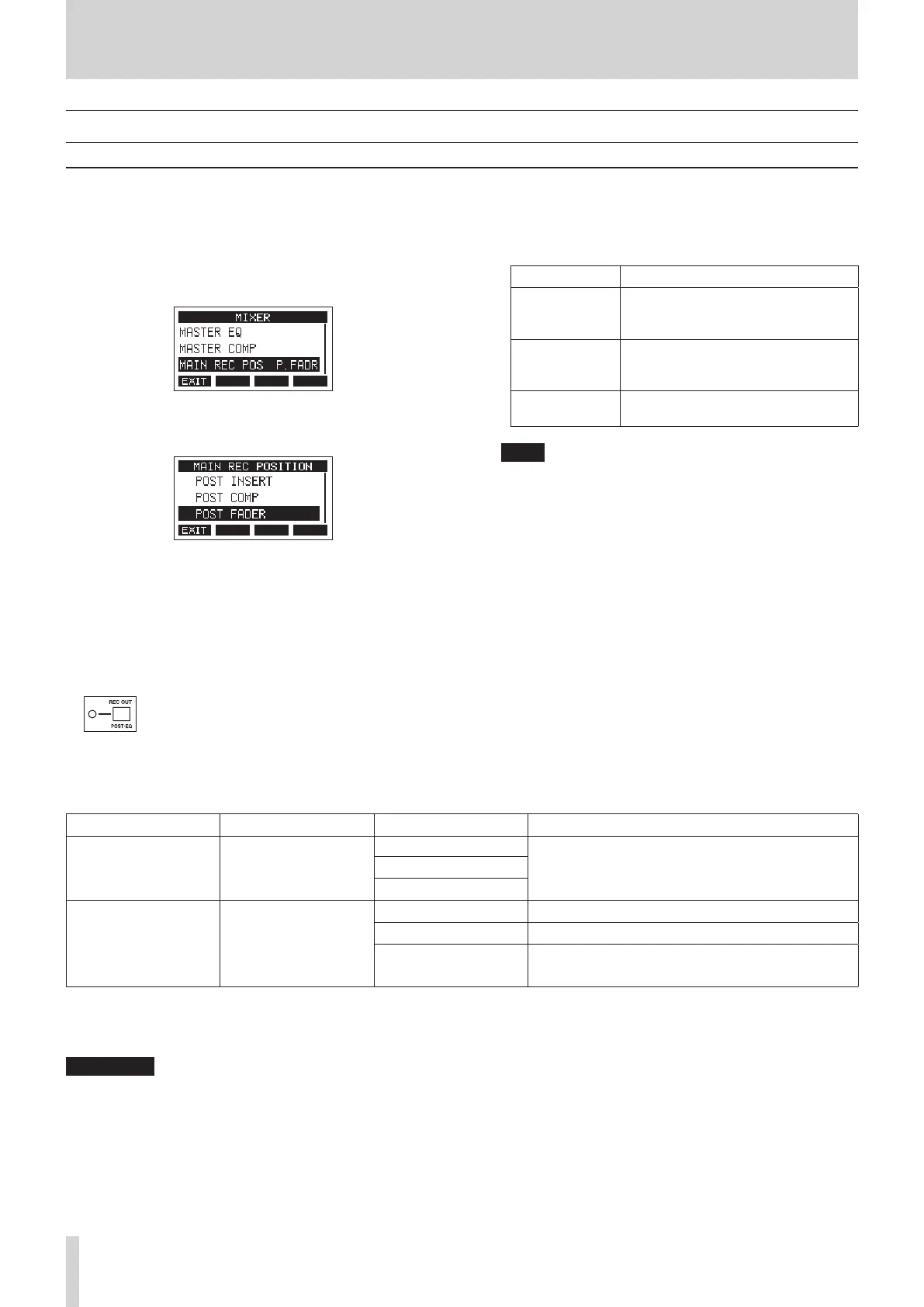
1. When the recorder is stopped, select MIXER on the MENU
Screen, and open the MIXER Screen. (see "Menu operation
procedures" on page 18.)
2. Select MAIN REC POS on the MIXER Screen, and open the
MAIN REC POSITION Screen.
3. Turn the MULTI JOG dial to select the send position.
Option Meaning
POST INSERT
The signal recorded to the SD card
is from before the MASTER BUS
PROCESSOR.
POST COMP
The signal recorded to the SD
card is from after the MASTER BUS
PROCESSOR.
POST FADER
(default)
The signal from after the MAIN fader is
recorded to the SD card.
NOTE
i Audio sent to the computer will also be the same as the
MAIN REC POSITION Screen setting.
i If POST COMP is selected when the MASTER BUS IN switch
is o, the compressor will be applied to signals recorded
to the SD card, Audio signals output from the MAIN
OUTPUT jacks will not have compression applied.
4. Press the MULTI JOG dial to conrm the setting.
The MAIN REC POSITION Screen reopens.
REC OUT switch function (channels 1–12, 13/14–19/20)
The signals that are sent from each channel for recording to the SD card can be set to before the compressor or after the equalizer.
O: Before compressor
On (POST-EQ): After equalizer
The audio sent to the computer depends on the INPUT SEL and REC OUT switch settings of each channel as follows.
REC OUT switch COMP/EQ INPUT SEL switch Audio sent to computer
O Disabled
MIC/LINE
Audio from input jacks is sent.
USB
MTR
On (POST-EQ) Enabled
MIC/LINE Audio from input jacks is sent.
USB Audio from computer is sent.
MTR
MTR audio is sent.*
* Recording is not possible with this setting.
o The REC button cannot be turned on for channels with INPUT SEL switches set to MTR and REC OUT switches set to on (POST-EQ).
When set this way, the REC button will blink rapidly, warning that the setting is in error. Set the INPUT SEL switch to something other
than MTR, turn o the REC OUT switch, or turn o the REC button, for example, to resolve this.
V
CAUTION
During recording, setting the INPUT SEL switch to MTR and turning the REC OUT switch on (POST-EQ) on a channel being recorded could
cause a loud noise to be output. Do not set it this way during recording.
46 TASCAM Model 2400



 To Next Page