9 - Other functions
Setting the count in function
When the click sound output setting is set to COUNTIN+REC,
counting in before recording is possible.
The click sound pattern played before recording starts can be
set.
1. When the recorder is stopped, select CLICK on the MENU
Screen, and open the CLICK Screen. (see "Menu operation
procedures" on page 18.)
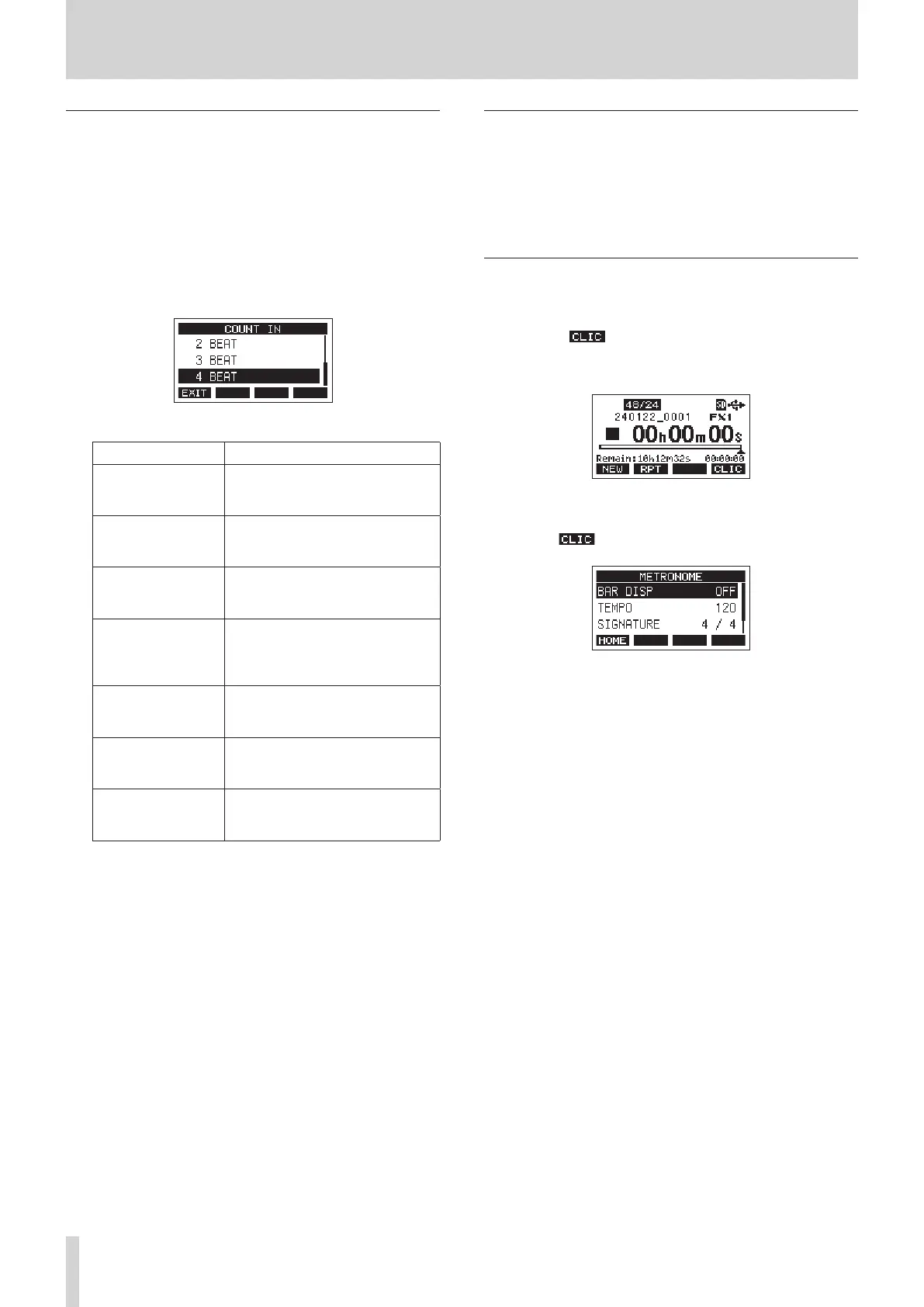
2. Select COUNT IN on the CLICK Screen, and open the COUNT
IN Screen.
3. Turn the MULTI JOG dial to set the count in type.
Option Meaning
1 SIGNATURE
One bar of beats for the set
SIGNATURE are output. The rst
beat of the bar is accented.
2 SIGNATURES
Two bars of beats for the set
SIGNATURE are output. The rst
beat of the bar is accented.
4 SIGNATURES
Four bars of beats for the set
SIGNATURE are output. The rst
beat of the bar is accented.
2+4 BEAT
Regardless of the signature setting,
one bar of half notes followed
by one bar of quarter notes are
output. No beat is accented.
2 BEAT
Regardless of the signature setting,
two quarter notes are output. No
beat is accented.
3 BEAT
Regardless of the signature setting,
three quarter notes are output. No
beat is accented.
4 BEAT (default)
Regardless of the signature setting,
four quarter notes are output. No
beat is accented.
4. Press the MULTI JOG dial to conrm the setting.
The CLICK Screen reopens.
Starting and stopping the metronome
manually
The metronome can be started and stopped at any time by
pressing the CLICK button.
o Press the CLICK button when the metronome is o to start it.
o Press the CLICK button when the metronome is on to stop it.
Opening the METRONOME Screen with a
function button
When the Home Screen is open, press the SHIFT button to show
the F4 button function. This can be used to open the
METRONOME screen, where metronome functions can be set,
from the Home Screen.
Home Screen when the SHIFT button is pressed
Press the F4 button to open the METRONOME Screen.
44 TASCAM Model 2400



 To Next Page