2 - Names and Functions of Parts
Top panel
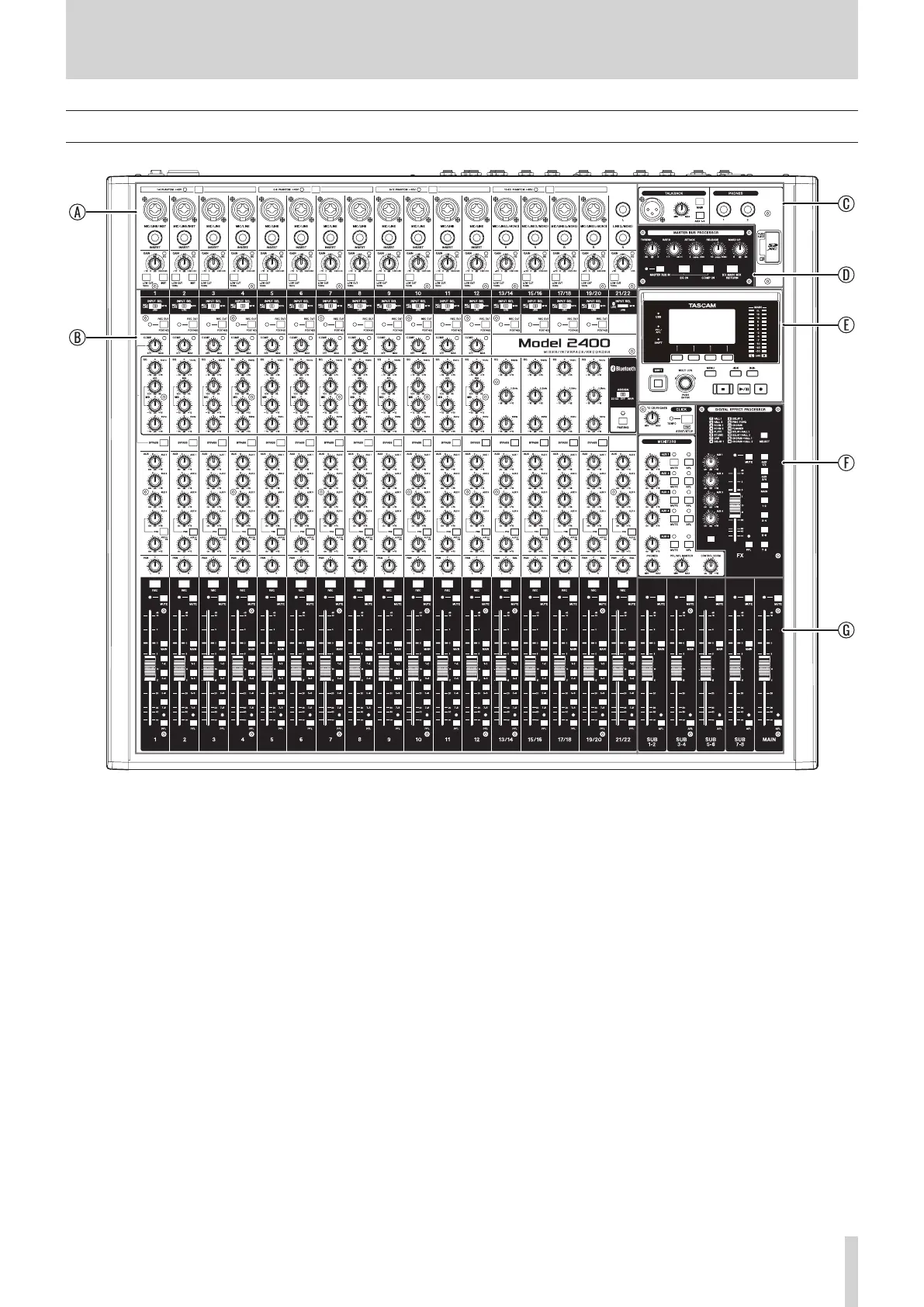
A Input channel mixing section-1
Use this section to adjust the input levels of each channel.
B Input channel mixing section-2
Use this section to choose input sources for each channel,
adjust compressors and equalizers, and set levels sent to
each bus (MAIN MIX L/R, PFL/AFL L/R, AUX 1–4, AUX 5/FX,
SUB 1–2 – 7–8). (see "Input channel mixing section-2" on
page 9.)
C Talkback / headphone output jack / SD card slot
section
Control talkback, connect headphones and insert SD cards
here. (see "Talkback / headphone output jack / SD card slot
section" on page 10.)
D MASTER BUS PROCESSOR section
Select the signal that is output from the MAIN OUTPUT
jacks and set the MASTER BUS PROCESSOR compressor and
equalizer here. (see "MASTER BUS PROCESSOR functions" on
page 49.)
E Screen operation section
Use this section to operate the meter, home and MENU
screens shown on the display. (see "Screen operation section"
on page 11.)
F Monitoring section
Set the CLICK function and adjust the output levels from the
AUX OUTPUT jacks (1–5) and the built-in eects, for example,
here. (see "Monitoring section" on page 12.)
G Analog output adjustment section
Adjust the output levels from the MAIN OUTPUT, SUB
OUTPUT jacks in this section. (see "Analog output adjustment
section" on page 13.)
TASCAM Model 2400 7



 To Next Page