5 - Basic recording
Making additional eect
adjustments
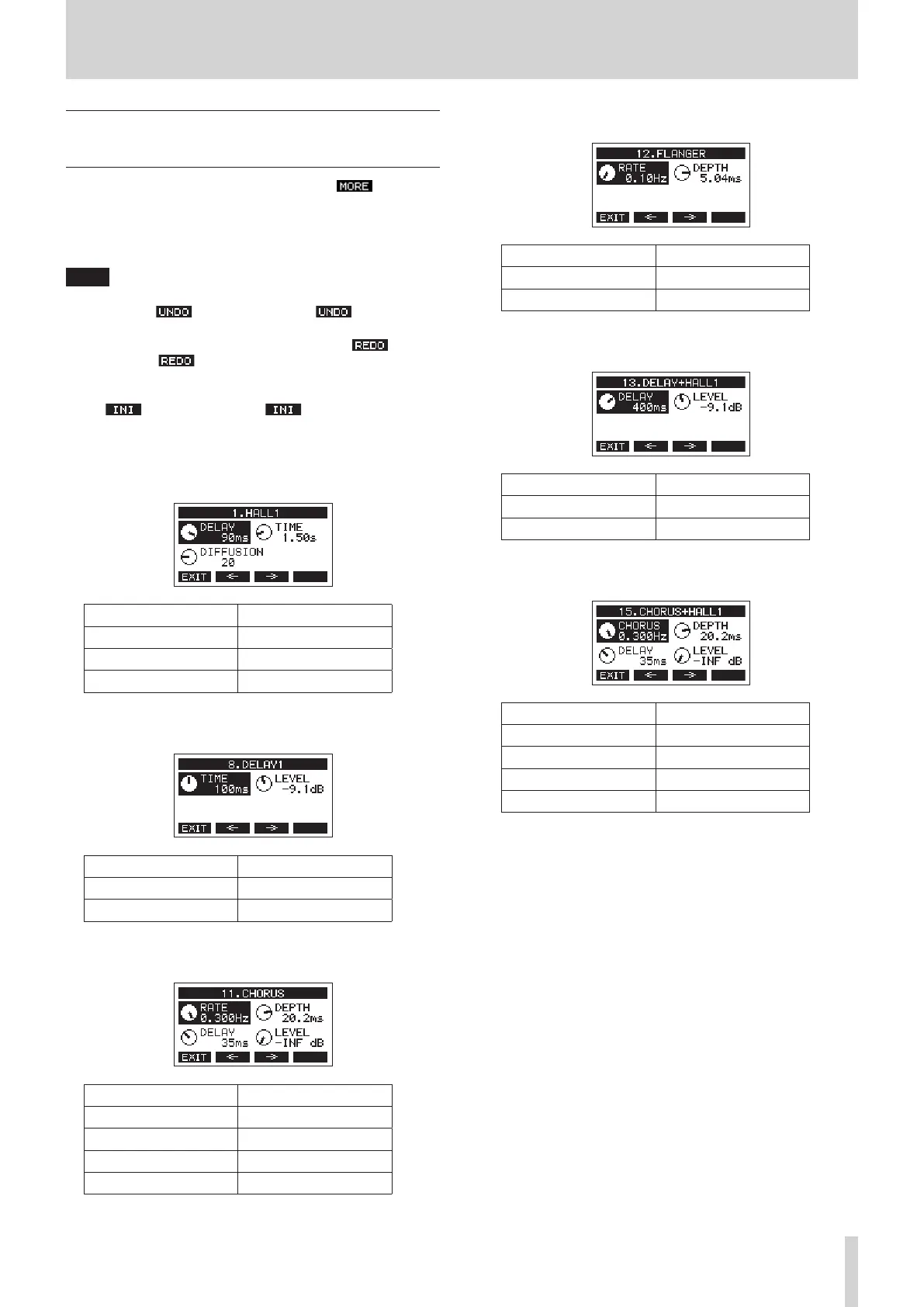
When the EFFECT Screen is open, press the F3 button to
open an additional settings screen where parameters for each
eect can be adjusted more precisely.
The parameters that can be adjusted for each eect on the
additional settings screen are as follows.
NOTE
i When the MULTI JOG dial is turned, the F4 button will
become the button. Press the F4 button to
return to the state before turning the MULTI JOG dial.
i After undoing, the F4 button will become the button.
Press the F4 button to return to the state before
undoing.
i While the SHIFT button is pressed, the F4 button becomes
the button. Press the F4 button to set a
parameter value to its default.
1. HALL 1, 2. HALL 2, 3. ROOM 1, 4. ROOM 2, 5. PLATE, 6.
STUDIO, 7. LIVE
Parameter name Range
DELAY 0 – 99 ms
TIME 0.10 – 10.00 s
DIFFUSION 0 – 99
8. DELAY 1, 9. DELAY 2, 10. PING PONG
Parameter name Range
TIME 1 – 1000 ms
LEVEL −INF – −2.2 dB
11. CHORUS
Parameter name Range
RATE 0.100 – 0.300 ms
DEPTH 5.5 – 33.0 ms
DELAY 0 – 99 ms
LEVEL −INF – −10.1 ms
12. FLANGER
Parameter name Range
RATE 0.10 – 5.00 Hz
DEPTH 1.00 – 8.00 ms
13. DELAY+HALL 1, 14. DELAY+HALL 2
Parameter name Range
DELAY 1 – 1000 ms
LEVEL −INF – −2.2 dB
15. CHORUS+HALL 1, 16. CHORUS+HALL 2
Parameter name Range
CHORUS 0.100 – 0.300 ms
DEPTH 5.5 – 33.0 ms
DELAY 0 – 99 ms
LEVEL −INF – −10.1 ms
TASCAM Model 2400 33



 To Next Page