5 - Basic recording
Undoing operations
If you make a mistake operating the unit or want to do a
recording over, for example,the operation last conducted can be
undone. Editing, recording and other operations can be undone.
The following types of operations can be undone.
o Recording operations
o Auto punch in/out operations
o Track clearing operations
o Normalization operations
If a song is loaded or the unit is turned o, Information used
for undoing and redoing will be lost, so undoing and redoing
previous operations will no longer be possible.
NOTE
Files used for undoing are temporarily saved on the SD card.
If you want to delete those les to make more space on the SD
card, reload the current song on the SONG Screen.
Undoing the previous operation
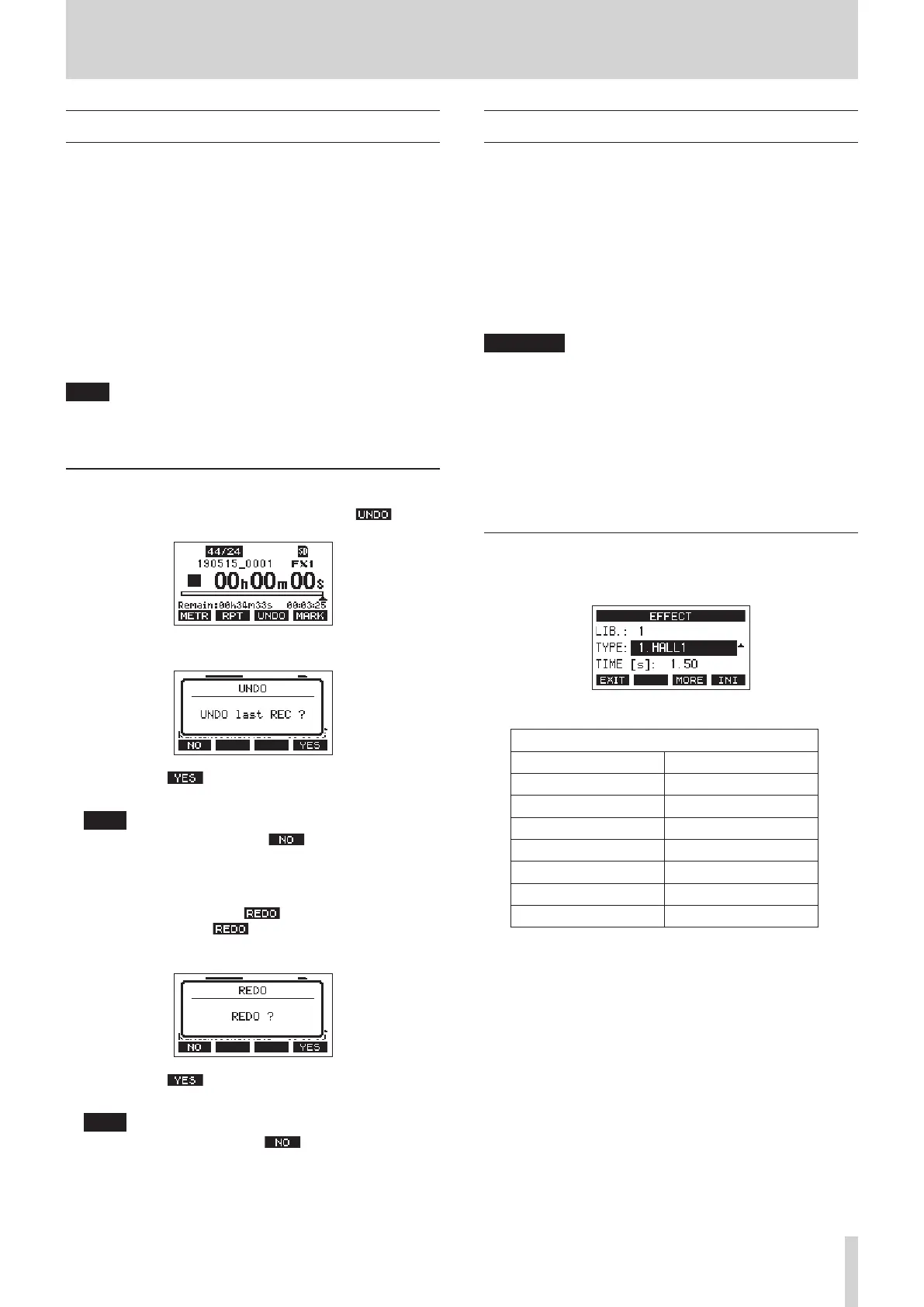
1. When the Home Screen is open, press the F3 button.
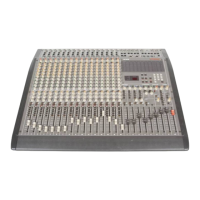
The following conrmation pop-up message will appear.
2. Press the F4 button to return to the state before the
previous operation.
NOTE
To cancel undoing, press the F1 button.
Redoing an undone operation
1. After undoing, when the “ ” appears on the Home
Screen, press the F3 button.
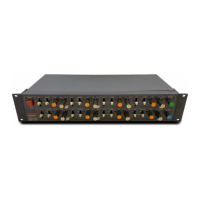
The following conrmation pop-up message will appear.
2. Press the F4 button to restore the previous
operation and return to the state before undoing.
NOTE
To cancel redoing, press the F1 button.
Using the built-in eects
This unit has built in eects, so you can apply eects without an
external eect device.
Channels 1–12 and 13/14–21/22 can have an eect applied.
Their signals are sent to the built-in eect by the AUX 5/FX bus.
The return signal is sent to the following buses.
o MAIN MIX L/R bus
o PFL/AFL L/R bus
o AUX 1–4 buses
o SUB buses (SUB 1–2, 3–4, 5–6, 7–8)
ATTENTION
When AUX OUTPUT 5 jacks are in use, the built-in eect
processor cannot be used.
1. Use the AUX 5/FX knobs of each channel to adjust the levels
of signals sent to the AUX 5/FX bus.
2. Use the EFFECT Screen to select the type of eect. (see
"Setting the built-in eect" on page 31.)
3. Use the FX fader, bus send switches and knobs to adjust the
return levels for each bus.
Setting the built-in eect
1. Press the SELECT button to open the EFFECT Screen.
2. Turn the MULTI JOG dial, and set the built in eect type.
Option
1.HALL1 (default) 2.HALL2
3.ROOM1 4.ROOM2
5.PLATE 6.STUDIO
7.LIVE 8.DELAY1
9.DELAY2 10.PING PONG
11.CHORUS 12.FLANGER
13.DELAY+HALL1 14.DELAY+HALL2
15.CHORUS+HALL1 16.CHORUS+HALL2
3. Press the MULTI JOG dial to select the PARAMETER item.
The parameter item is dependent on the selected eect.
TASCAM Model 2400 31


 To Next Page