4 - Managing Songs
Viewing song information
You can check the song name (title), sampling frequency, bit
rate, size, and date and time last written.
1. Open the SONG Screen when the recorder is stopped. (see
"Menu operation procedures" on page 18.)
2. Select the song with information that you want to check
and press the MULTI JOG dial to open the menu list popup.
3. Select INFORMATION, and press the MULTI JOG dial.
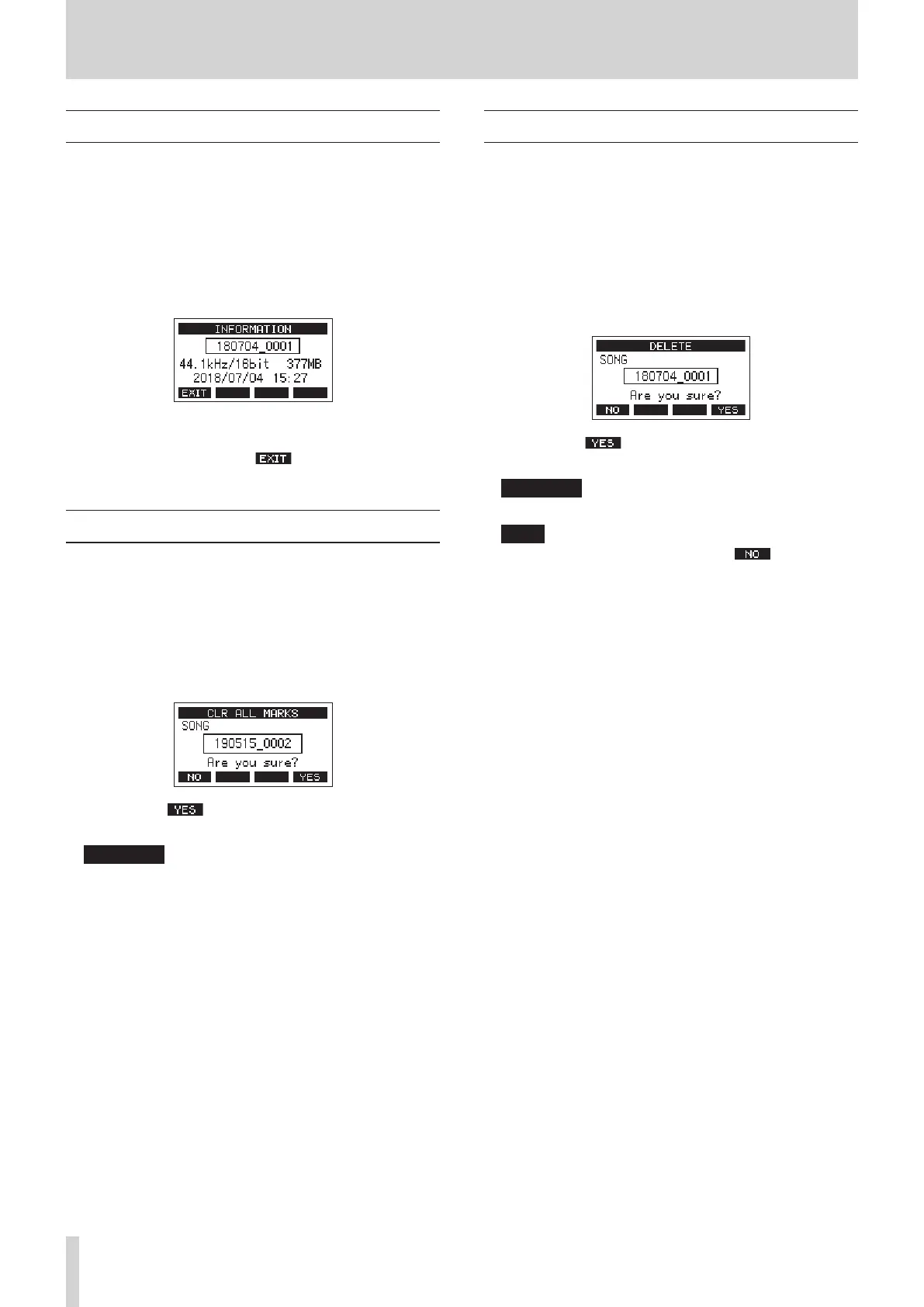
The INFORMATION Screen will open.
The song name, sampling frequency, bit rate, size, date and
time last written will be shown.
4. After checking, press the F1 button to return to the
SONG Screen.
Clearing all marks
This operation clears all marks added to the selected song.
1. Open the SONG Screen when the recorder is stopped. (see
"Menu operation procedures" on page 18.)
2. Select the song with the marks that you want to delete and
press the MULTI JOG dial to open the menu list pop-up.
3. Select CLR ALL MARKS, and press the MULTI JOG dial.
The CLR ALL MARKS Screen will open.
4. Press the F4 button to conrm deletion of marks.
When mark deletion completes, the SONG Screen reopens.
ATTENTION
Deleted marks cannot be restored.
Deleting songs
You can delete songs.
Deleting unnecessary songs when the SD card space is low can
create more open space.
1. Open the SONG Screen when the recorder is stopped. (see
"Menu operation procedures" on page 18.)
2. Select the song that you want to delete and press the MULTI
JOG dial to open the menu list pop-up.
3. Select DELETE, and press the MULTI JOG dial.
The DELETE Screen will open.
4. Press the F4 button to conrm deletion.
When song deletion completes, the SONG Screen reopens.
ATTENTION
Deleted songs cannot be restored.
NOTE
i To cancel song deletion, press the F1 button.
i The current song cannot be deleted. To delete the current
song, load another song rst.
26 TASCAM Model 2400


 To Next Page