10 - Settings and Information
Restoring factory default settings
You can restore the various settings stored in the memory of the
unit to their factory default values.
Use the following menu procedures to do so.
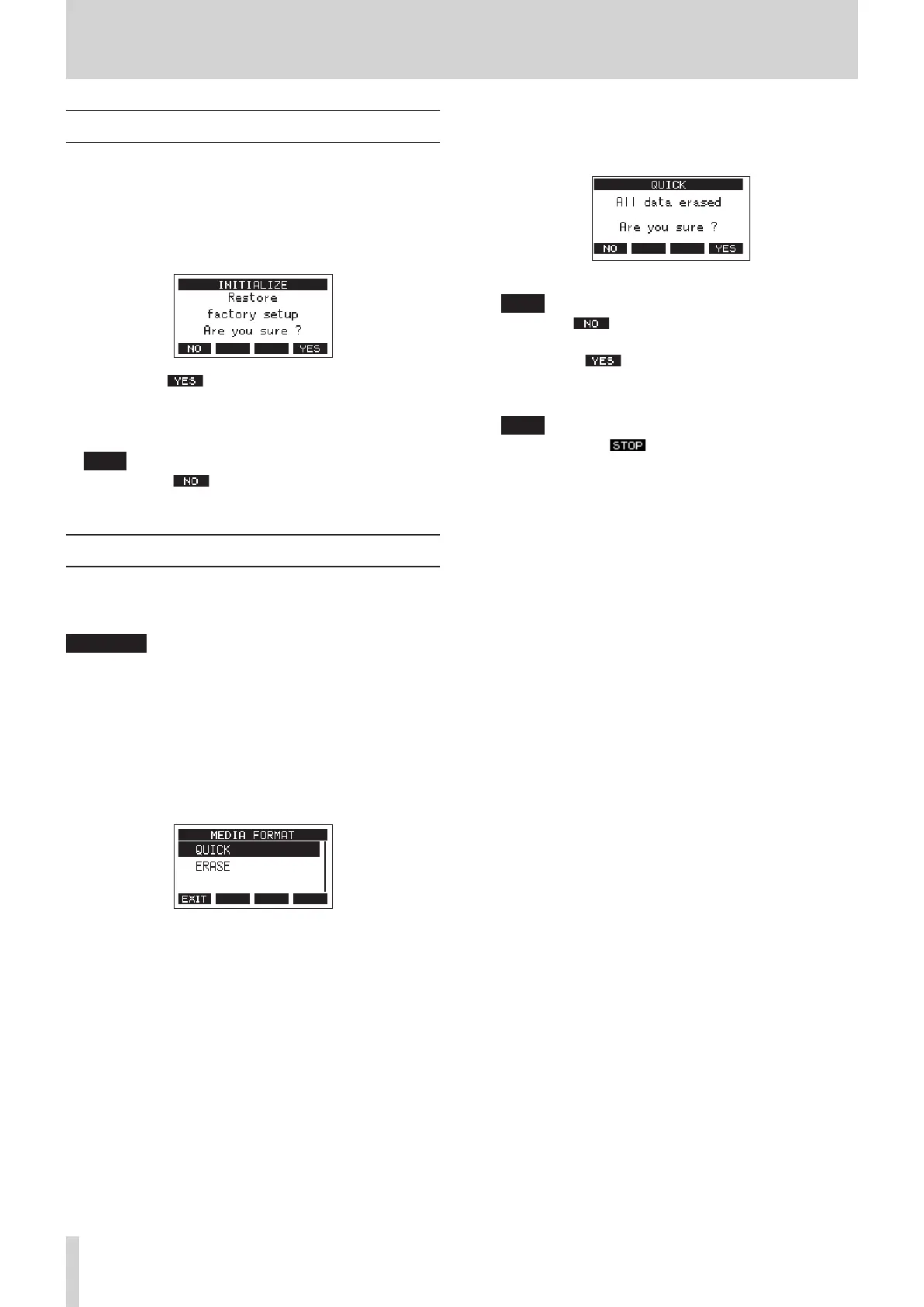
1. When the recorder is stopped, select INITIALIZE on the
SYSTEM Screen, and open the INITIALIZE Screen. (see "Menu
operation procedures" on page 18.)
2. Press the F4 button to restore the factory default
settings.
3. When the setting completes, the SYSTEM Screen will
reopen.
NOTE
i Press the F1 button to cancel execution.
i The date and time setting is not initialized.
Formatting SD cards
Formatting erases all music les on the SD card and
automatically creates new “MTR”, “MUSIC” and “UTILITY” folders
as well as a “tascam_m.sys” le.
ATTENTION
i Formatting an SD card erases all the data on it. This cannot be
undone.
i Always use this unit to format media to be used with it.
Operation of this unit might be aected when using an SD
card that has been formatted by a computer or other device.
1. When the recorder is stopped, select MEDIA FORMAT on the
SYSTEM Screen, and open the MEDIA FORMAT Screen. (see
"Menu operation procedures" on page 18.)
QUICK: Execute quick formatting.
ERASE (Recommendation): Erase and format the card.
2. Select the format method, and press the MULTI JOG dial.
A conrmation message will appear on the QUICK or ERASE
Screen.
Shown when QUICK selected
NOTE
Press the F1 button to cancel formatting and return to
the previous screen.
3. Press the F4 button to start formatting.
4. When formatting is complete, the SYSTEM Screen will
reopen.
NOTE
i Pressing the F1 button during an ERASE format will
cancel erasure and execute a QUICK format instead.
i The writing speeds to SD cards and other storage media
that use ash memory tend to decrease after writing
occurs repeatedly. If the writing speed decreases, this
could have a negative impact on recording. Using the
ERASE function of this unit should restore the writing
speed of the SD card.* For this reason, we recommend
using the ERASE function at the following times.
u Whenever the card has been written to until it became
completely full
u On a regular schedule (about once per month)
u Before starting important recordings
* Writing speed might not be restored depending on the SD
card condition (including malfunction and age).
52 TASCAM Model 2400



 To Next Page