10 - Settings and Information
Playing WAV les on SD cards (SD
PLAY mode)
The WAV les in the “MUSIC” folder on an SD card can be played
back. (see "Loading WAV les from a computer" on page 55.)
To play les recorded on this unit, use the stereo mix export
function to convert the recorded (mono) les to a single stereo
le. Then, use the SD PLAY mode to play it. (see "Stereo mix
export function" on page 40.)
The following audio le formats can be played back in SD PLAY
mode.
WAV: 44.1/48 kHz, 16/24-bit
BWF: 44.1/48 kHz, 16/24-bit
NOTE
Playback signal is sent from channels 21 and 22.
1. Set the channel 21/22 INPUT SEL switch to “MTR”.
2. Set the channel 21/22 PAN/BAL knob to the center position.
3. When the recorder is stopped, select SD PLAY on the MENU
Screen, and open the SD PLAY Screen. (see "Menu operation
procedures" on page 18.)
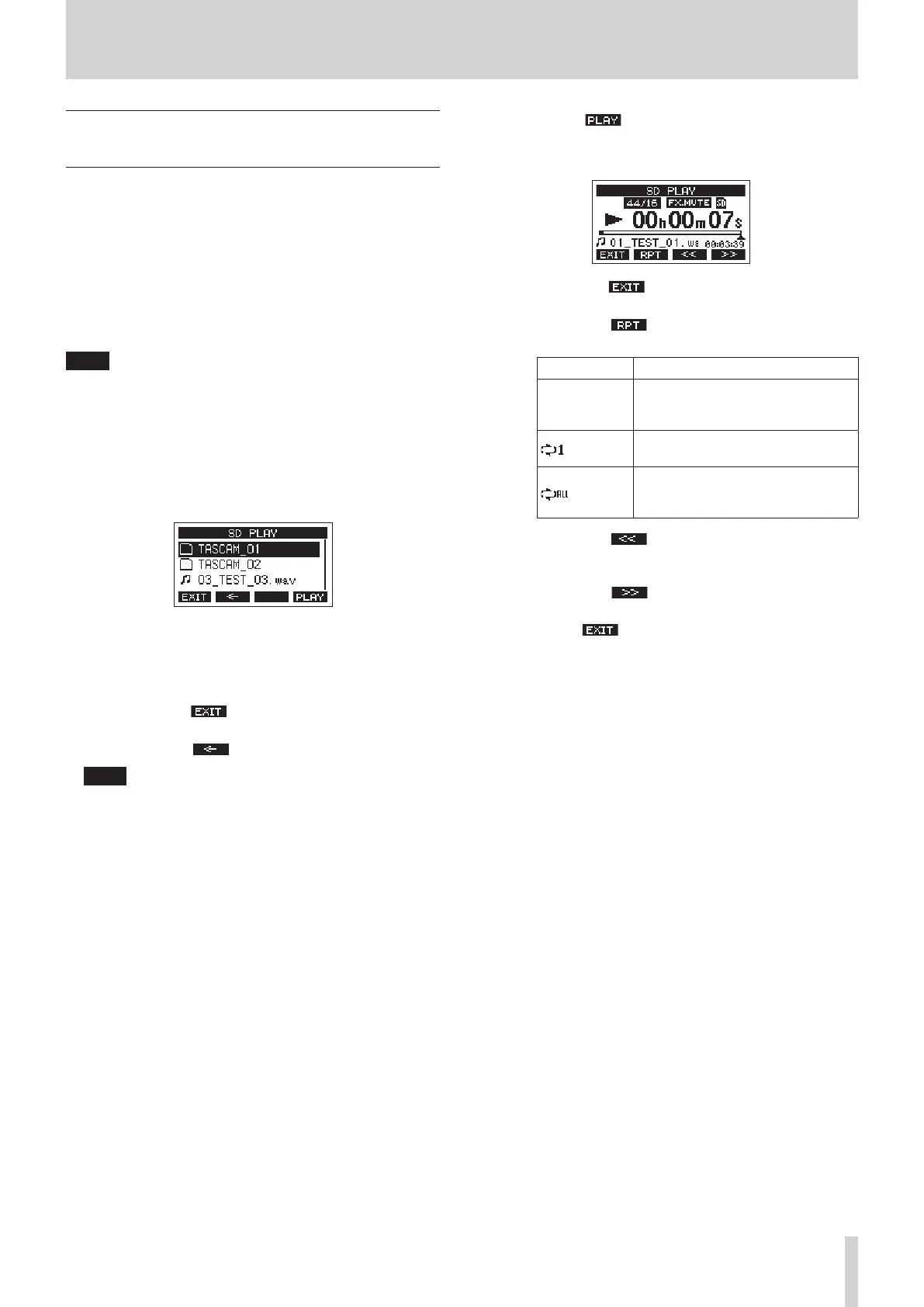
4. Select a le to play back.
i Turn the MULTI JOG dial to select a WAV le.
i Press the MULTI JOG dial when a folder is selected to
show its contents.
i Press the F1 button to return to the MENU
Screen.
i Press the F2 button to move up one level.
NOTE
Only WAV les can be played back. Unsupported les will not
be shown.
5. Press the F4 button or 7/9 button to start WAV le
playback.
The SD PLAY Screen will show playback status.
i Press the F1 button to return to the le selection
screen.
i Press the F2 button to turn the repeat playback
function on and select the repeat playback mode.
Display Meaning
No indicator
The folder that contains the currently
playing WAV le will play back, and
then playback will stop.
The currently playing WAV le will
play back repeatedly.
The folder that contains the currently
playing WAV le will play back
repeatedly.
i Press the F3 button to skip to the beginning of
the WAV le. Press near the beginning of the WAV le to
skip to the beginning of the track before it.
i Press the F4 button to skip to the beginning of
the next WAV le.
6. Press the F1 button twice to return to the MENU
Screen.
TASCAM Model 2400 53



 To Next Page