8 - Mark functions
Marks can be used to cue for playback, for example.
In addition to use with this unit, mark information added to WAV
les can be used with software, for example, that supports the
BWF format.
Adding marks
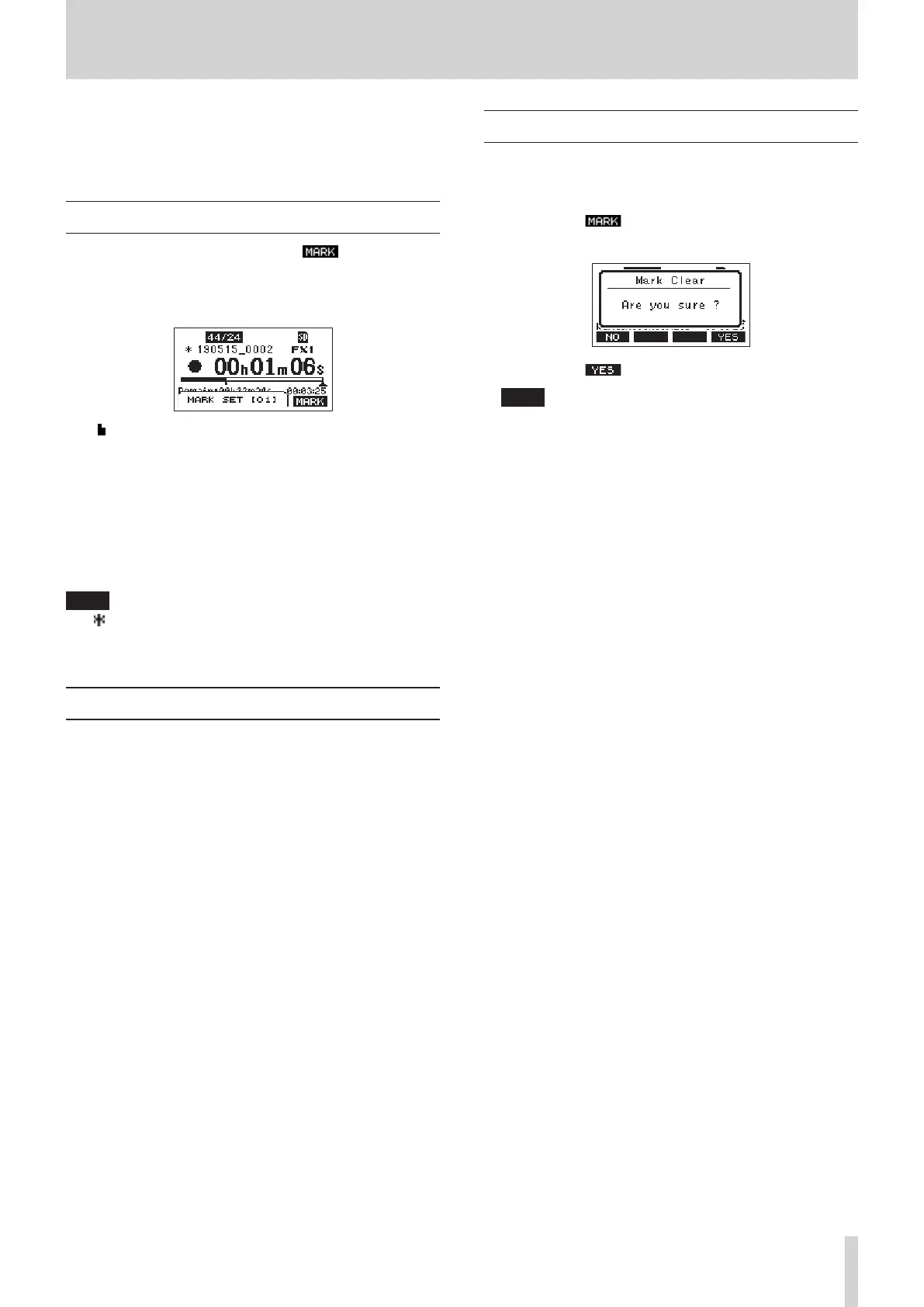
When playing or recording, press the F4 button to add a
mark at the current point.
When a mark is added, a pull-up showing the mark number
appears at the bottom of the display.
Mark icons appear below the playback position bar where
marks are set.
o The [ xx ] in the mark name is a number given to all marks
that is incremented in order.
o Marks added during recording will automatically be saved in
the song when recording stops.
o Marks added during playback will not be automatically
saved. Save song information after stopping playback to save
mark data. (see "Saving the current song" on page 25.)
NOTE
If an icon appears at the beginning of a song name, it has
unsaved mark data. Save the song information to save the mark
data. (see "Saving the current song" on page 25.)
Moving between marks
When stopped, paused or playing back, press the m or ,
button to move (skip) to the previous or next mark.
When skipping, the mark name appears in a pull-up at the
bottom of the display.
Clearing individual marks
Marks can be cleared when stopped or paused.
1. Skip to a mark that you want to delete when stopped or
paused. (see "Moving between marks" on page 41.)
2. Press the F4 button to open the Mark Clear
conrmation screen.
3. Press the F4 button to clear the mark.
NOTE
i Repeat steps 1 – 3 to clear multiple marks.
i To clear all marks in the current song, select the CLR ALL
MARKS item from the menu list shown on the SONG
Screen. (see "Clearing all marks" on page 26.)
TASCAM Model 2400 41



 To Next Page