9 - Other functions
Making metronome settings
Specic metronome settings can be made.
1. When the recorder is stopped, select CLICK on the MENU
Screen, and open the CLICK Screen. (see "Menu operation
procedures" on page 18.)
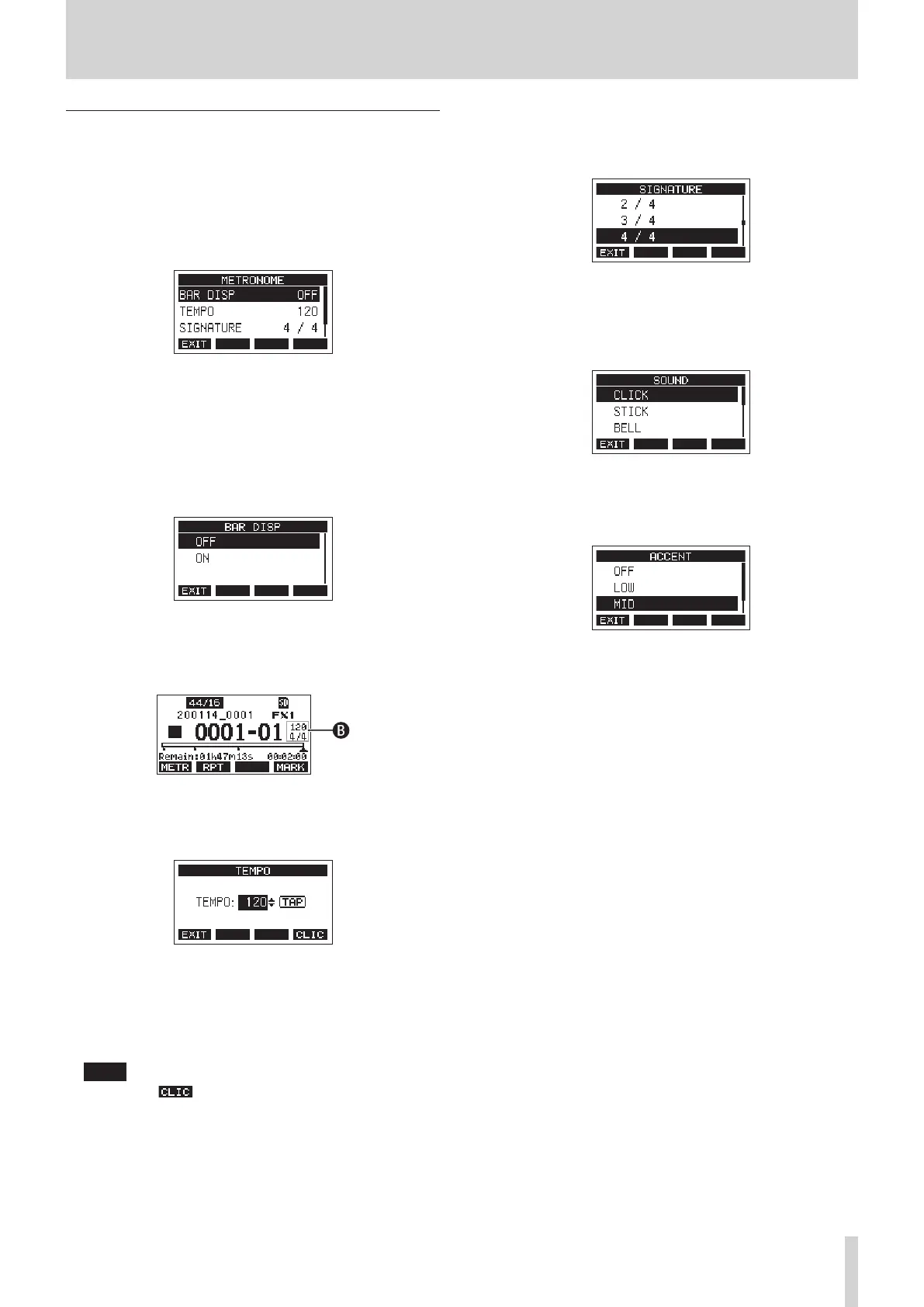
2. Select METRONOME on the CLICK Screen, and open the
METRONOME Screen.
3. Turn the MULTI JOG dial to select a metronome setting
item. Then, press the MULTI JOG dial.
The corresponding setting item screen will open.
BAR DISP
This sets the display of the time counter on the Home
Screen.
Options: OFF (default), ON
When ON, the time counter on the Home Screen switches
to bars and beats, showing the tempo and time signature
in the B area.
The maximum number of bars that can be shown is 10000.
TEMPO
This sets the tempo.
The setting range is from 20 to 250 (BPM). (Default: 120)
Turn the MULTI JOG dial to set the tempo.
The CLICK button can also be tapped repeatedly at the
desired tempo to set it.
When the footswitch function is “TAP”, the footswitch can
also be used for input. (see "Setting up the footswitch" on
page 47.)
NOTE
Press the F4 button to turn the click sound on/o
during tempo setting.
SIGNATURE
Set the time signature to 4/4, 3/4, etc.
The setting range is from 1/1 to 12/8. (Default: 4/4)
SOUND
This sets the click sound.
Options: CLICK (default), STICK, BELL, KICK, SNARE,
PEDAL HIHAT, OPEN HIHAT, CLOSE HIHAT
ACCENT
This sets the strength of the click sound accent.
Options: OFF, LOW, MID (default), HIGH
TASCAM Model 2400 43


 To Next Page