2 - Names and Functions of Parts
Input channel mixing section-2
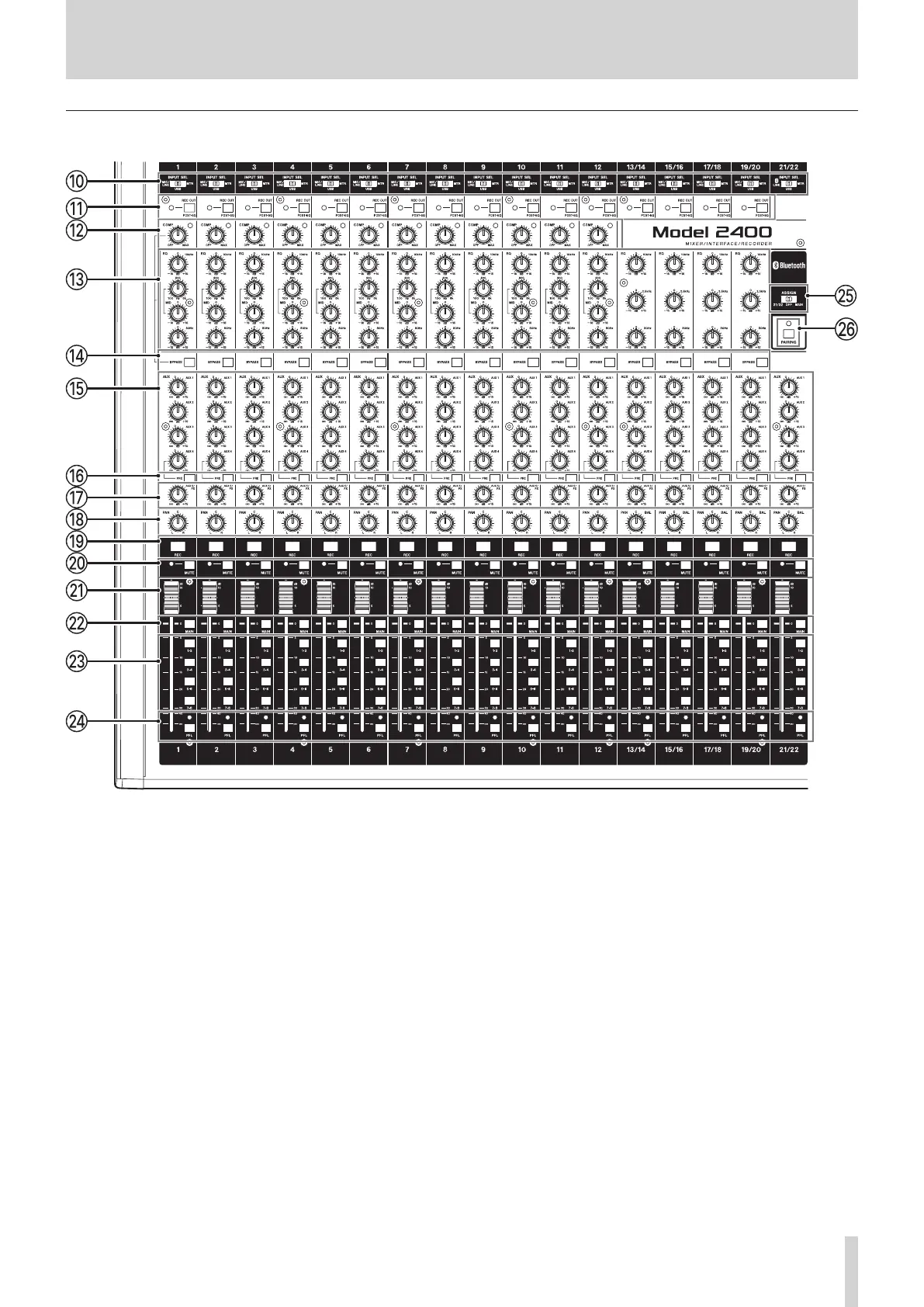
0 INPUT SEL switches (1–12, 13/14–21/22)
Use these to select the input source for each channel. (see
"Setting the INPUT SEL switch" on page 29.)
q REC OUT switches and indicators (1–12, 13/14–
19/20)
When these switches are on (set to POST-EQ), the audio
recorded to the SD card and sent by USB to the computer
will be processed by the equalizer beforehand. (see "REC
OUT switch function (channels 1–12, 13/14–19/20)" on page
46.)
w COMP knobs and indicators (1–12)
Use these knobs to adjust the compression thresholds for the
signals input to each channel.
When compression is being applied, the COMP indicators
light.
e EQ knobs (1–12, 13/14–19/20)
o Use these to boost and attenuate the HIGH, MID and LOW
bands of each channel.
Setting range: −15dB – +15 dB
r BYPASS switches (1–12, 13/14–19/20)
When these switches are on, the compressor and equalizer
settings for the corresponding channels will not be applied.
t AUX 1–4 knobs (1–12, 13/14–21/22)
Use these to adjust the levels of the signals sent to the AUX
1–4 buses.
y AUX 4 PRE switches (1–12, 13/14–21/22)
When these switches are on, the signals sent to the AUX 4
bus, which are normally post-fader will become pre-fader.
u AUX 5/FX knobs (1–12, 13/14–21/22)
Use to adjust the levels of the signals sent to the AUX 5/FX
bus (POST FADER).
TASCAM Model 2400 9



 To Next Page