7 - Track editing
8. Press the F4 button.
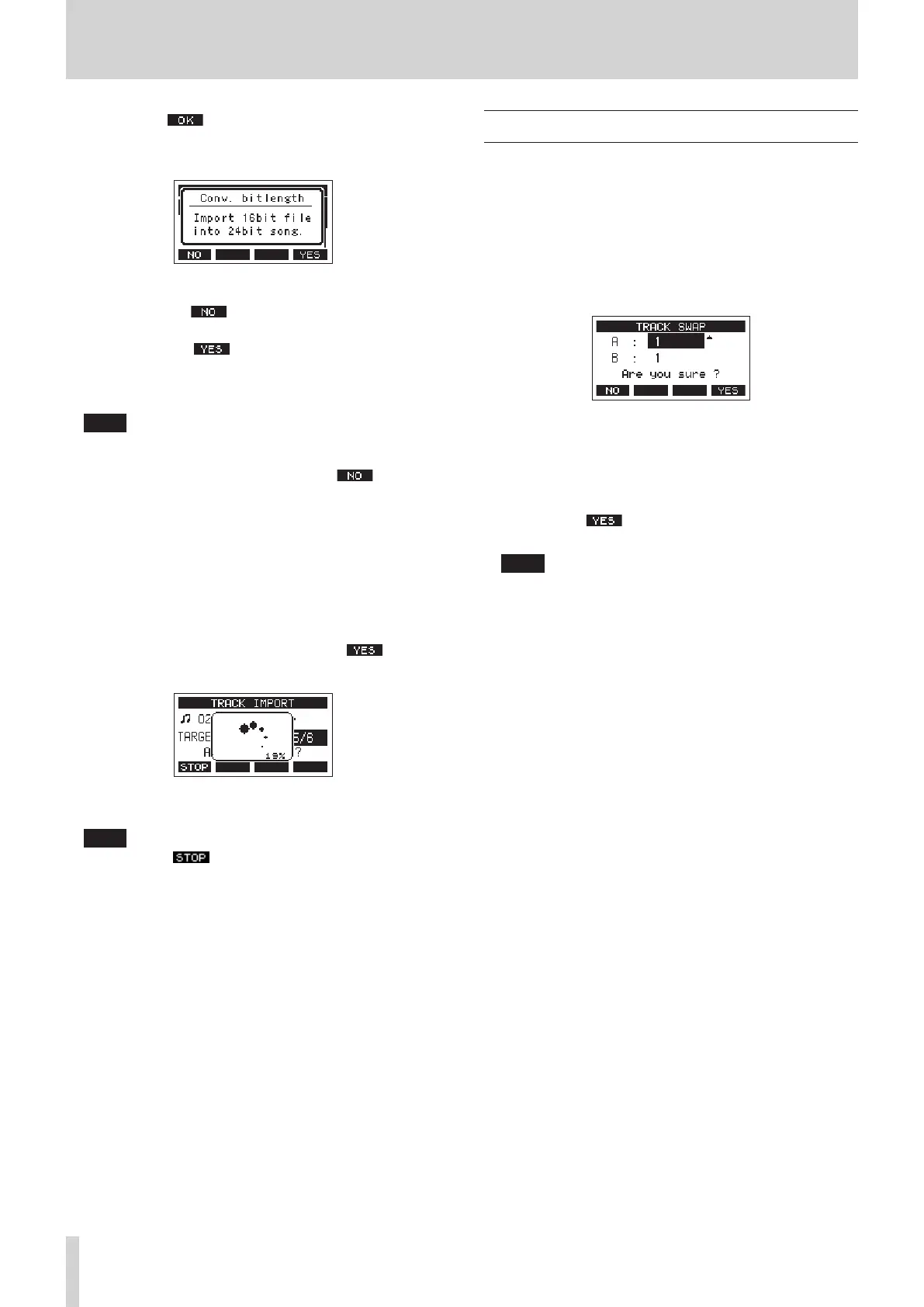
A conrmation message will appear if the bit length of the
WAV le to be imported diers from the current song.
Conrmation message example
i Press the F1 button to return to the TRACK
IMPORT screen.
i Press the F4 button to continue to the TRACK
IMPORT screen. In this case, the le will be imported
and the bit length will be changed to match the
current song.
NOTE
i If there are no openings for tracks to import, an “Import
error. No track” pop-up message will appear.
i To cancel importing a track, press the F1 button.
i Importing is not possible under the following conditions.
u Not enough open space is available on the SD card
u There are no empty tracks
u If the sampling frequency of the WAV le you are trying
to import diers from the current song
Example: Trying to import a 48 kHz WAV le when the
current song is 44.1 kHz
i If there is no le that can be imported, a “No File” pop-up
message will appear.
9. Select the track to import, and press the F4 button
to import it.
When importing completes, the TRACK IMPORT Screen
reopens.
NOTE
i Press the F1 button to cancel importing.
i The part of the track imported before canceling will
remain; it will not be deleted.
Swapping tracks
Recorded tracks can be swapped with other tracks.
1. When the recorder is stopped, select MTR on the MENU
Screen, and open the MTR Screen. (see "Menu operation
procedures" on page 18.)
2. Select TRACK EDIT on the MTR Screen, and open the TRACK
EDIT Screen.
3. Select TRACK SWAP on the TRACK EDIT Screen, and open
the TRACK SWAP Screen.
4. Turn the MULTI JOG dial to select the source track to be
swapped.
5. Press the MULTI JOG dial to move the cursor to the B item.
6. Turn the MULTI JOG dial to select the destination track to be
swapped.
7. Press the F4 button to swap the track specied in
the A and B items.
NOTE
This can be used as a basic bounce function by swapping the
signals recorded on the MAIN tracks (the output from the
MAIN OUTPUT connectors) to other tracks, and then clearing
other tracks.
38 TASCAM Model 2400


 To Next Page