12 - USB audio interface functions
2. Set the output device to “Speakers (Model 2400) ”.
3. Set the input device to “Microphone (Model 2400) ”.
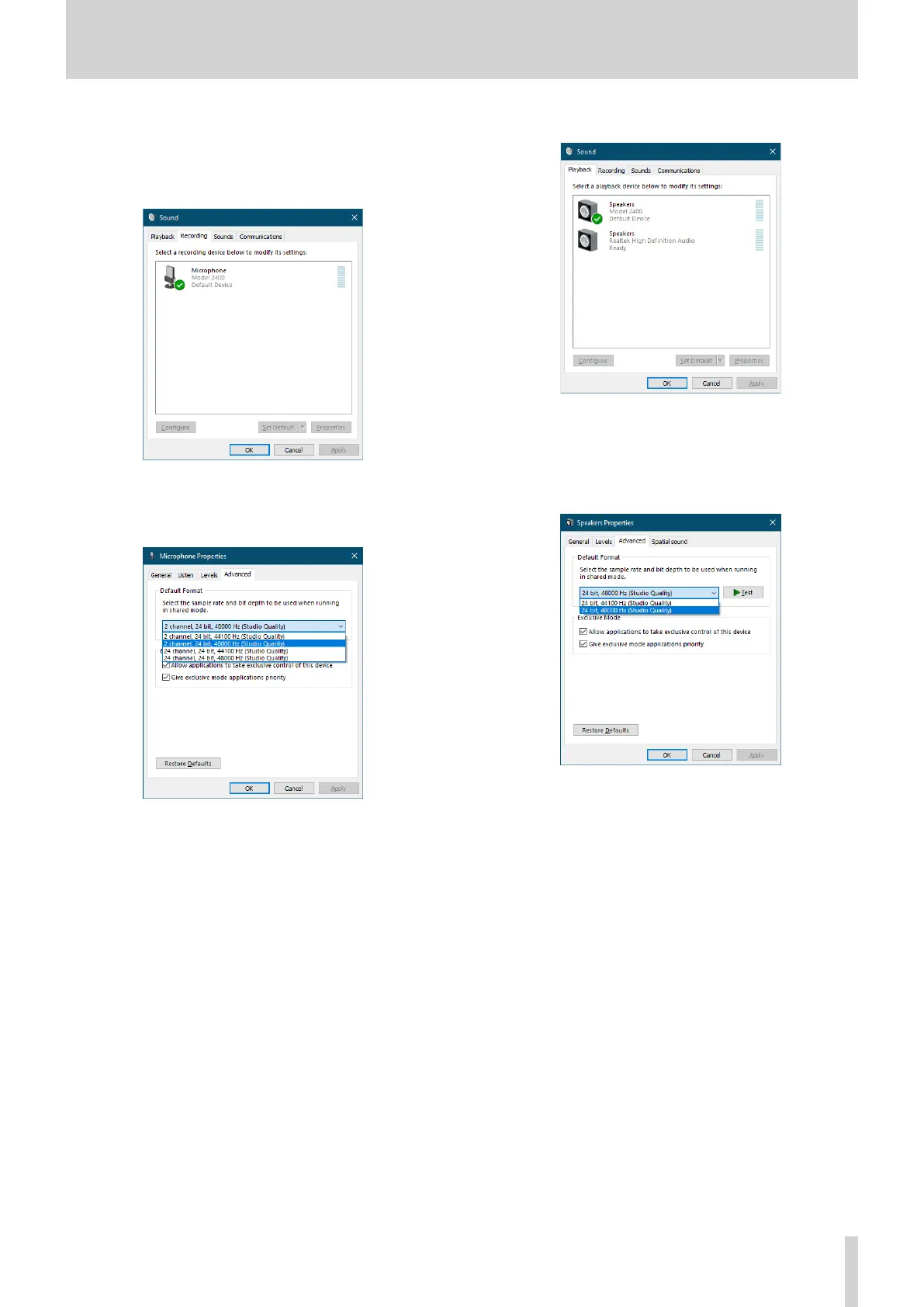
4. Click “Sound Control Panel” to open the Sound window.
5. Open the Recording tab, and select “Model 2400”.
6. Click “Properties” for “Model 2400” to open the Microphone
Properties screen.
7. Open the Advanced tab, and set the Default Format.
i Select a 2-channel setting when using OBS Studio or
another application that supports 2-channel audio
devices. Otherwise, select a 24-channel setting.
i Select the sample rate according to the sample rate of
the song loaded in the unit. Any sample rate can be
used when not loading a song.
8. Open the Playback tab, and select “Speakers (Model 2400) ”.
9. Click “Properties” for “Speakers (Model 2400)” to open the
Speakers Properties screen.
10. Open the Advanced tab, and set the Default Format.
Set the sample rate and bit depth for the Default Device on
the Play tab to the same values set on the Record tab.
11. Launch the streaming application, and proceed with
streaming and other functions.
12. After completing streaming, restore the settings to
multichannel to use multiple channels with other
applications as necessary.
i In step 1, set the USB audio mode to MULTI INPUT.
i In step 7, set the Microphone Properties to 24-channel.
TASCAM Model 2400 63



 To Next Page