Version: 1.06 108
16. High Speed Tags
The high-speed Tags were designed to receive pulses on digital inputs, with handling
independent from the process cycle.
If the delay between two successive pulses is smaller than the cycle time of the process, it
will not be possible, for instance, to make counting from the program. Then you can use
the High Speed Tags.
This feature is available for maximum 1 group of 8 digital inputs and the maximum
frequency of pulses is limited to 25 Hz with a duty cycle of 50 %.
When a pulse is detected, it is handled on processor interrupt.
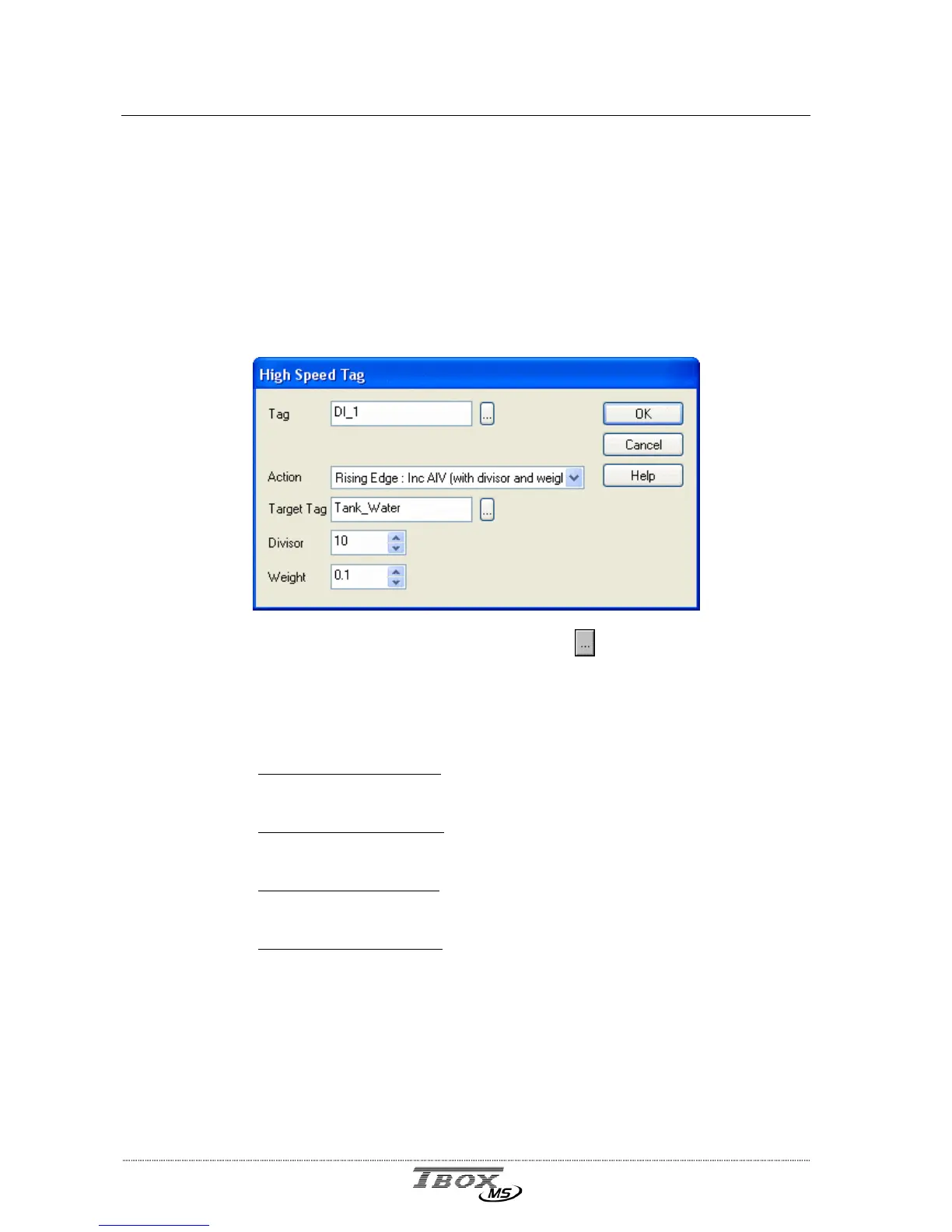
Tag: Select an existing Digital Tag by clicking the
button. If the Tag does not
exist, you can create it after having clicked the button.
Action: Action taken to the Target Tag (see next) during a change of status of the
digital Tag defined above. The choices are:
- Rising Edge -> Set (DIV):
each rising edge of the digital Tag, performs a
SET action on the Target Tag which must be an internal variable DIV.
- Falling Edge -> Set (DIV):
each falling edge of the digital Tag, performs a
SET action on the Target Tag which must be an internal variable DIV.
- Rising Edge -> Inc (AIV):
each rising edge of the digital Tag, increments
the Target Tag which must be an internal variable AIV.
- Falling Edge -> Inc (AIV):
each falling edge of the digital Tag, increments
the Target Tag which must be an internal variable AIV.
Target Tag: It is the internal variable (DIV or AIV) on which the action is taken (see
above).
Divisor: Division Factor that allows the action (SET or increment) to occur once every x
pulses (x being the factor of division).
Weight: You can give a weight to the pulses, after the computing according to the
Divisor (see above).



 To Next Page