Version: 1.06 51
9. Resources
The resources represent the list of the hardware that your TB
OX
MS has to its disposal.
• The CPU card, with its communication ports (see chapter 9.1:
‘The CPU card’
)
• The hardware can be composed of Cards
fixed in the same Rack as the CPU. It can be
I/O cards or Communication cards (see chapter 9.2:
‘Adding Cards’
)
• If the CPU needs to communicate in ‘ModBus Master’ to another device
(CPU, or an
external ModBus device), the latter must be declared as a Remote I/O card (see
chapter 14: ‘
Remote Tags
’)
• The Resources also contain 2 lists with System variables
. Systems variables have pre-
defined function (see chapter 9.4:
‘System variables’
)
9.1. The CPU-16 card
When starting a new document, TWinSoft creates automatically the CPU card; the minimum
for a TBox MS project !
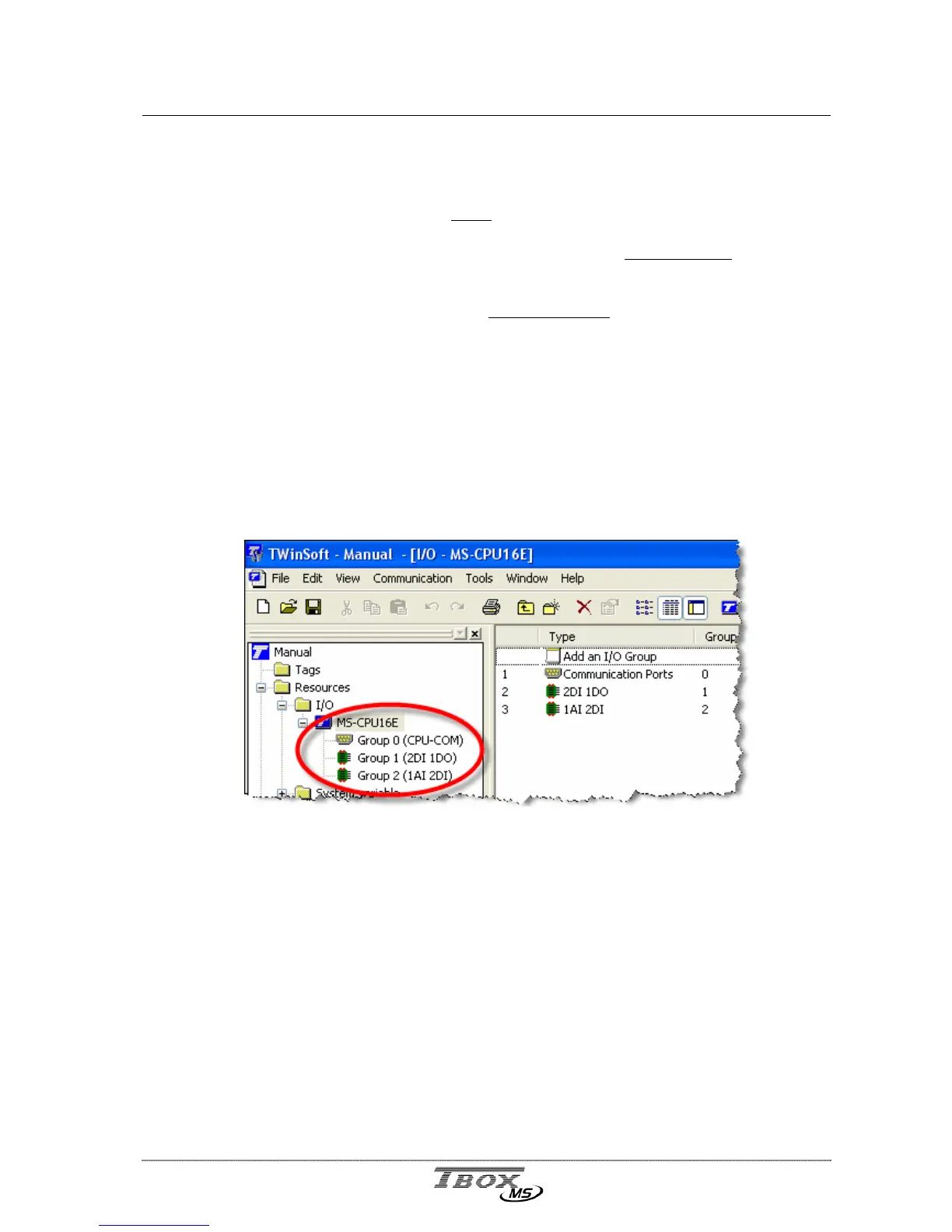
The communication ports of the CPU with their associated configuration and the I/O of the
CPU are available from the ‘Resources’:
The CPU card is divided in several groups:
Group 0 : communication ports
Group 1 : 2 digital inputs - 1 digital output (Sync. Input, Sync. Output, STOP input,)
Group 2 : 1 Analog input - 2 digital inputs (Power supply voltage, temperature
warnings)



 To Next Page