Version: 1.06 77
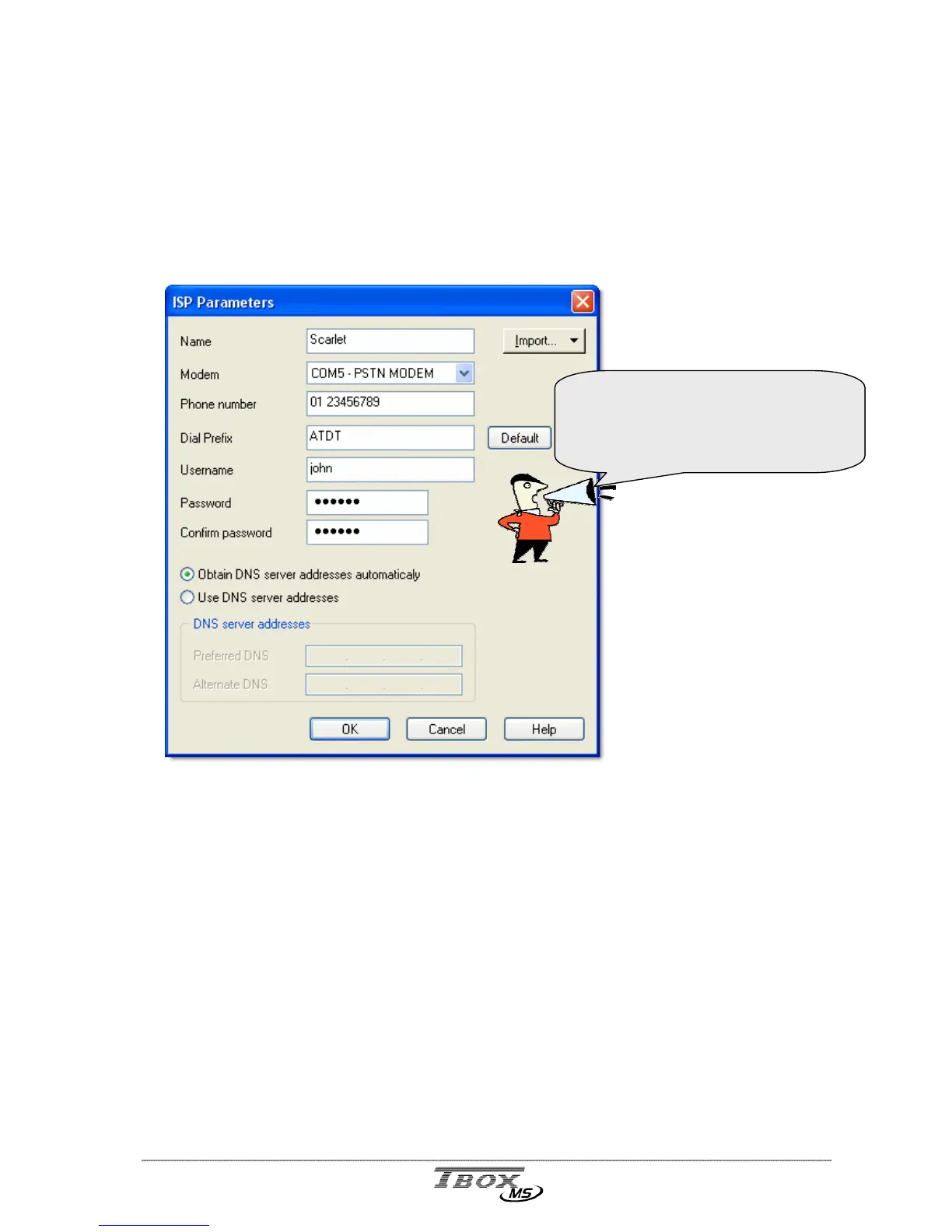
11.1. ISP configuration
ISP stands for Internet Service Provider. An ISP represents the entrance to Internet.
It is the company you call to access an Internet service, like sending e-mail or files (FTP).
Some among the most well-known: Hotmail, AT&T, Scarlet, …
When you want TB
OX
MS to send e-mail or send files to a FTP site, you subscribe an
account to an ISP.
Name: It is the name of the provider.
Phone number: It is the phone number of the provider the TB
OX
MS must dial to send an e-
mail or files.
Dial Prefix: The default dial prefix to connect to an ISP (ATDT). It should not be
changed unless the modem needs a particular configuration.
If TB
OX
MS is placed behind a telephone switch, the ‘outside line prefix’ is
defined in the modem properties; it should not be added to the dial
prefix (see chapter 9.2.2)
User name: It is the name of your account needed to access Internet (usually it is given
by the ISP).
Password: It is the password of your account needed to access Internet (usually it is
given by the ISP).
Using the button ‘Import…’ gives you
access to an existing ISP configuration
you have tested successfully on the PC.
A good piece of advice ☺



 To Next Page