Version: 1.06 27
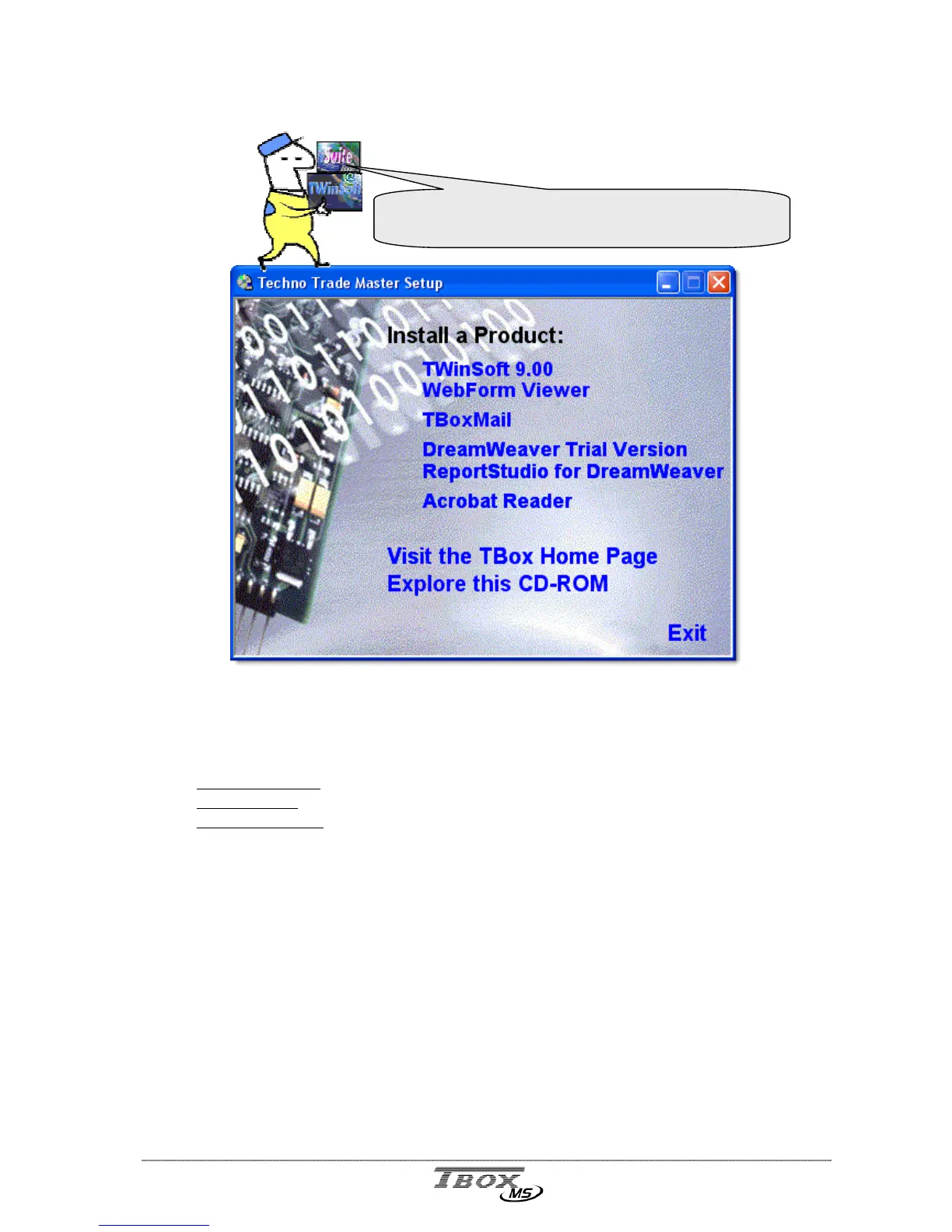
5.2. Installation of the CD-ROM
• TWinSoft 9.00
TWinSoft is the software required for developing an application for the RTU. The basis for
configuring a RTU application is explained in this manual.
Installation of TWinSoft includes:
WebForm Studio:
HTML editor dedicated to RTU
Report studio:
Report editor dedicated to RTU
WebForm Viewer:
ActiveX and TB
OX
MS dialer from Internet Explorer (see next).
(Administrator rights is required during installation)
• WebForm Viewer
This software contains the tool
T
T
B
B
o
o
x
x
D
D
i
i
a
a
l
l
I
I
t
t
!
! uses to dial TB
OX
MS with Internet Explorer.
It also contains the ‘ActiveX’ used to display objects dedicated to the RTU.
It must be installed on the PC used by a operator to dial TB
OX
MS with Internet Explorer,
when TWinSoft is not required.
(Administrator rights is required during installation)
• TBox Mail
This software is used to display a Chart view from data logging attached to e-mail. To store
data in a global database, you should use T (call your local distributor).
(Administrator rights is required during installation)
From the CD-ROM of TWinSoft Suite, when running
the Setup, the following software’s are available



 To Next Page