Version: 1.06 32
6.2. Communicating with TBox MS
Once you have opened a document, either a new one created with the Wizard or an existing
one, you can establish the connection with your TB
OX
MS.
The possible communications are serial, Ethernet or modem, according to the media used
to connect to TB
OX
MS.
Serial:
check the Baudrate you have given to the serial port in your application (by
default 9600,N). See chapter 9.1.1.
Ethernet: check the IP address you have given to your TB
OX
MS (see chapter 9.1.1)
and that it is in the same subnet of the PC or accessible to the PC.
Modem:
check the tel. Number of TB
OX
MS. See chapter 8.1.
6.3. PC Communication Set up
To communicate with the TB
OX
MS, you need to select a communication media on the PC.
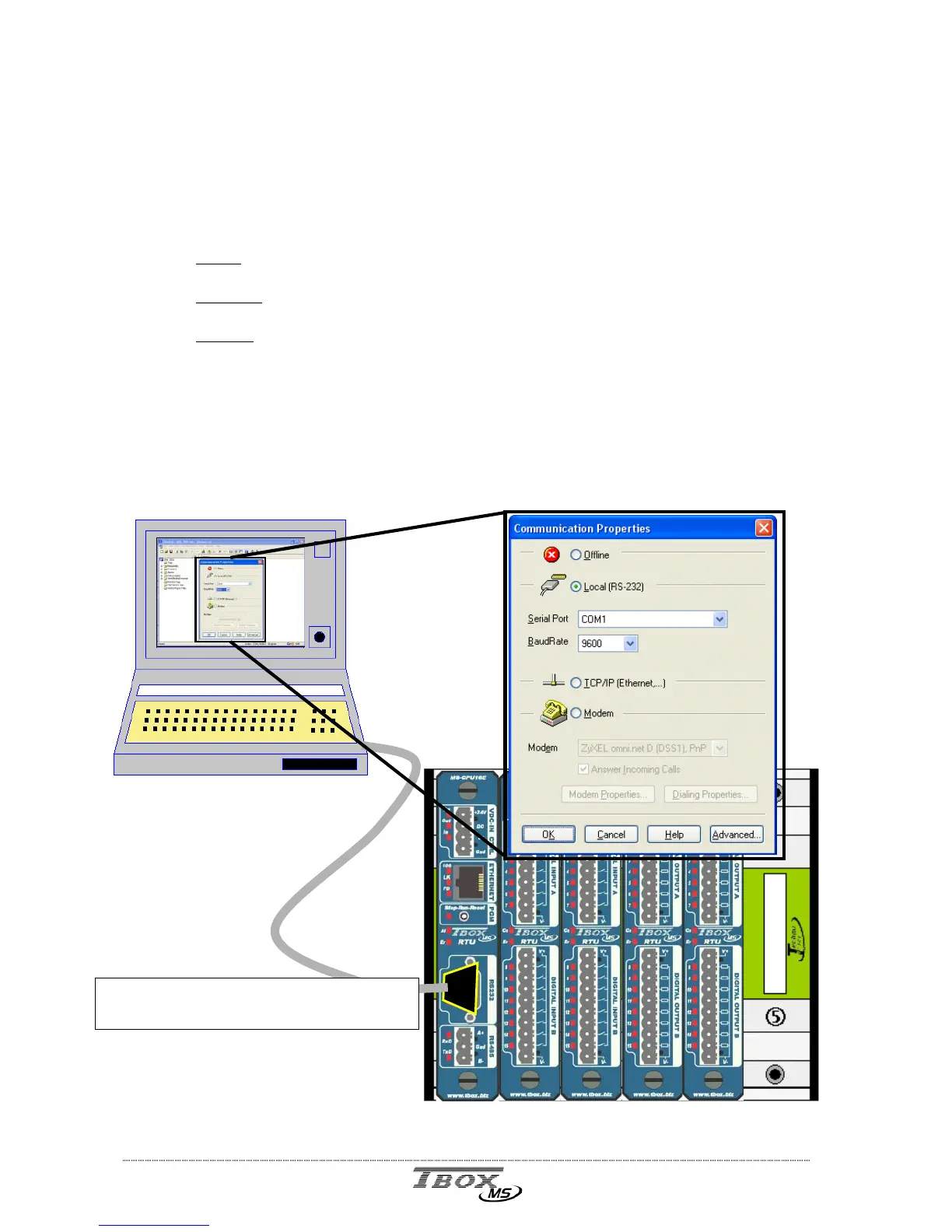
From the main menu of TWinSoft: Communication PC Setup:
Example with a RS232 connection:
default Baudrate of TBox MS : 9600,N



 To Next Page