Version: 1.06 79
11.2. FTP Host
FTP stands for File Transfer Protocol. When subscribing an account to an ISP, usually you
have some Mbytes to your disposal for sending files.
The FTP host represents the target when sending files. The directory where the files are sent
is defined in the Recipient (see chapter 11).
First,
TB
OX
MS
connects to Internet (through an ISP connection) and then sends the files.
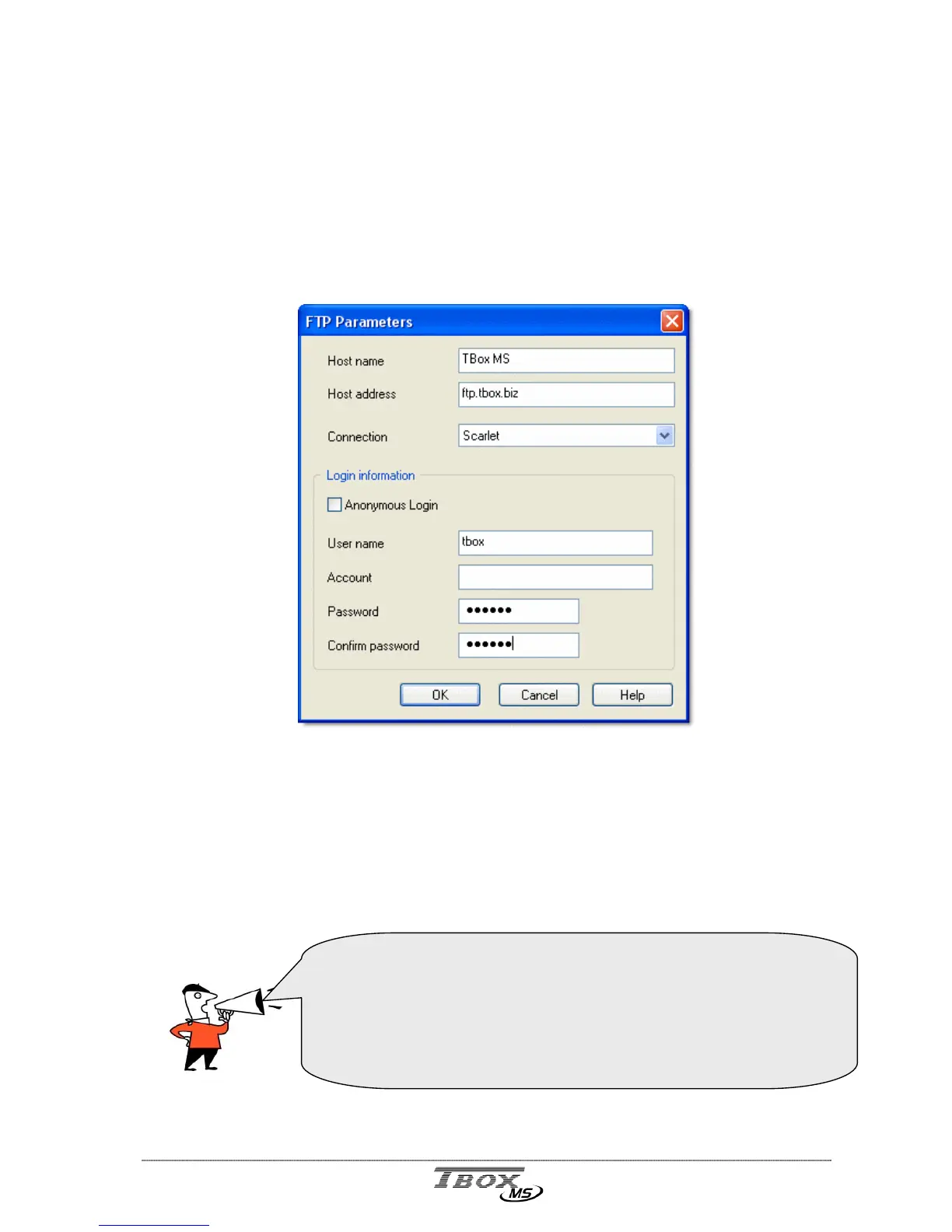
Host Name: It is a free name, to recall when you create the alarm recipient.
Host address: text and IP address are accepted.
Connection: You select the ISP you have previously created (see above).
Login: Depending on the account you have subscribed, you have a login or work
with ‘Anonymous login’.
This is the basic configuration to connect to the ‘FTP site’.
You do not declare a directory in this configuration, but when
declaring the ‘Recipient’ (see chapter 12.4. The Recipients).
This allows creating any combination:
- several ‘FTP recipients’ to one FTP site
- several ‘FTP recipients’ to different FTP sites.
- …



 To Next Page