Version: 1.06 56
9.2.2. Adding a ‘Modem’ Card
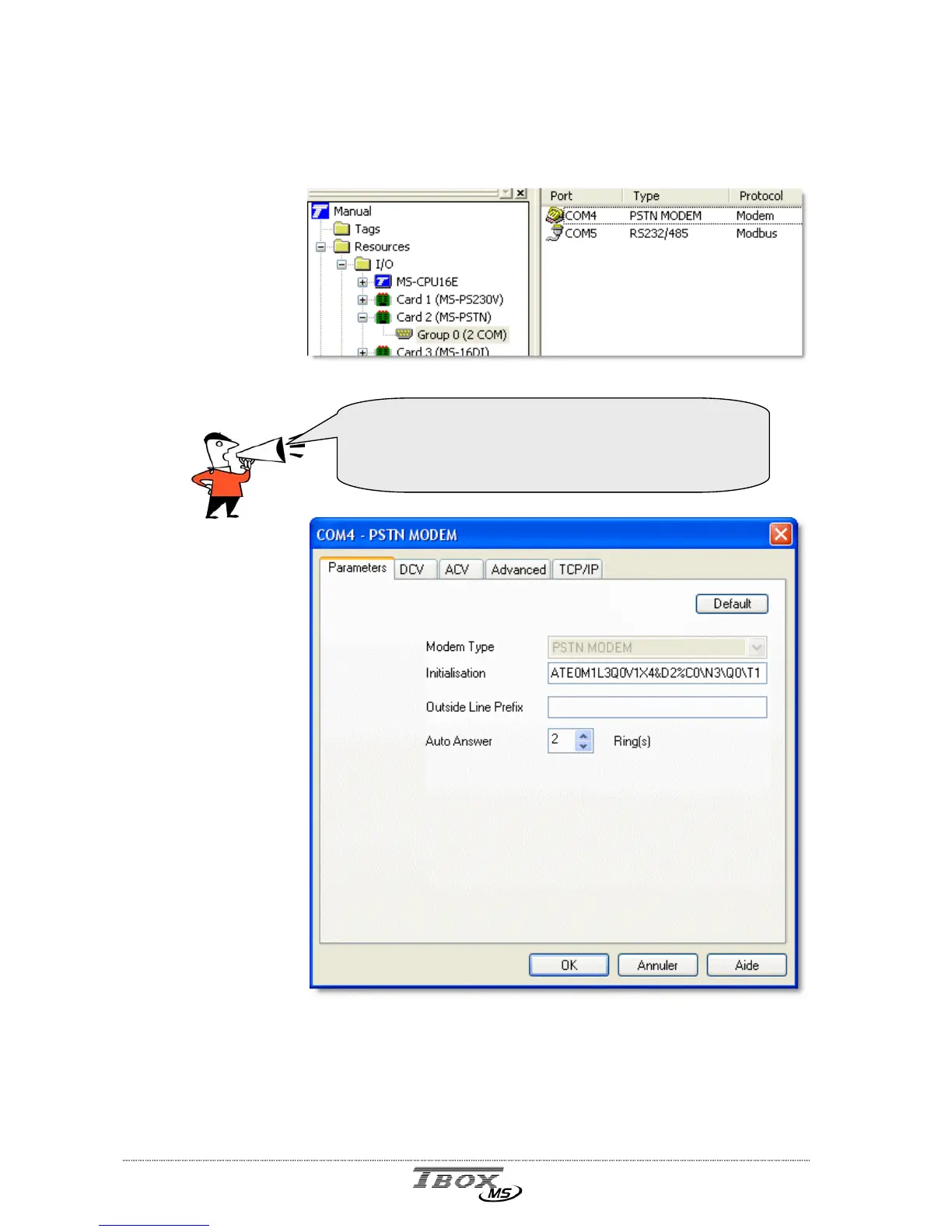
A modem card (PSTN or GSM) is composed of a modem and a serial port (RS232 or RS485).
Technical specifications are available at the end of the manual.
Once created, a
‘modem’ provides
one Group 0 with
communication
ports.
To enter the
configuration of
the modem, double
click the ‘modem’
port in the list
Example with COM4 – PSTN modem
Modem type: It cannot be changed. It corresponds to the modem of the card.
Initialization: The initialization string is sent at power up of the modem and after
each connection.
If changed, it is saved in the TWinSoft document.
The numbering of communication port starts at COM4
(the previous ports are used by of the CPU).
The numbering is automatically incremented at each
insertion of communication card.



 To Next Page