Version: 1.06 87
To access the definition of Conditions, click the folder ‘Alarms’ in the Project workspace and
select ‘Conditions’.
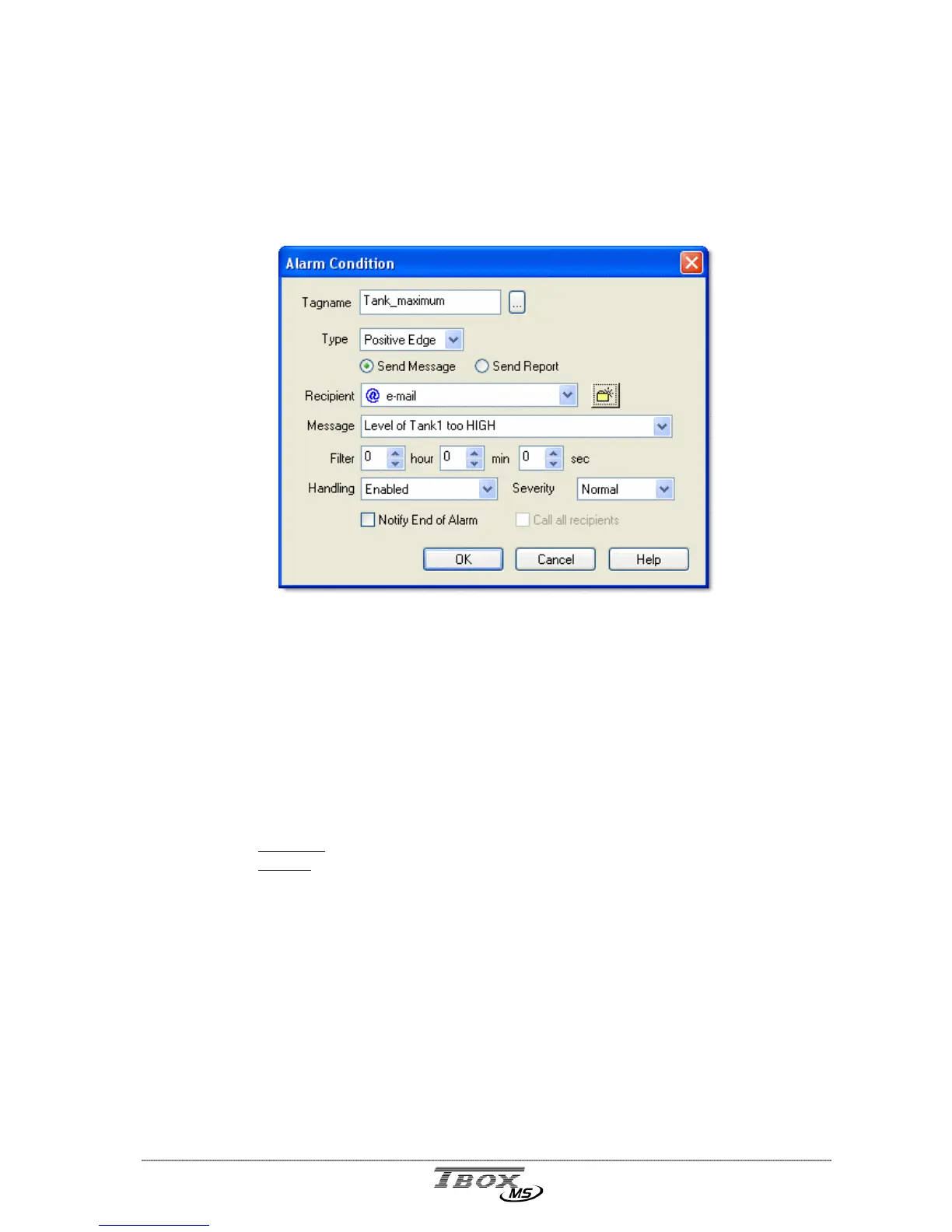
According to the Tag you select, you define a digital alarm condition or an analog alarm
condition.
12.2. Digital Alarm Condition
Tagname: The Tag selected to generate the alarm.
Type: The edge on which the alarm is going to be started (rising, falling or both).
Message or Report: text or file associated to the alarm.
Depending on the type recipient associated, you can send a message or a
report. It is the SMS message sent to a GSM, the message/report sent as e-
mail, the message/report printed, or the file sent by FTP …
It also appears in the table of alarms, to distinguish them (see chapter 12.7).
If the alarm condition sends an e-mail, it can be of 2 kinds:
Message:
a text message is sent and it appears in the ‘object’ field of the e-mail
Report:
sending of a report created with
Report Studio
. The report can be
created from the Project Workspace and the list of ‘Web & Report
files’.
Recipient: Select a Recipient or a group of recipients. The ‘person’ you wish to contact
in case of alarm (see ‘Recipients’ below).
In case you select a group of Recipients, TB
OX
MS executes a chain: it calls
the first one in the group; in case the alarm cannot be acknowledged after the
number of tries, TB
OX
MS automatically calls the next Recipient in the group.
It is the equivalence to ‘Chain’ with previous generation of RTU, the
A.
Filter: The time in hour:minute:second during which the condition must stay TRUE,
before the call is generated.



 To Next Page