Version: 1.06 75
10.4. Tags - Presentation / Write
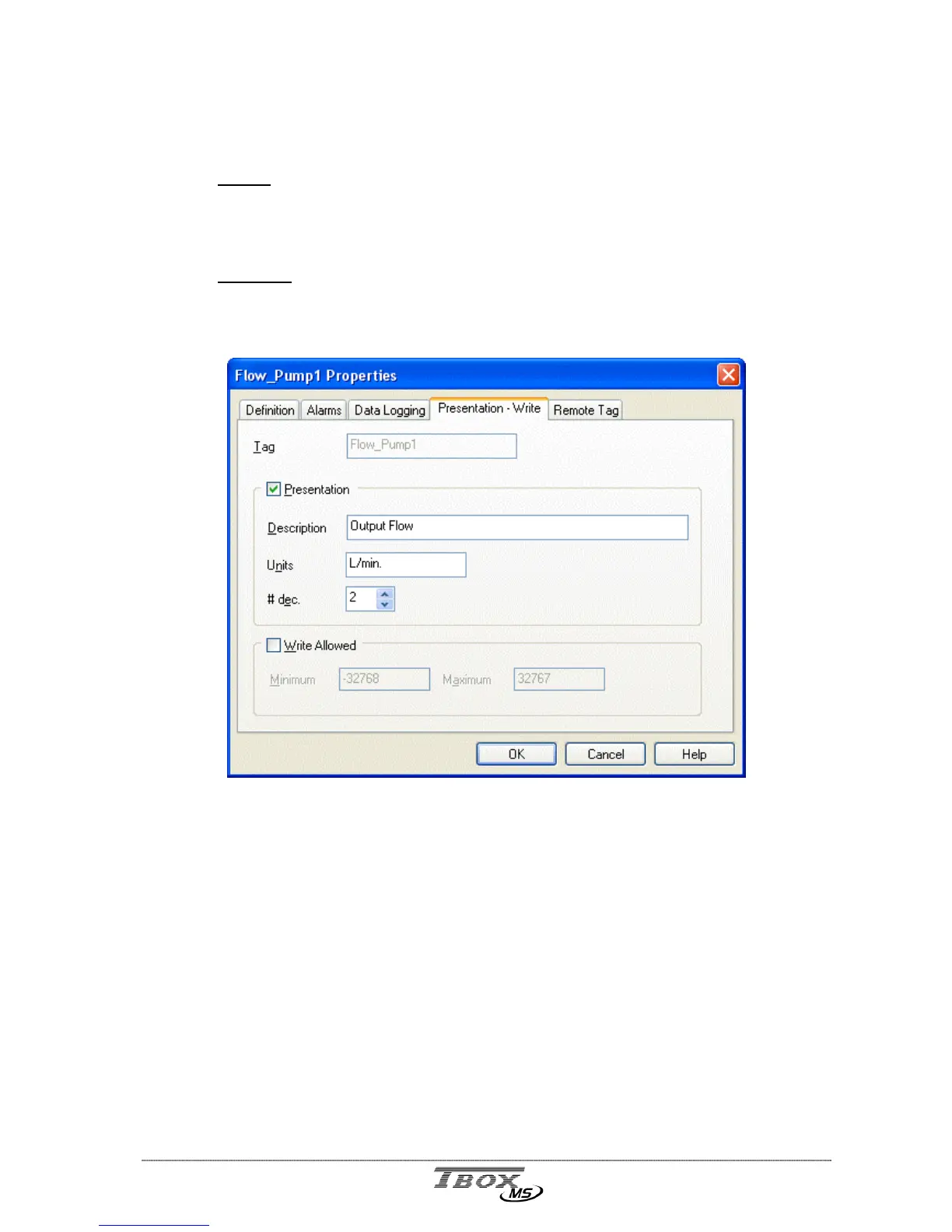
This tab contains configuration used when the Tag is declared in a Report or in a WebForm.
Report:
file edited with ‘Report Studio’ and used for instance as text body when
sending e-mail.
(Start ‘Report Studio’ from ‘Windows’ and the group of Programs of Techno Trade or
from the ‘Project Workspace’ and the list of ‘Web and Report files’)
WebForm:
file edited with ‘WebForm studio’. Used to display values of Tags in a
HTML page.
(Start ‘WebForm Studio’ from ‘Windows’ and the group of Programs of Techno Trade
or from the ‘Project Workspace’ and the list of ‘Web and Report files’)
Presentation: makes the following information available to ‘Report’ and ‘WebForm’.
Description: in a Report, text displayed as ‘Header’ in sampling table or as Tag
information in chronologies when the data is retrieved.
Units: text displayed as ‘Unit’ in datalogging when the data is retrieved. It can
also be displayed when selecting as format ‘Value + unit’ in the report or
WebForm.
# decimal: the quantity of decimals of the value displayed
Write allowed: if the Tag is declared in a WebForm, allows defining a writing access to the
Tag, within a specific range.



 To Next Page