Version: 1.06 34
6.4. Testing communication
Once you have selected the media on the PC, you can test the communication.
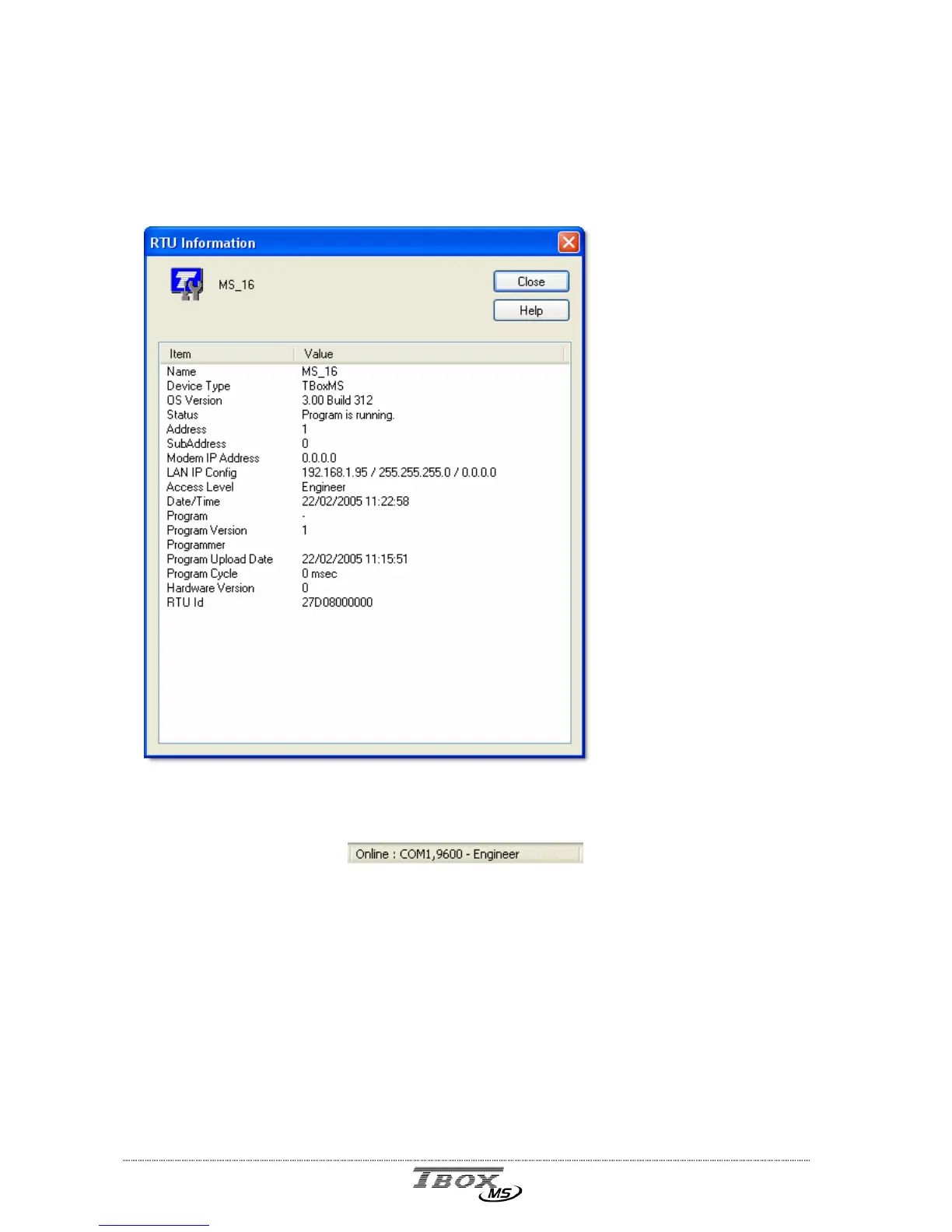
From the main menu of TWinSoft: Communication RTU identification:
Available information:
- Name of the RTU
- Type of Hardware
- Version of Operating System
- Status of the process
- ModBus address of the Station
- Subaddress of the Station
- IP address of the modem
- IP configuration of the Ethernet
- Access level of the current user
- Date and Time in the RTU
- General information about the program
- Process cycle time
- Unique ID of the RTU
The Status bar of TWinSoft displays the status of the connection:
The media of the PC is indicated and the access level of your connection (see chapter 17:
‘
Security
’)
If a connection cannot be established with the TB
OX
MS, it might be because the
configuration of its port does not fit with the PC setup you use (different Baudrate, different
IP address, protocol other than ModBus, …).
To set the TB
OX
MS to a default configuration, you have to do a global reset. (see next)



 To Next Page