Version: 1.06 83
11.5. TCP/IP Debugging
This feature is very convenient to trace problems when sending e-mails and/or files (with
FTP).
It informs on the different steps of the connection: Login to the ISP, obtain of DNS, Smtp
communication, …
It is based on 3 ‘System variables’: TcpIpLog, PortIdLog and EventLog
Procedure
1. One System variable must be Tagged: Analog # 25: EventLog
Keep the ModBus address as it is (22080). Do not change it.
It is not necessary to Tag the 2 other variables.
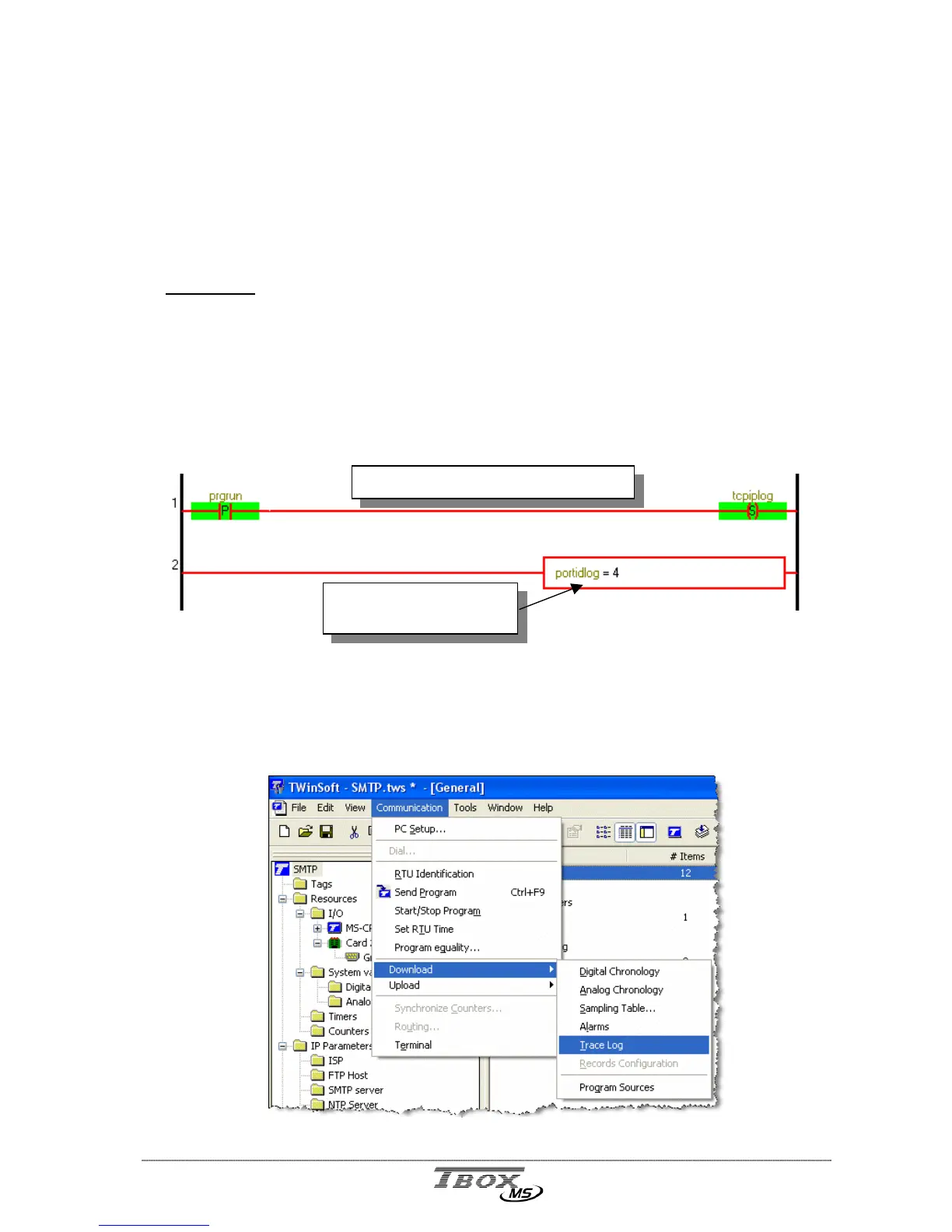
2. Make the following lines of Ladder:
Example on debugging through MS-PSTN modem (COM4)
As you can see, we use the system variables without having Tagged them (brown color). You can also
Tag them if you want.
3. Once the connection is finished, look at the trace from the ‘Communication menu’
This means that we make
debugging on COM4
This lines activates Debugging process



 To Next Page