Version: 1.06 59
GPRS settings
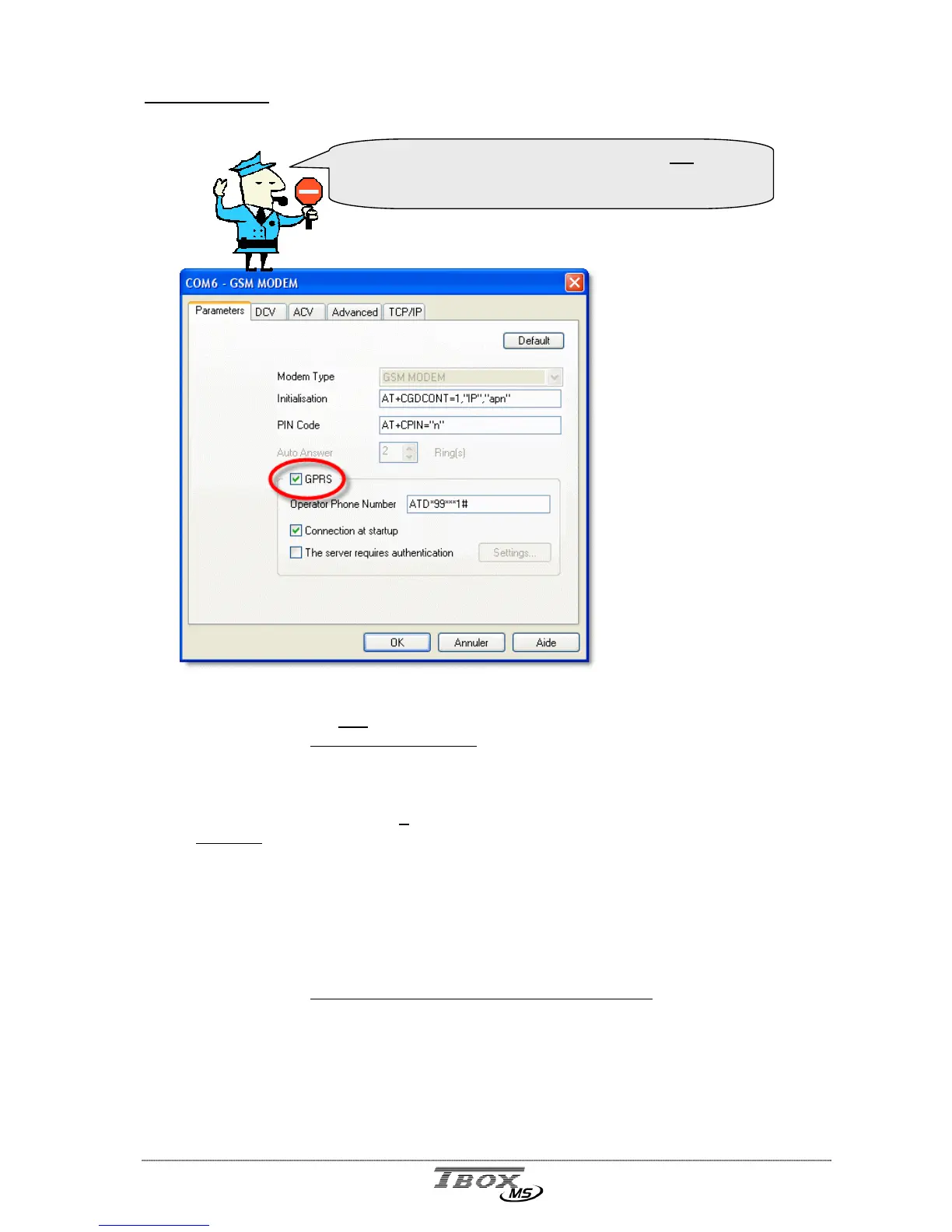
Once you have declared a MS-GSM card, you have to activate the GPRS mode.
When selecting GPRS,
TWinSoft automatically
adapts Initialization and
Operator Phone number
fields (see next).
If the connection requires a
login, select the option
‘The server requires
authentication’.
If you receive a fixed IP
address, declare it in
‘TCP/IP’ tab.
Initialization: You have to add in the initialization string the APN. Replace in the string
the apn
with the URL you receive from your GSM operator.
Example with Mobistar:
AT+CGDCONT=1,“IP”,“WEB.PRO.BE”.
PIN Code: If the SIM card you have inserted uses a PIN code, type it at the place
of the letter n
.
Example:
with the PIN code 4896, you should have in the field: AT+CPIN=“4896”
If the SIM card you have does not require a PIN code, you can leave the
field as it is or erase it.
Operator Phone number: special number to establish the GPRS connection.
Typically, the number is *99***1#. Check with your operator
and type it following the command ATD.
Example with Mobistar, Proximus, SFR, AllIP, …:
ATD*99***1#
Connection at start up: when this option is selected (by default) TB
OX
MS handles
the modem to keep the connection permanently.
when this option is removed, TB
OX
MS handles the
connection according to communication variables: GPRSCon
(see below)
You have to choose either ‘GSM-Data’ mode OR ‘GPRS’
mode.
It is not possible to use the modem in both modes.



 To Next Page