Configuration of sensor using service adapter / Software installation / Service DUT-E software installation
DUT-E fuel level sensors. Operation manual. Version 8.1
© Technoton, 2020 56
3.4.2 Service DUT-E software installation
To install the software, download and run necessary installation file
Setup Service DUT-E vX.XX.exe
Note — X.XX corresponds to the version of software. The latest version described in the present
manual is 3.26.
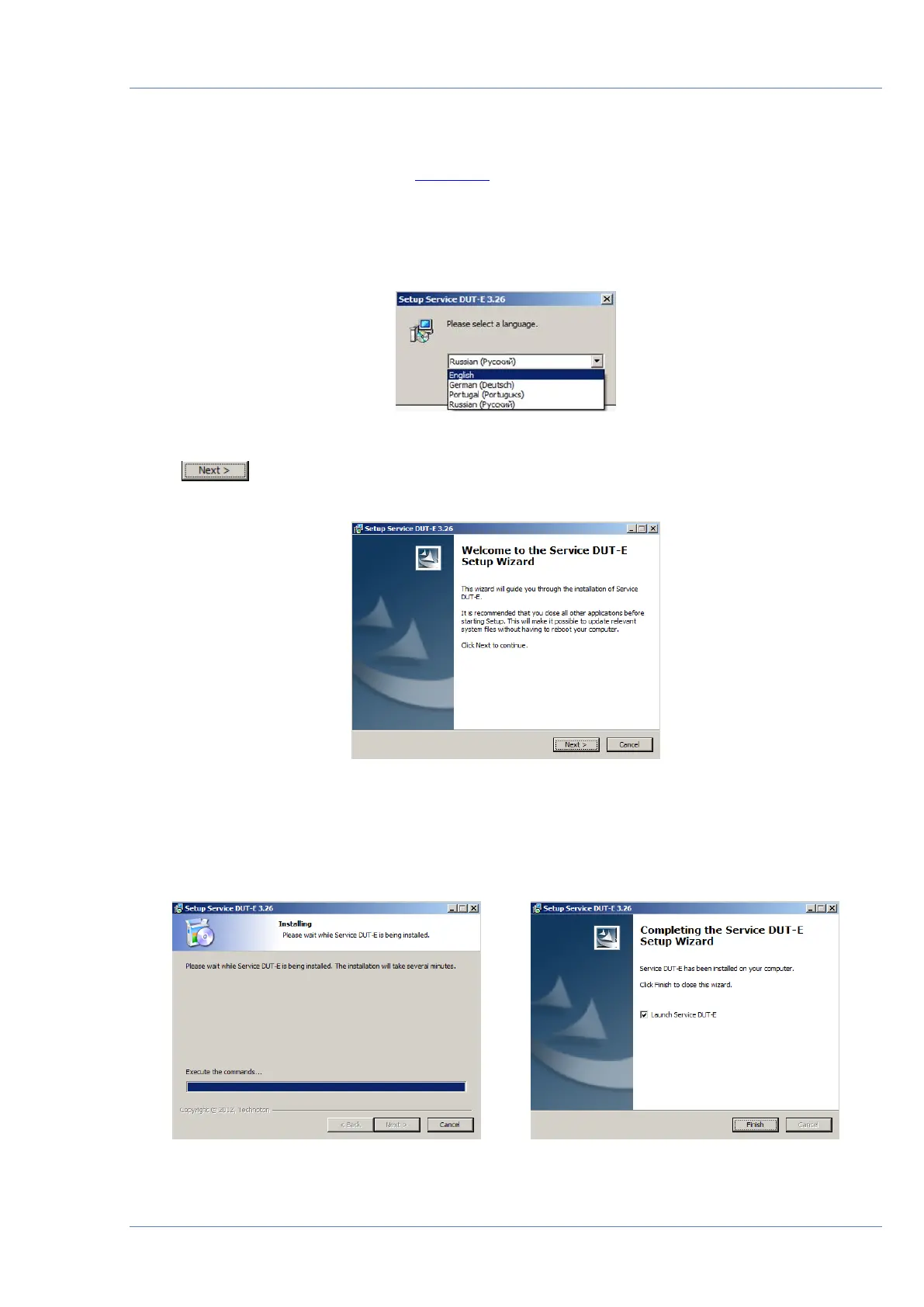
Select installer language out of the drop-down list (see figure 32).
Figure 32 — Installer language selection
Click button to start installation of the software (see figure 35) and follow
the instructions.
Figure 33 — Service DUT-E installation wizard window
The following window will indicate the process of installation of Service DUT-E files. Since the
installation of Service DUT-E software is finished PC is ready for service adapter connection
and operation (see figure 34).
Figure 34 — Service DUT-E installation progress


 To Next Page