Configuration of sensor using service adapter / Operations with DUT-E profile / Save profile
DUT-E fuel level sensors. Operation manual. Version 8.1
© Technoton, 2020 66
3.9.2 Save profile
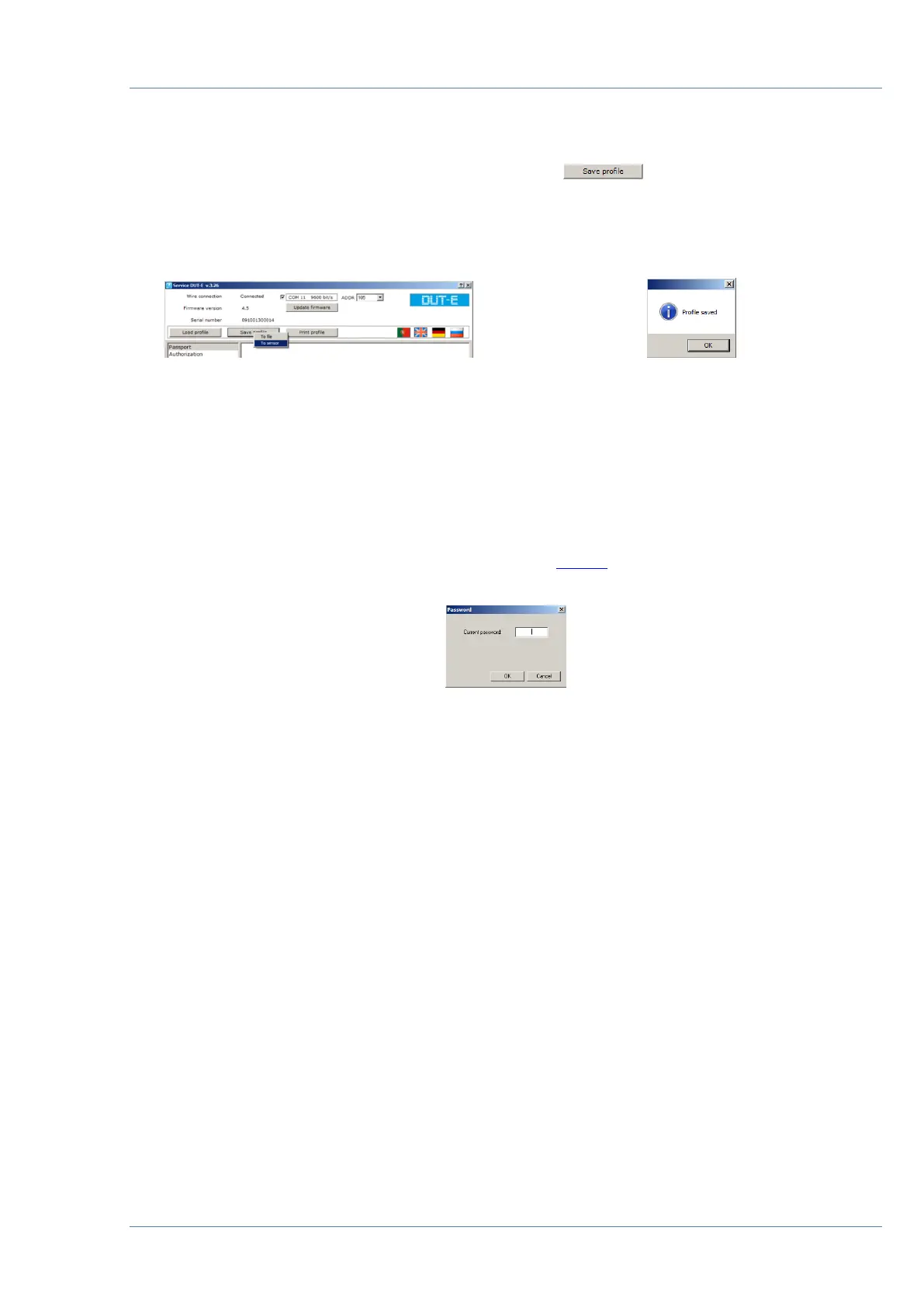
The following options of profile saving are available on button click
(see figure 42):
• to file;
• to sensor.
a) selection of saving option b) profile saved
Figure 42 — Saving profile
Select file location and enter file name when saving profile To file. The saved profile can be
uploaded to any other DUT-E sensor of the same modification.
All the setting modifications will be saved to sensor’s internal memory when saving profile
To sensor.
The software will prompt authorization dialogue (see 3.10.2) on saving profile to sensor or on
calibration if user has not been yet authorized (see figure 43).
Figure 43 — Password request
Note — default password for DUT-E sensors is 1111. It is stated in sensor specification in
factory settings list.


 To Next Page