Configuration of sensor using service adapter / Operation test
DUT-E fuel level sensors. Operation manual. Version 8.1
© Technoton, 2020 62
3.6 Operation test
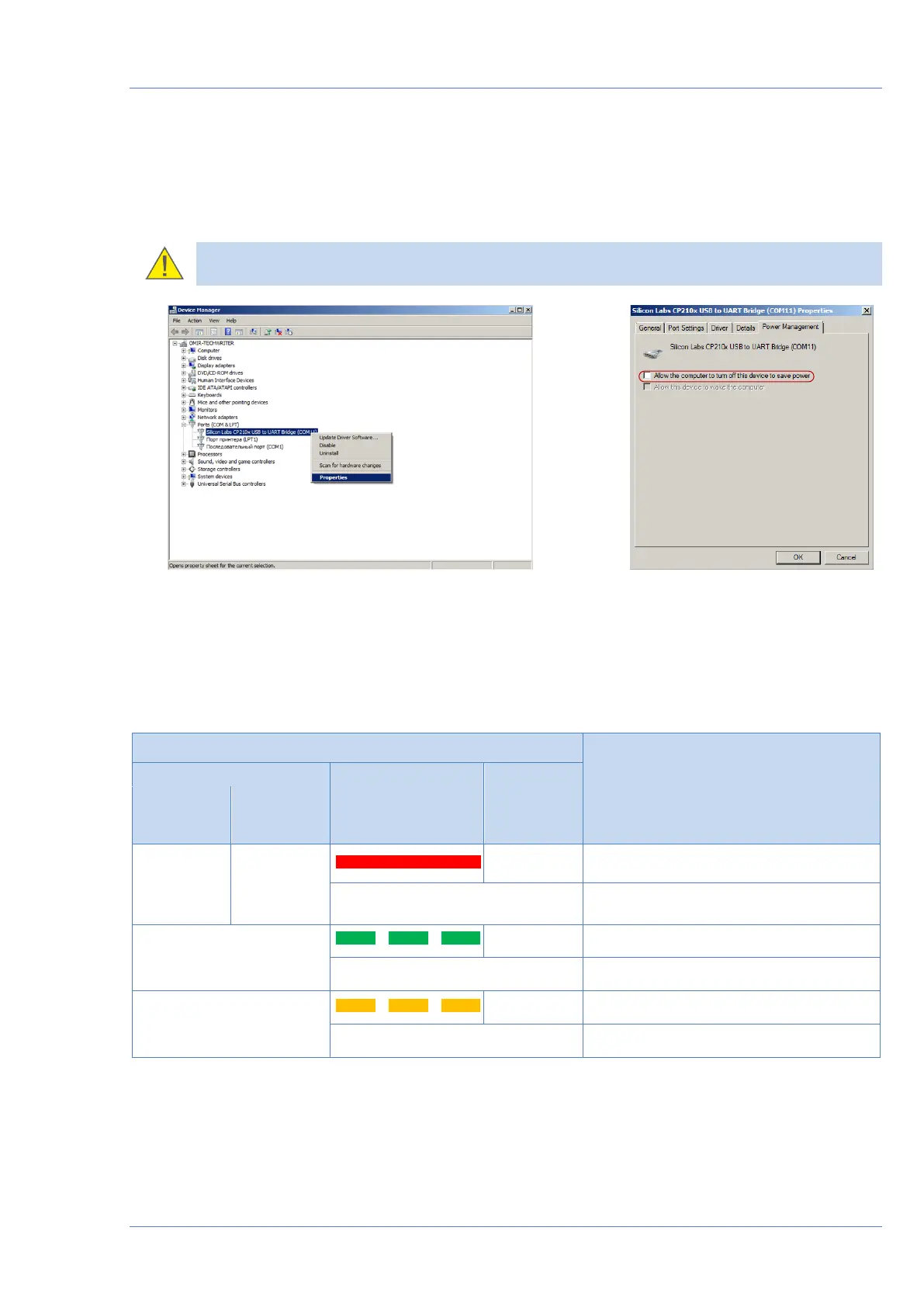
Windows automatically detects adapter connected to PC’s USB port as USB device and enables
virtual COM port driver for it. The virtual COM port will be displayed in the list of ports of
Windows Device manager (see figure 37).
ATENTION: It is recommended to untick power save check box for Service DUT-E in
the virtual COM-port properties for energy safety purpose (see figure 37 b).
a) selecting port properties b) disabling power save option
Figure 37 — Virtual COM-port configuration in Device manager
Service adapter is ready to use since the power is on. See table 14 for signal description of
LED indicators located on the adapter.
Table 14 – Adapter LED signals description


 To Next Page