Configuration of sensor using service adapter / Operations with DUT-E profile / Load profile
DUT-E fuel level sensors. Operation manual. Version 8.1
© Technoton, 2020 65
3.9 Operations with DUT-E profile
Service DUT-E software is designed for managing DUT-E sensor profile (hereinafter profile).
Profile is combination of specification data, configurations and settings of DUT-E sensor and
vehicle it is mounted on.
Software can operate profiles in both DUT-E connected and autonomous modes. In
autonomous mode, previously saved profiles can be loaded and modified.
ATTENTION: The following Service DUT-E operation description is compiled for DUT-E
connected mode. While in autonomous mode of Service DUT-E some features and
options are not available.
Profile can be saved as a file on PC’s hard drive or saved to internal memory of connected
DUT-E or printed if this is required.
3.9.1 Load profile
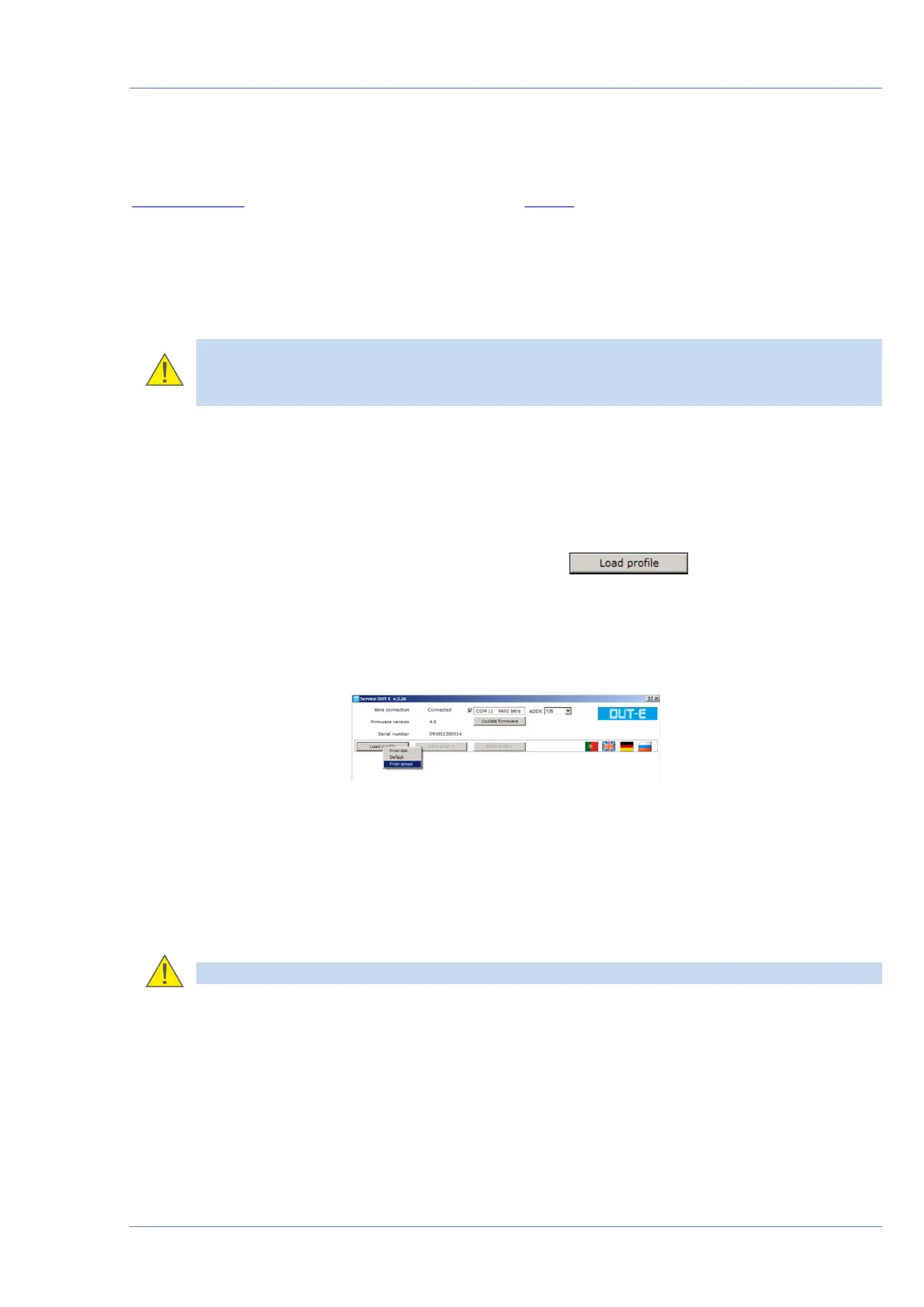
The following options of profile loading are available on button click
(see figure 41):
• from disk;
• default;
• from sensor.
Figure 41 — Profile loading
Previously saved profile can be loaded from hard drive or removable disk when From disk
option is selected.
Profile with default DUT-E settings is loaded when Default option is selected. This profile lets
the user to get acquainted with software without establishing sensor connection.
Profile of the connected DUT-E sensor is loaded when From sensor option is selected.
ATTENTION: File extension of DUT-E profile is *.dpf


 To Next Page