Configuration of sensor using service adapter / Vertical menu description / Authorization
DUT-E fuel level sensors. Operation manual. Version 8.1
© Technoton, 2020 70
ATTENTION:
Contact Technoton technical support at support@technoton.by if the password is lost.
Requirements for password recovery request:
• scan copy of the request signed and sealed by the official representative of the
company the sensor been purchased by should be attached;
• request should contain serial number and manufacture date of the sensor;
• email should contain password recovery code in a text form (not a screenshot!);
• email should contain full name and contact e-mail of a person who should receive
the recovered password.
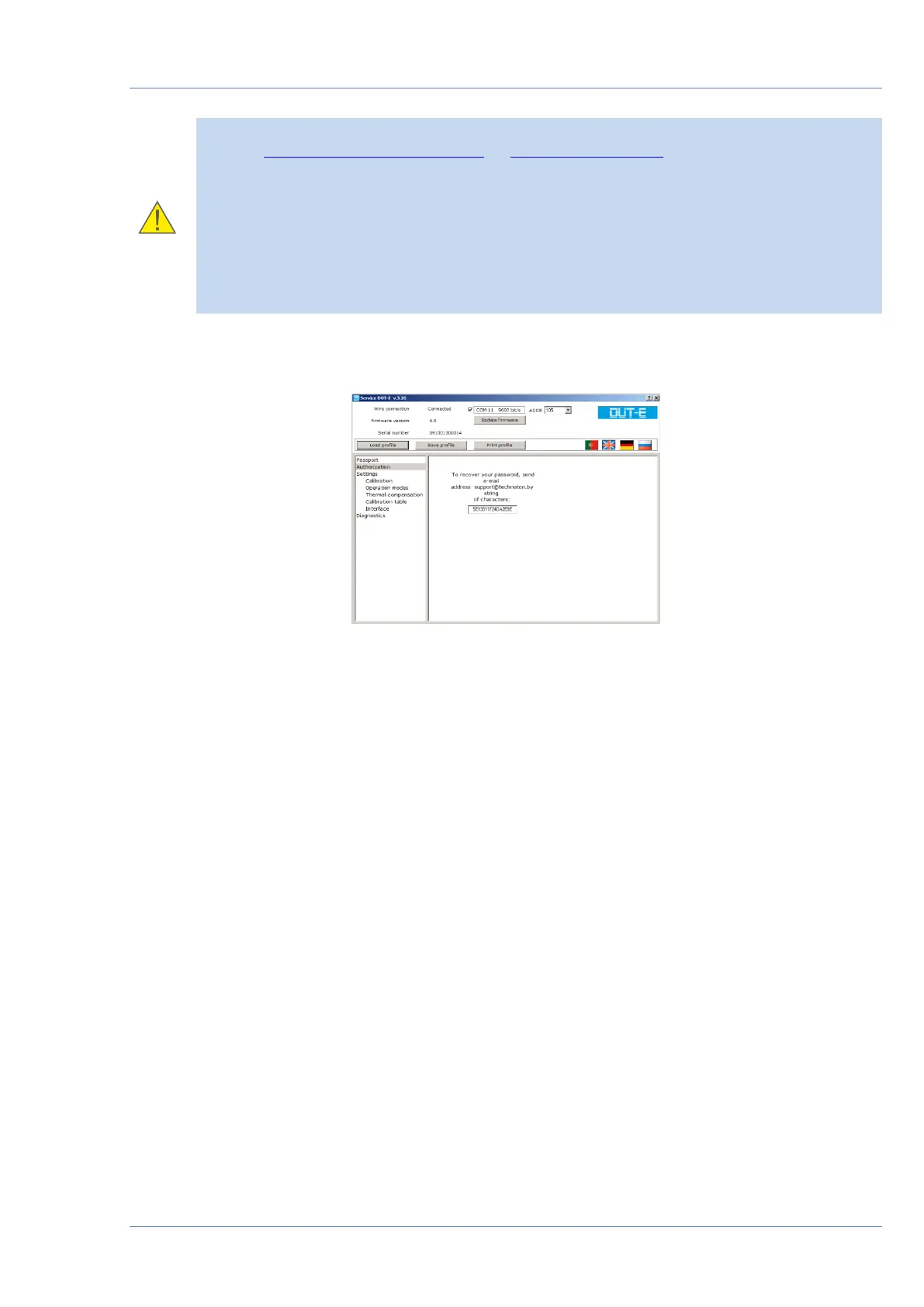
To generate password recovery code (see figure 47) use Ctrl+F10 shortcut in the current
password field of authorization dialogue (see figure 45 a).
Figure 47 — Generating password recovery code


 To Next Page