8
INTRODUCTION
www.teejet.com
DATA APPENDIXSETTINGS TOOLSCONSOLE
Radion 8140 Automatic Sprayer Control
OPERATION
Manual Regulation Mode
Manual Regulation Mode will retain an established regulation valve
setting regardless of speed.
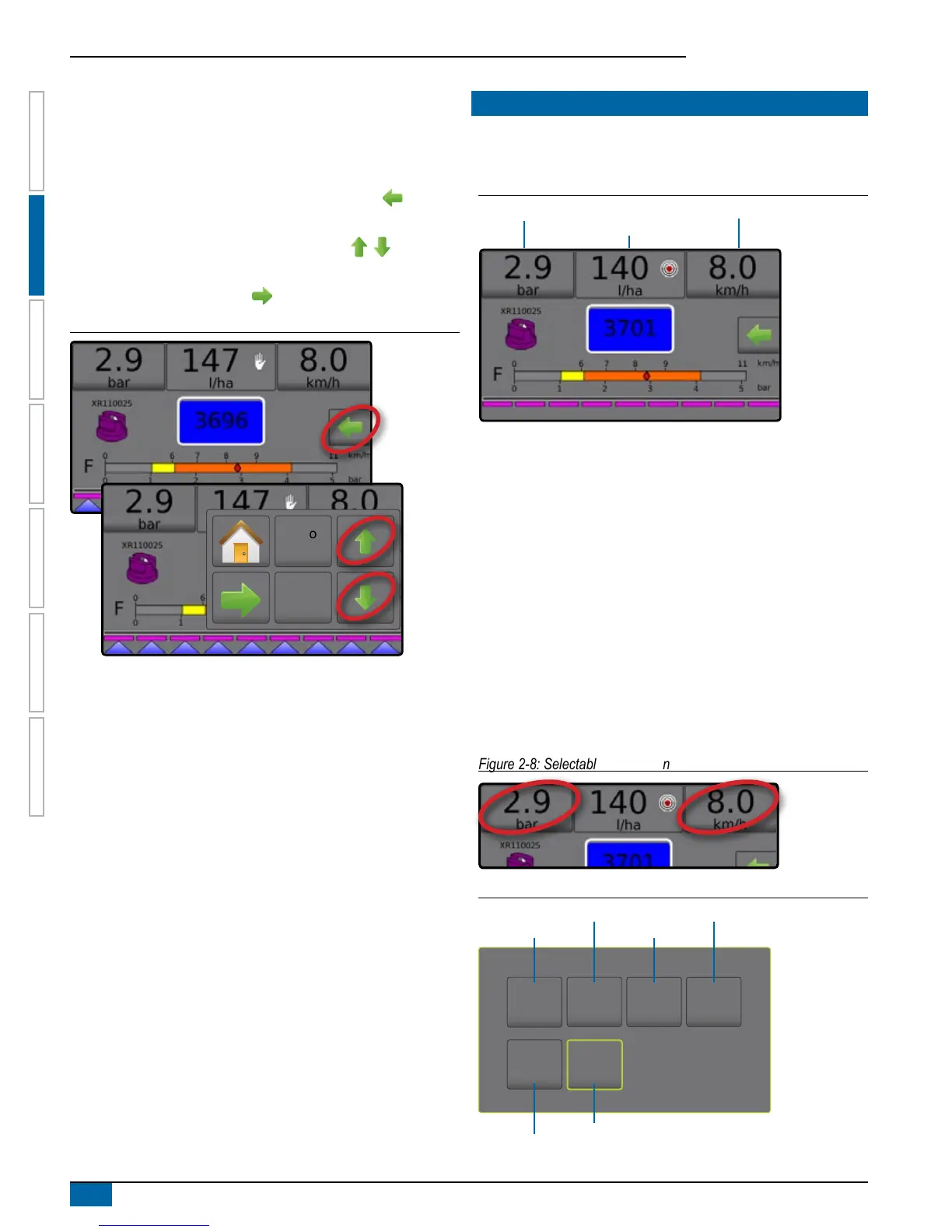
To open/close the valve:
1. From the Operation screen, press the OPTIONS tab to
display the Operation menu.
2. Press the Regulation valve open/close buttons to
manually turn the valves on/off.
3. Press the Close menu button .
Figure 2-6: Manual Regulation Mode
Auto
reg
INFORMATION BAR
The Information Bar displays user selected information and
application rate information.
Figure 2-7: Information Bar
Selectable Information Selectable Information
Application Rate
Selectable Information
Selectable Information displays user-selected information.
1. Press either the left or right Selectable Information section.
2. Select one (1) of six (6) available options to display for each side
(options depend upon equipment in use).
►Volume Applied – displays volume applied for the current
job number
►Flow Rate – displays current ow rate
►Flow Pressure – displays current ow pressure
►Speed – displays vehicle speed
►Area Applied – displays applied area for the selected job
number
►Job Number – displays the current job number
Figure 2-8: Selectable information
Figure 2-9: Selectable Information Options
3450
l
0.2
l/min
20.0
bar
50
ha
5
Job No.
9.0
km/h
Flow Rate
Job number
Volume Applied
Area applied
Flow Pressure
Speed


 To Next Page