INTRODUCTION
35
98-05311-ENUS R2
OPERATIONDATA APPENDIX TOOLS CONSOLE
Radion 8140 Automatic Sprayer Control
SETTINGS
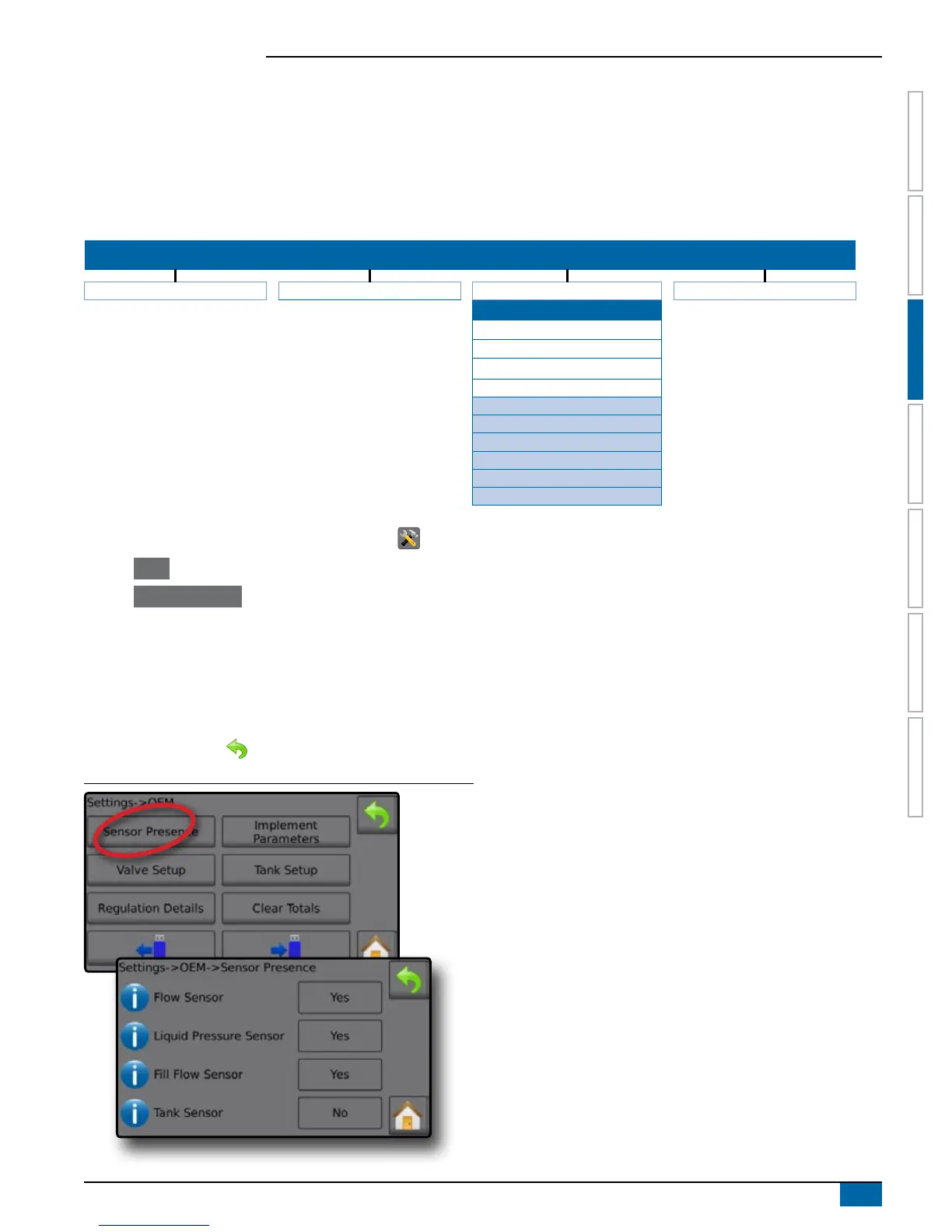
Sensor Presence
Sensor Presence establishes sensors for Flow, Liquid Pressure, Fill Flow and the Tank. If the tted sensors are not registered, the sensor
options will not be available in the calibration menus.
Options established here affect the following settings:
►Settings->Machine->Filling
►Settings->Machine->Calibrations
SETTINGS MENU STRUCTURE
| | | |
Job Parameters Machine OEM Diagnostics
Sensor Presence
Flow Sensor
Liquid Pressure Sensor
Fill Flow Sensor
Tank Sensor
Implement Parameters
Valve Setup
Tank Setup
Regulation Details
Clear Totals
Import/Export Calibrations
1. From the Home screen, press the SETTINGS button .
2. Press OEM .
3. Press Sensor Presence .
4. Press setting value to adjust settings as needed:
◄Flow Sensor
◄Liquid Pressure Sensor
◄Fill Flow Sensor
◄Tank Sensor
5. Press RETURN arrow
to return to the OEM screen.
Figure 3-39: Sensor Presence Screen
Flow Sensor
Flow Sensor is a digital sensor for measuring liquid ow. Flow
Sensor sets the associated sensor availability.
Liquid Pressure Sensor
Liquid Pressure Sensor is an analogue sensor for measuring
pressure. Liquid Pressure Sensor sets the associated sensor
availability.
Fill Flow Sensor
Fill Flow Sensor is a digital sensor for measuring ow. Fill Flow
Sensor sets the associated sensor availability.
Tank Sensor
Tank Sensor is an analogue sensor for measuring tank content. Tank
Sensor sets the associated sensor availability.



 To Next Page