INTRODUCTION
33
98-05311-ENUS R2
OPERATIONDATA APPENDIX TOOLS CONSOLE
Radion 8140 Automatic Sprayer Control
SETTINGS
Alarms
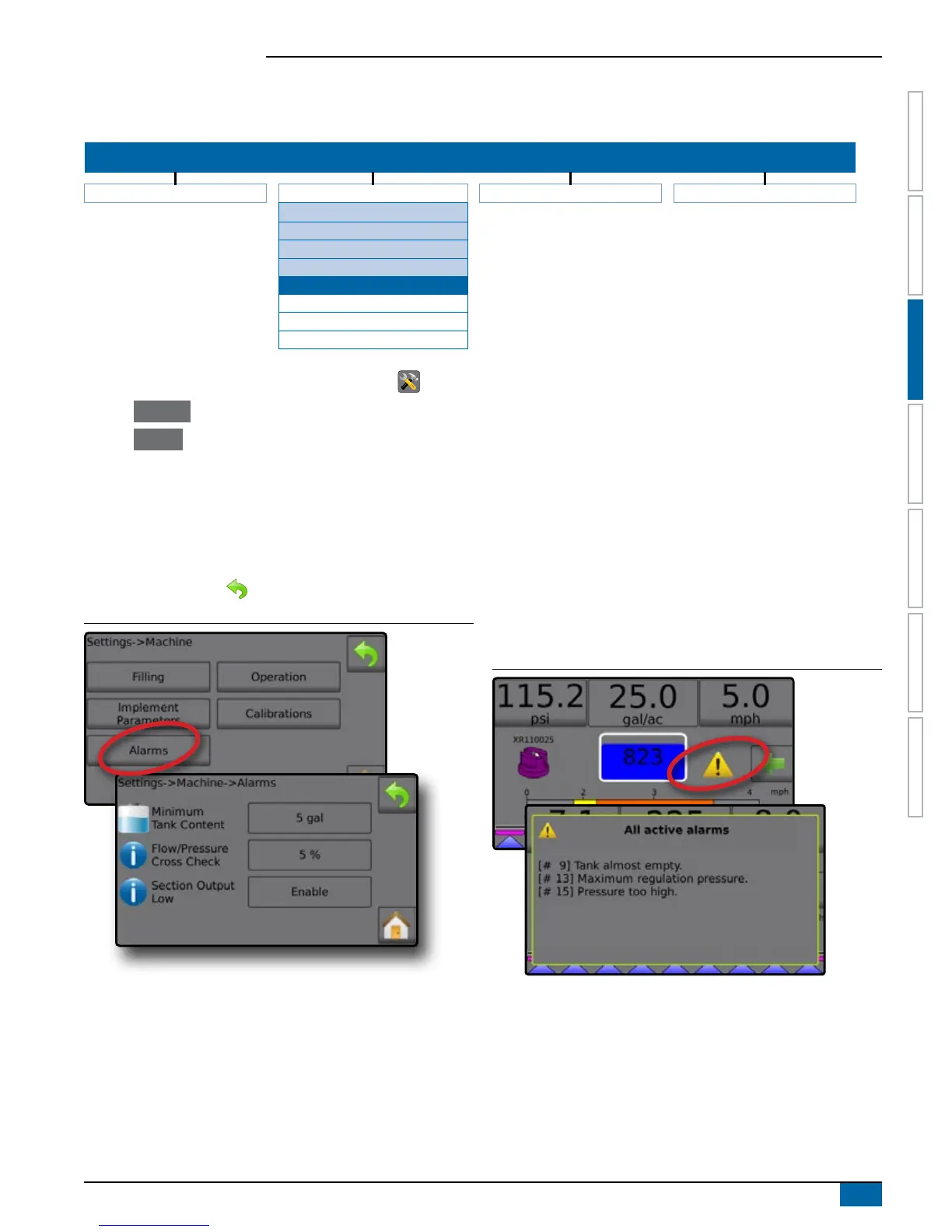
Alarms establishes alarms as on/off, or sets their trigger level.
SETTINGS MENU STRUCTURE
| | | |
Job Parameters Machine OEM Diagnostics
Filling
Operation
Implement Parameters
Calibrations
Alarms
Minimum Tank Content
Flow/Pressure Cross Check
Section Output Low
1. From the Home screen, press the SETTINGS button .
2. Press Machine .
3. Press Alarms .
4. Press setting value to adjust settings as needed:
◄Minimum Tank Content
◄Flow/Pressure Cross Check (alarm active only when both a
Flow Sensor and Liquid Pressure Sensor are active)
◄Section Output Low
5. Press RETURN arrow to return to the Machine screen.
Figure 3-36: Alarms
Minimum Tank Content
Minimum Tank Content alarm establishes the minimum volume level
at which an alarm will sound. Range is dependent of Maximum .
Flow/Pressure Cross Check
Flow/Pressure Cross Check alarm establishes at what percentage
the associated alarm will sound.
Section Output Low
Section Output Low alarm establishes if the alarm will sound if a
section is turned on, yet no load is sensed from that section.
Active Alarms on Operation Screen
Active Alarm warnings will appear on the Operation screen.
Figure 3-37: Alarm Warning on the Operations Screen
NOTE: For a list of Alarm message codes see the Appendix C –
Alarm configurations.



 To Next Page