2
www.teejet.com
OPERATION DATA APPENDIXSETTINGS TOOLSCONSOLE
Radion 8140 Automatic Sprayer Control
INTRODUCTION
BASIC SCREEN USE
The basic screen functions are:
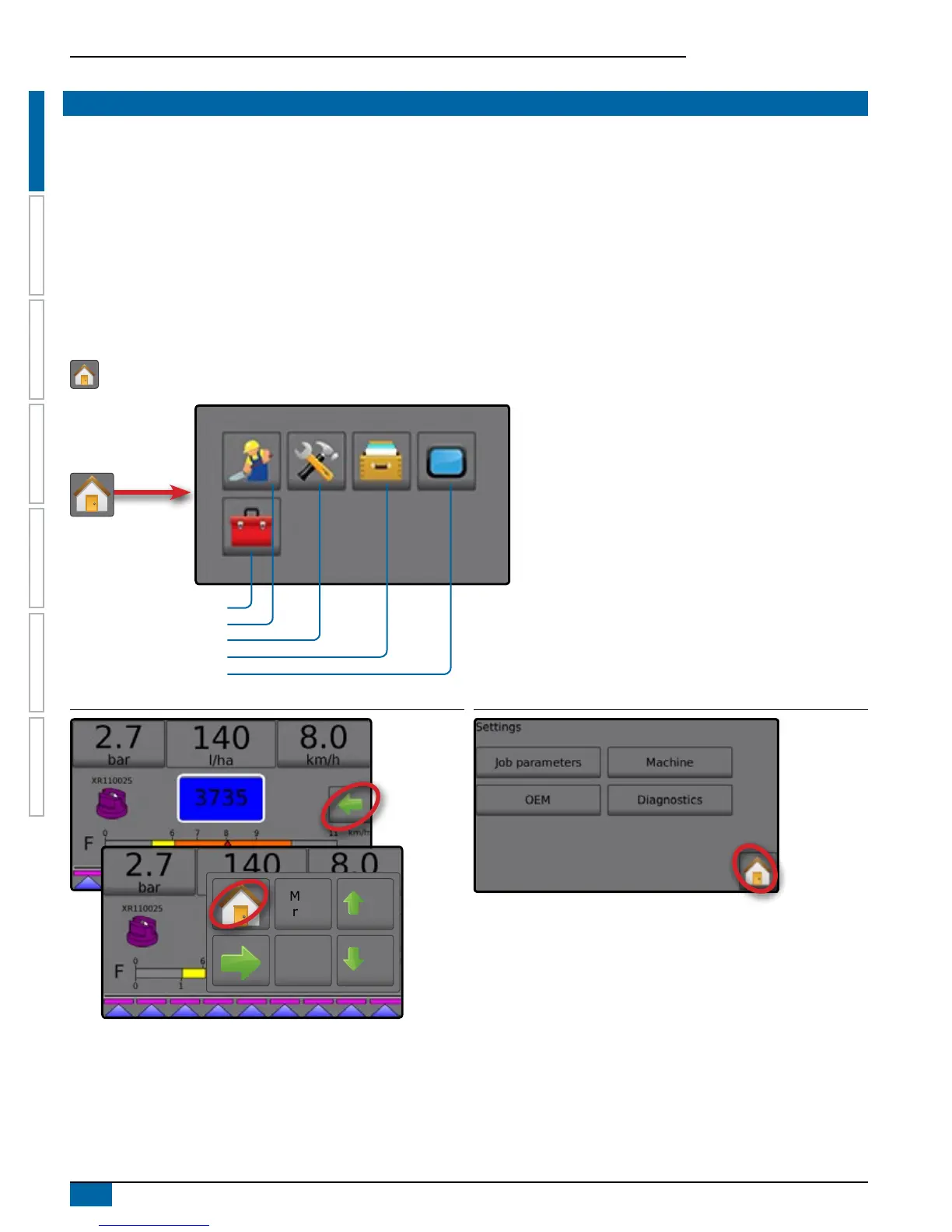
• Home button accesses the Home screen with setup buttons for Operation, Settings, Data, Console settings and Tools
• Options tab on the Operation screen accesses the Home button and Application Rate options
• Warnings and information pop-ups inform of console activities and details on setup or application functions
• Setup options can be applied using option menus or keyboard entry screens
NOTE: There is a Settings Menu Structure Chart, at the end of the Chapter 1 – Overview.
When a Job is active some setup options are unavailable.
Home screen
The Home screen gives access to Jobs, Setup Options and Application Control.
Console Settings
Data
Settings
Operation
Tools
Figure 1-2: Home Button from the Operation Screen
0%
Man
reg
5%
5%
Figure 1-3: Home Button from the Settings Screen



 To Next Page