1
98-05311-ENUS R2
OPERATIONDATA APPENDIX SETTINGSTOOLS CONSOLE
Radion 8140 Automatic Sprayer Control
INTRODUCTION
CHAPTER 1 – INTRODUCTION
Designed with simplicity in mind, Radion 8140 offers spraying advantages not found in other controllers. Setting the target application
rate and the unique VisiFlo
®
display on the controller helps select the right TeeJet tip for the application. Once spraying begins, the large
display shows application rate, volume sprayed, system pressure, sprayer speed, and area covered. Radion 8140’s built-in planning tool
automatically displays the available speed range for the target rate and spray tip that have been selected. Radion 8140 may be used as an
individual controller or in combination with CAN bus technology using Matrix
®
Pro and BoomPilot
®
to add automated boom section control.
Product Upgrades Available
Matrix
Pro Guidance and BoomPilot Automated Boom Section Control.
SYSTEM COMPONENTS
Radion8140 Console
The Radion 8140 is designed to provide years of service under typical agricultural operating conditions. A tight tting enclosure, combined with
rubber covers for all connectors means that typical dusty environments will not cause operational problems. While occasional splashing of water
will not damage the unit, the Radion 8140 is not designed for direct exposure to rain. Take care not to operate the Radion 8140 in wet conditions.
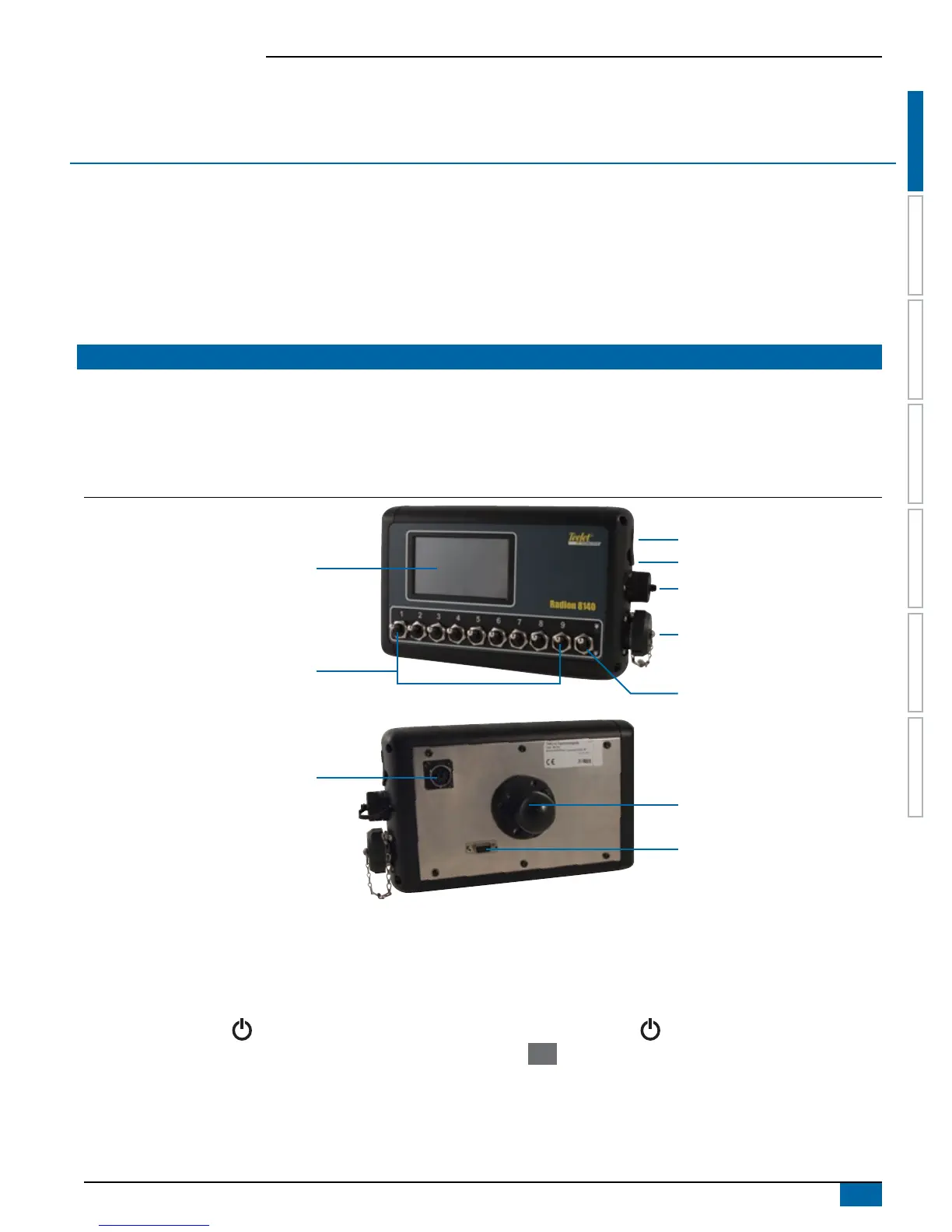
Figure 1-1: Radion 8140 Console Front And Back
Integrated RAM Mount
(assembly required)
Power Button
USB Port With Rubber Cover
Speed Cable Connection
Main Cable Connection
Serial Connection
Master Switch
Bright Touch Screen
CAN Connection
Boom Section Controls
Available in 5, 7 and 9 switch models
The 9 switch model supports up to 13 Boom
Sections (9 switch model shown)
Additional Information
All changes are saved automatically. The console needs to be cycled off and back on when changing or attaching equipment to the
Radion 8140 system.
Power On
Press the POWER button to power on the console. Upon power
up, a TeeJet screen appears while Radion 8140 initiates a start up
sequence. Once start up is complete, the Operation screen appears.
Power Off
Press the POWER button until a pop-up screen appears.
Press Yes to power off the console.
Simulated Speed Alert
An alert will sound at start-up if Simulated Speed is activated.



 To Next Page