INTRODUCTION
53
98-05311-ENUS R2
OPERATIONDATA APPENDIX SETTINGSTOOLS
Radion 8140 Automatic Sprayer Control
CONSOLE
Cultural
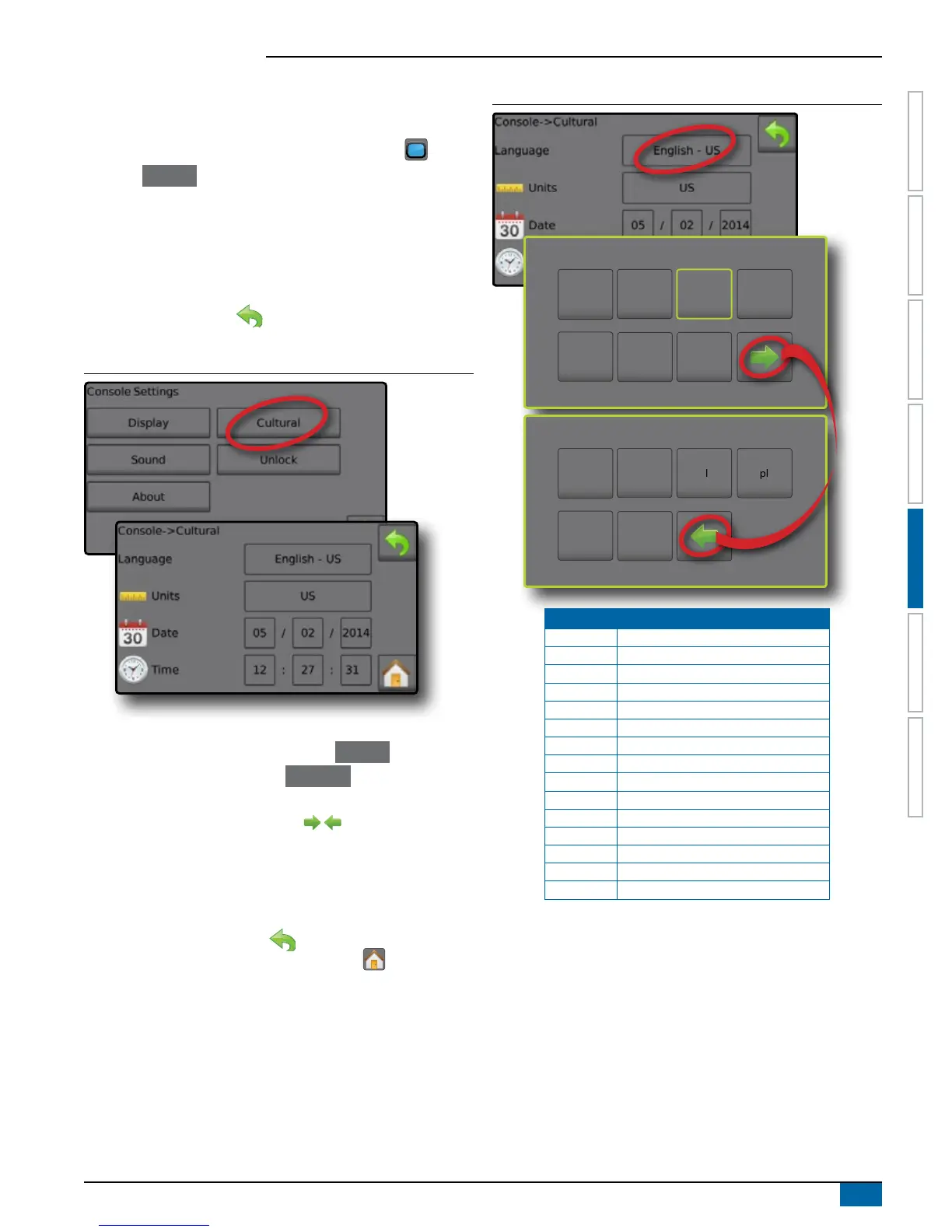
Cultural congures Language, Units, Date and Time settings.
1. From the Home screen, press the CONSOLE button .
2. Press Cultural .
3. Select from:
►Language – denes the system language
►Units – denes the system measurements
►Date – establishes the date
►Time – establishes the time
4. Press RETURN arrow to return to the main Console
settings screen.
Figure 5-3: Cultural Options
Language Selection
1. From the Console settings screen press Cultural .
2. From the Cultural screen press Language .
3. Select a language:
►Press the Right and Left arrows to toggle between
Language selection screens
►Press any language button to select a language and return to
the Console
-
>Culture screen
◄Date will automatically setup to match language selection
►Press the RETURN arrow to return to the Console
settings screen or press the HOME button to return to the
Home screen.
Figure 5-4: Language Selection
cs
de-DE
en-GB
es-ES
es fr-FR
en-US
hu
it-IT
nl
pt-BR
sk
pl
Code Language
cs Czech
da Danish
de-DE German
en-GB English (international)
en-US English (USA)
es-ES Spanish (Europe)
es Spanish (Central/South America)
fr-FR French
hu Hungarian
it-IT Italian
nl Dutch
pl Polish
pt-BR Portuguese (Brazil)
ru Russian
sk Slovak
NOTE: Some languages listed may not be available on the console.



 To Next Page